3D Printed Basketball Materials: Comparing TPU and PEBA Performance
13 min
- Is TPU or PEBA the Better 3D Printed Basketball Material?
- What Are the Main Differences Between TPU and PEBA?
- Which Material Produces Better Bounce?
- Why Do Most Makers Still Use TPU for 3D Printed Basketballs?
- Is PEBA Worth the Higher Cost?
- TPU 95A vs 85A: Does Hardness Matter for Basketballs?
- Which Material Should You Choose?
- Common Pitfalls When Printing an Airless Basketball
- FAQ About 3D Printed Basketball Materials
Wilson dropped their airless basketball concept and the maker community went wild. Suddenly everyone wanted to print one. The problem is that most people grabbed whatever flexible filament they had, printed a lattice basketball, bounced it twice, and posted a disappointed video. The ball looked right. It didn't play right.
The material choice is almost everything with a 3D printed airless basketball. Get it wrong and you get a ball that thunks instead of bounces, or cracks after a week of casual dribbling. But if you make it right, you get something that genuinely performs.
The short answer is that for most people, TPU is the best material for 3D printed basketball, it's affordable, durable, and forgiving to print. But if bounce performance is what you're actually after, PEBA wins clearly. In independent bounce tests, PEBA showed the highest rebound and elasticity, with PEBA rebounding over twice as high as TPU 95A.
According to the maker community such as reddit and material testing reports, flexible filaments differ greatly in energy return and durability for 3D printed basketballs. Obviously, that gap is real and it matters for a basketball specifically. Here's everything you need to know before you commit to a spool.
Is TPU or PEBA the Better 3D Printed Basketball Material?
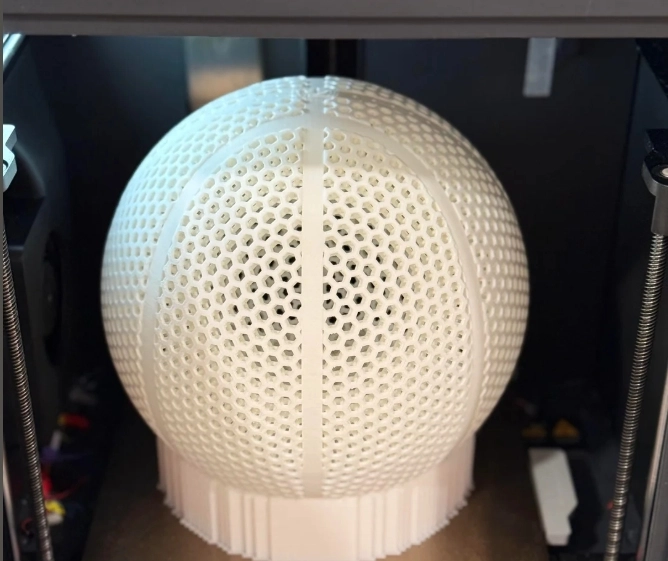
(Reddit) 3D printed airless basketball material
TPU is better for affordability, durability, and printability, making it the most practical choice for most makers and prototyping projects. Make sure to get a full understanding of TPU material safety before committing to a high-volume print run.
PEBA is better for bounce performance and sports realism. Which one is "better" depends entirely on what you're building and why.
When TPU Is the Better Choice
If you're printing your first airless basketball, iterating on a design, or building something for kids to play with casually, TPU makes complete sense. It's widely available, it costs less than PEBA and prints more reliably, and a failed print wastes $15 instead of $50+.
TPU 95A specifically is the standard recommendation for basketball prototypes. It's firm enough to hold the lattice geometry under compression, machines predictably on most direct-drive printers, and produces a ball that bounces, not amazingly, but adequately for testing whether your design geometry works before committing to expensive PEBA.
Real maker feedback confirms this. One Printables user printing at full scale in TPU 95A reported it "bounces to a little above my knees with normal bouncing force" and "feels great in the hands." Not NBA regulation, but functional.
When PEBA Is the Better Choice
If you want to actually play with it, PEBA is the answer to airless basketball material. The Sainsmart PEBA in particular has been consistently praised by the maker community for producing basketballs that hold up to real use, one maker specifically noted all other materials "bounce okay but eventually break," while PEBA-printed balls survived ongoing use.
PEBA makes sense when energy return is critical, PEBA springs back faster and more completely than TPU. For a basketball, energy return is basically the entire performance spec. A ball that absorbs energy feels dead. A ball that returns energy bounces.
Real-World Recommendation
If your goal is simply to print a basketball-shaped object that can be bounced occasionally, TPU 95A is usually enough. If your goal is to create a ball that feels closer to a commercial basketball, PEBA is worth the additional cost. For most projects, the decision comes down to whether you're optimizing for development cost or performance.
What Are the Main Differences Between TPU and PEBA?
Both are flexible. Both work with FDM printing on direct-drive setups. That's roughly where the similarity ends. Find out the difference between FDM vs MJF TPU.
While TPU absorbs energy like a sponge, PEBA returns up to 65-70% of impact energy, compared to TPU's 30-40% energy return. That difference shows up immediately in this airless basketball material comparison when you bounce the ball. TPU basketball feels slightly dampened. PEBA snaps back.
| Property | TPU 95A | TPU 85A | PEBA |
|---|---|---|---|
| Shore Hardness | 95A (firmer) | 85A (softer) | 80A-95A (range) |
| Energy Return | 30-40% | 35-45% | 65-78% |
| Flexibility | High | Very High | High |
| Durability | Excellent | Good | Good-Excellent |
| Abrasion Resistance | Excellent | Good | Moderate |
| Weight | Medium | Medium | 15-20% lighter than TPU |
| Printability | Easiest | Moderate | More Difficult |
| Cost per kg | Low ($20-35) | Low ($20-35) | High ($50-100+) |
| Basketball Bounce | Moderate | Moderate-Good | Excellent |
| Temperature Range | Above -20°C | Above -20°C | Down to -40-60°C |
| Moisture Sensitivity | High | High | High |
The weight difference is worth noting for basketball specifically. PEBA is 15-20% lighter than TPU while maintaining superior strength and durability. A real basketball weighs about 620g. Getting a printed ball close to that weight while hitting the bounce target is easier with PEBA's lighter density.
Which Material Produces Better Bounce?
PEBA. It's not particularly close.
PEBA offers up to 78% energy return and superior shape retention. To put that in context, a regulation NBA basketball bounces back to roughly 75-80% of drop height under standard conditions. PEBA-printed basketballs tested by the maker community approach real-ball bounce performance. TPU-printed ones don't.
Why TPU Absorbs More Energy
TPU's molecular structure is a segmented copolymer with hard and soft segments, the soft segments provide flexibility but they also dissipate energy as heat when the material compresses and releases. That energy dissipation is actually useful in applications like shoe outsoles, phone cases, and bumpers where you want to absorb impact. For a basketball, it's exactly what you don't want. The energy that goes into the floor contact should come back as height. With TPU basketball, a significant portion of it doesn't.
In a real-world test comparing identical structures printed in TPU and PEBA after 100 compression cycles, the TPU sole permanently deformed by 15% while the PEBA sole maintained 98% of its original height. That structural retention matters for an airless basketball material that will be dribbled thousands of times.
Why PEBA Returns More Energy
PEBA's block-copolymer structure allows it to achieve exceptionally high energy return, which explains its superior rebound performance. The polyamide blocks provide structure while the polyether blocks provide the elastic snap-back. The material stores mechanical energy during compression and releases it almost entirely on rebound rather than converting it to heat. This is the same principle that makes PEBA the material of choice for high-end running shoe midsoles, brands like Nike and Adidas use PEBA-based foams in their top-tier performance shoes specifically because of this energy return characteristic.
Why Do Most Makers Still Use TPU for 3D Printed Basketballs?
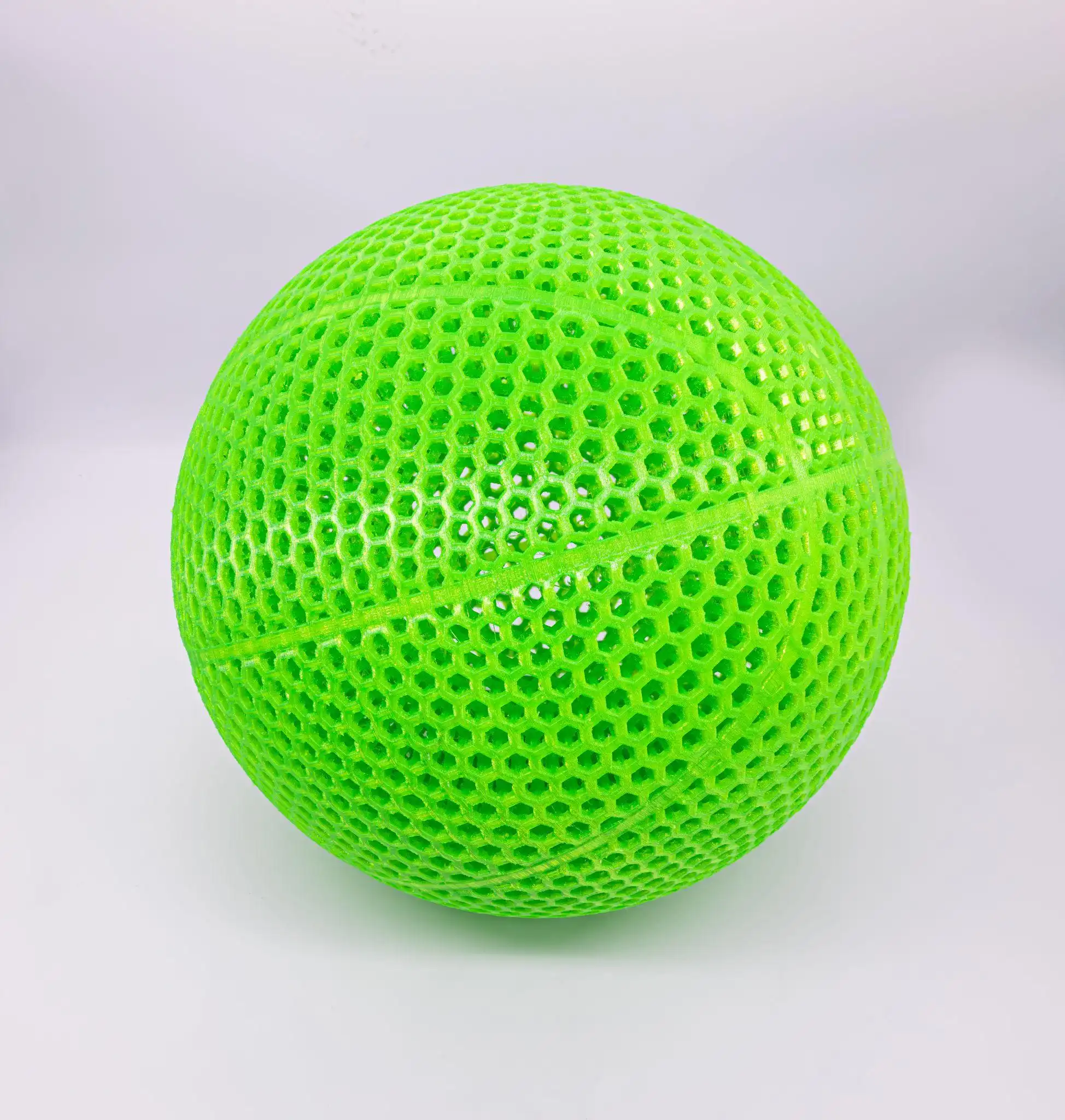 (Green 3D printed TPU airless basketball from JLC3DP)
Because PEBA is genuinely difficult 3D printed basketball material to work with and costs significantly more. That's the honest answer.
PEBA requires precise temperature control, careful retraction settings, and is more sensitive to moisture than TPU. A full-size basketball requires roughly 1-1.5kg of filament. At PEBA prices, a failed print is a $50-75 mistake. At TPU prices, it's $15-20. For makers iterating on design geometry, printing five TPU test balls before committing to one PEBA final version is a completely rational approach.
Availability is the other factor. TPU is stocked by essentially every filament supplier. PEBA is a specialty material with fewer brand options, less community print profile data, and more variation between formulations. The Sainsmart PEBA that the maker community recommends most consistently is available but requires more deliberate purchasing than grabbing whatever TPU your local supplier carries.
The learning curve is real too. Direct-drive printer required, filament dried before and during printing, higher temperatures than TPU, and more sensitivity to retraction settings. None of this is insurmountable, but it means your first PEBA basketball has a higher chance of failing than your first TPU basketball.
In practice, many makers don't start with PEBA even when they know it delivers better bounce. A full-size airless basketball can consume more than 1 kg of material, and design iteration often requires multiple prototypes. Starting with TPU allows designers to validate lattice geometry, wall thickness, and overall feel at a much lower cost. Once the design performs as expected, PEBA becomes a logical upgrade for maximizing rebound performance.
Recommended Material: TPU for Basketball Prototypes
For most airless basketball prototypes, TPU remains the most practical starting point. JLC3DP's TPU (95A) combines solid flexibility, excellent tear and abrasion resistance, and multiple color options, everything you need to validate your basketball design before upgrading to PEBA for final performance testing.
JLC3DP TPU 95A
- Shore hardness 95A (firm enough for basketball lattice geometry)
- Excellent tear resistance and abrasion performance
- Multiple color options
- FDM production process
- Applications: basketball prototypes, sports equipment, wearables, functional flexible parts
Get an instant TPU 3D printing quote from JLC3DP
Is PEBA Worth the Higher Cost?
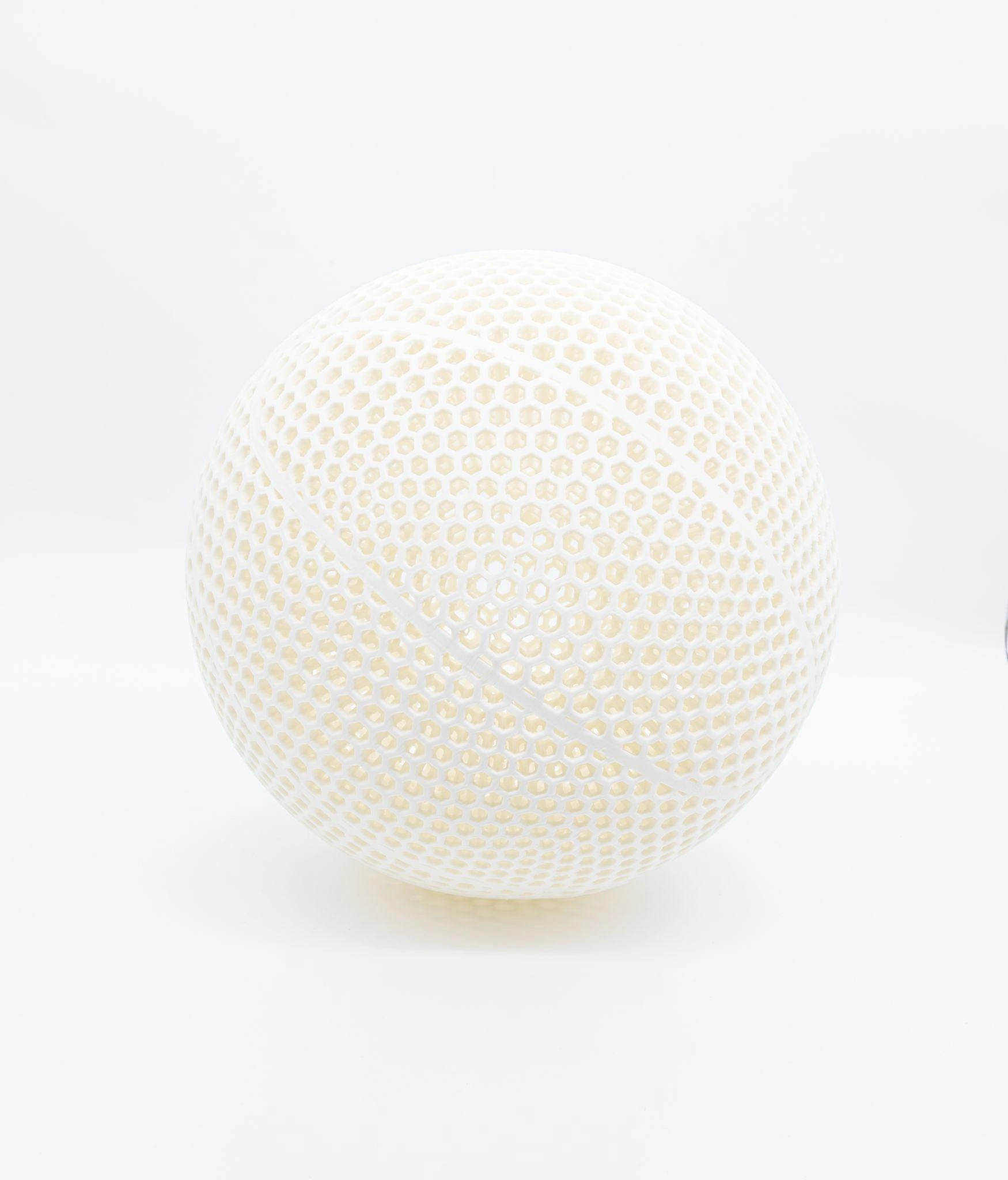
(JLC3DP 3D printed white PEBA airless basketball)
If bounce performance is genuinely your goal, yes. Community testing consistently rates Kimya PEBA as the highest-performing material for airless basketballs, scoring 5/5 for bounce, "the best bounce by far." No TPU formulation tested has come close to matching it on pure performance.
The maker community has shifted noticeably toward PEBA for serious basketball projects. Dedicated PEBA basketball models are appearing on Printables and Cults3D with validated print profiles, which lowers the technical barrier compared to a year ago when most PEBA basketball makers were developing settings from scratch.
Advantages of PEBA
PEBA 90A mimics the rebound of a basketball with quick energy return and strong shape memory, making it perfect for sports equipment applications. Beyond pure bounce, PEBA's fatigue resistance means the ball holds its performance over time rather than gradually feeling deader with each session. The lower density means the finished ball can hit realistic weight targets more easily than heavier TPU formulations.
Limitations of PEBA
Cost is the primary barrier, expect to pay roughly 2-3x the price of equivalent TPU. Print reliability requires more skill and setup attention. For most everyday flexible prints, TPU remains a practical and reliable choice, while PEBA excels in applications requiring maximum elasticity and energy return. If your priority is display, iteration, or casual use, that premium isn't justified.
PEBA for High-Rebound Basketball Projects
When maximum rebound performance is the requirement, PEBA delivers what TPU simply can't. JLC3DP's PEBA service handles the printing complexity so you get the performance results without fighting the material settings.
JLC3DP PEBA Service
- Suitable for: airless basketball development, high-rebound sports products, energy-return lattice structures
- Professional process control that handles PEBA's sensitivity to temperature and moisture
- Results that reflect the material's actual performance potential
Request a PEBA prototype quote from JLC3DP
TPU 95A vs 85A: Does Hardness Matter for Basketballs?
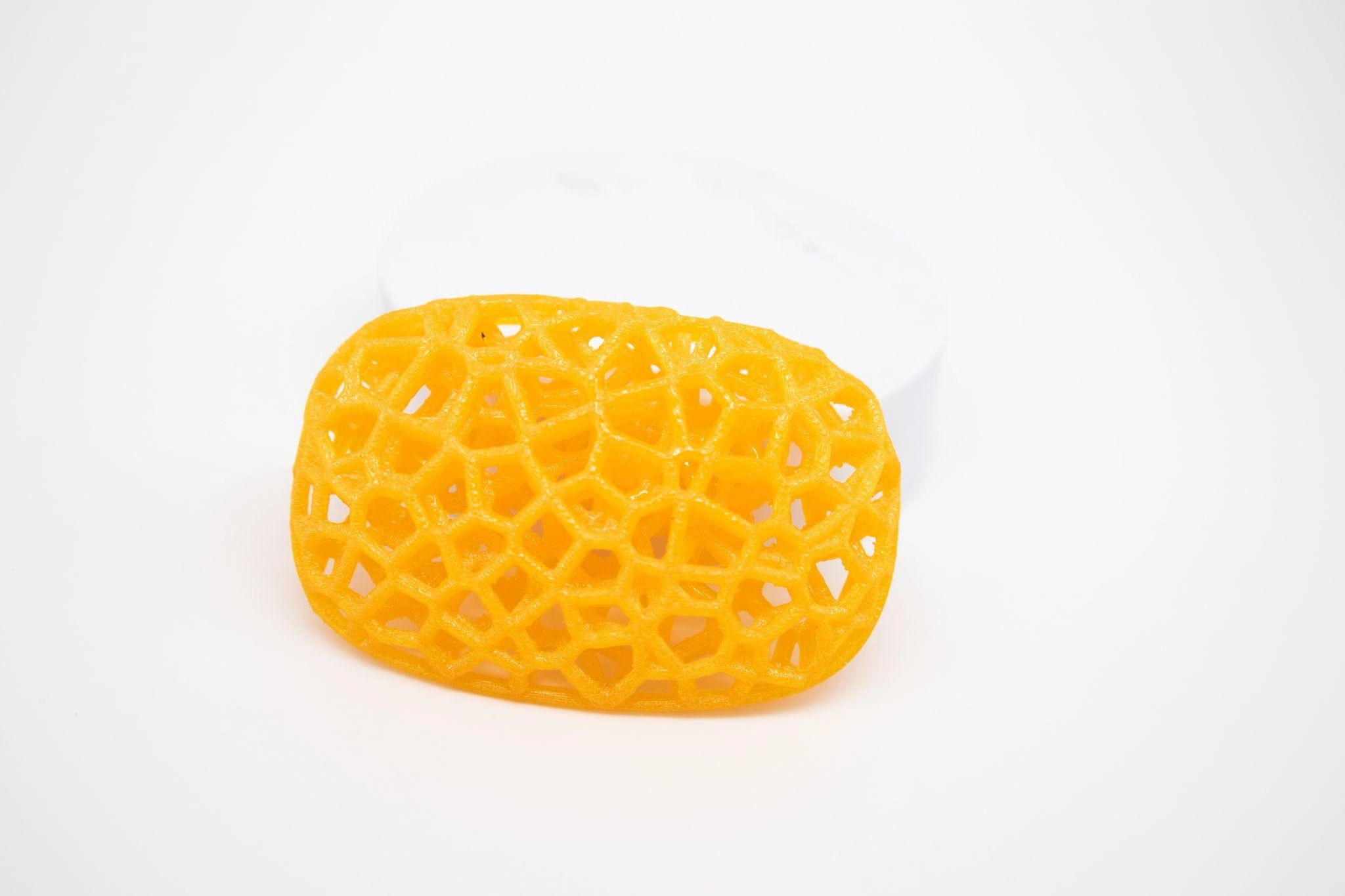
3D printed TPU part from JLC3DP
This question comes up whenever someone starts researching flexible filaments and sees two TPU options. The short answer: for a basketball specifically, 95A is the better starting point.
TPU 95A has a higher Shore hardness, making it firmer and more dimensionally stable, and is the easiest flexible filament to print because it feeds more reliably than softer materials. TPU 85A is softer and more flexible, which sounds better for a bouncy ball, but for a basketball lattice structure, too much softness means the ball feels mushy and doesn't return energy efficiently.
One maker testing multiple materials at 50% scale found that "NinjaTek 89A is much too soft and doesn't really bounce" while higher durometer formulations produced better results. For a basketball, you need elastic energy return, not just softness.
If you've already printed TPU 95A and want to experiment, 85A is worth a test, you may find a slightly more lively feel. But start with 95A before moving to softer formulations.
Which Material Should You Choose?
Choose TPU if cost, printability, and iteration speed matter most. Choose PEBA if bounce performance is your actual goal.
| Goal | Recommended Material |
|---|---|
| Lowest cost | TPU 95A |
| Easiest printing experience | TPU 95A |
| First basketball build | TPU 95A |
| Fastest design iteration | TPU (any grade) |
| Highest bounce | PEBA |
| Sports performance | PEBA |
| Airless basketball development | PEBA |
| Long-term durability under play | PEBA |
| Display or art piece | Either |
Quick Material summary:
Choose TPU if:
✓ First basketball build
✓ Budget-sensitive
✓ Frequent design iterations
✓ FDM printer
Choose PEBA if:
✓ Maximum bounce required
✓ Sports performance testing
✓ Final version build
✓ Cost is secondary
Common Pitfalls When Printing an Airless Basketball
The maker community has tested enough basketball materials to identify what goes wrong consistently.
Expecting TPU to Perform Like a Real Basketball
TPU is excellent for prototyping, but its energy return is much lower than PEBA. A TPU basketball can bounce adequately for testing, but it will not match the rebound performance of a regulation basketball.
Using the Wrong Extruder Setup
Both TPU and PEBA print best with a direct-drive extruder. Flexible filaments are difficult to control in Bowden systems and can lead to inconsistent extrusion, stringing, and failed prints.
Printing with Wet Filament
TPU and PEBA absorb moisture quickly. Wet filament can cause bubbling, poor layer adhesion, and reduced mechanical performance. Always dry the material before printing and store it in a dry environment.
Printing Full Scale Without Testing
A full-size airless basketball can require more than 1 kg of material and many hours of print time. Printing a smaller test version first helps validate settings, material behavior, and lattice performance before committing to a full-scale build.
FAQ About 3D Printed Basketball Materials
Q: What is the best material for 3D printed basketball?
PEBA produces the best bounce performance, consistently rated 5/5 by community makers for airless basketball applications. For most people starting out, TPU 95A is the more practical choice due to lower cost and easier printing.
Q: Does PEBA bounce better than TPU?
Significantly. PEBA rebounds over twice as high as TPU 95A in direct bounce tests. PEBA delivers up to 78% energy return, meaning it springs back almost as much as you compress it.
Q: Why do many airless basketballs use PEBA?
PEBA mimics the rebound of a basketball with quick energy return and strong shape memory, which TPU's energy-absorbing structure can't match. Community makers who want a ball that performs rather than just looks like a basketball consistently end up with PEBA after testing other materials.
Q: Is TPU good for airless basketball prototypes?
Yes. TPU 95A is the recommended starting material for design iteration, geometry testing, and cost-sensitive builds. It produces a functional basketball that bounces adequately and survives handling well, at a fraction of PEBA's cost per failed print.
Q: TPU or PEBA: which should beginners choose?
TPU 95A without question. For users new to flexible filaments, TPU is the better choice, cheaper, easier to print, and more forgiving on print parameters. Learn the geometry and settings on TPU, then upgrade to PEBA when bounce performance becomes the priority.
Q: Is PEBA stronger than TPU?
PEBA and TPU have different strengths. PEBA is generally more elastic and has better energy return, making it ideal for high-bounce applications like basketballs. TPU is tough and durable, suitable for prototypes and flexible parts, but may have slightly lower rebound performance compared to PEBA.
Keep Learning
Why You Need Custom Footwear: The Comfort Revolution of 3D Printed Shoes
Welcome to the world of 3D printed shoes, a revolutionary approach changing how footwear is made and experienced. Using advanced technology known as additive manufacturing, 3D printing shoes creates footwear layer by precise layer; a whole new way of thinking about fashion, function, and sustainability. Instead of stitching and gluing pieces together, each pair is printed in one seamless piece using advanced printing materials. And then you get shoes that are flexible, durable, breathable, and unbelie......
How 3D Printing Is Used to Create Custom Wedding Rings
Wedding rings are deeply personal. Even when two rings appear simple, details such as shape, engraving, texture, fit, and material can carry a great deal of meaning. For couples looking for something beyond a standard design, customization is often the priority. However, producing a one-off ring with unusual geometry or intricate details can be difficult and time-consuming using traditional methods alone. This is where 3D printing fits into the process. Rather than moving directly from a sketch to a f......
3D Printed Basketball Materials: Comparing TPU and PEBA Performance
Wilson dropped their airless basketball concept and the maker community went wild. Suddenly everyone wanted to print one. The problem is that most people grabbed whatever flexible filament they had, printed a lattice basketball, bounced it twice, and posted a disappointed video. The ball looked right. It didn't play right. The material choice is almost everything with a 3D printed airless basketball. Get it wrong and you get a ball that thunks instead of bounces, or cracks after a week of casual dribb......
Sustainable 3D Printed Furniture: The Future of Design
As 3D printing opens new doors across various fields, 3d design for furniture has also become increasingly popular. While mass production of furniture likely won’t stop any time soon, experimenting with innovative design, new functions, and complex geometry is something that additive manufacturing is perfect for. 3D furniture offers creative freedom for designers, with the potential of customization for clients, and the benefits of lower cost, sustainable material use and renewed aesthetics. 3d furnit......
Why 3D Printed Fabric Is the Next Big Revolution in Fashion
Additive manufacturing isn’t only reshaping the manufacturing of objects, but also revolutionizing 3D printed fabric. The fashion industry and forward-thinking 3D print fashion designer professionals can greatly benefit from 3D printing for fashion due to the complex geometries, design freedom, and customization it offers. 3D printed clothing can be both wearable and functional, while also enabling the creation of pieces with unique shapes and textures for futuristic runways and fashion shows. What se......
Custom 3D Printed Shoes – Design, Print & Wear Your Unique Pair
According to industry reports, the 3D printed footwear market represents a highly valuable segment, with projections indicating it will grow into a $5.9 billion revenue opportunity during the period from 2019 to 2029 (source: Research and Markets ). This growth is largely driven by advancements in additive manufacturing. Thanks to 3D scanning, manufacturers have recognised the potential of customisation—whether it’s a unique fashion piece or a functional running shoe. The features are fascinating, as ......