20 Best 3D Printed Fidget Toys in 2026 (STL Sources & Settings)
17 min
- Introduction
- How We Selected These Fidget Toys
- Quick Comparison: Best 3D Printed Fidget Toys and Print Settings
- Press-to-Spin Fidgets
- Gear Fidgets
- Spinner Fidgets
- Infinity & Folding Fidgets
- Slider & Clicker Fidgets
- Print-in-Place vs Assembly Fidget Toys
- Where to Find STL Files
- FAQ about 3D Printed Fidget Toys
- Conclusion: Print Your Way to Relaxation
Key Takeaways
Best overall: HelixCore for advanced makers who want a challenging mechanical fidget.
Best for beginners: Mini Clicker, Classic Fidget Spinner, and Infinity Cube.
Best print-in-place design: Planetary Gear Spinner, which can be printed as a single assembled piece without additional hardware.
Best material: PLA is a good starting material for most fidget toys, while PETG can be a better choice when greater toughness or repeated flexing is required.
Recommended starting settings: Many models work well with a 0.15–0.2 mm layer height and 20–40% infill, but mechanical designs may require model-specific calibration.
Before printing: Check the STL license, dimensional accuracy, required hardware, and whether the model is designed for print-in-place or assembly.
Introduction
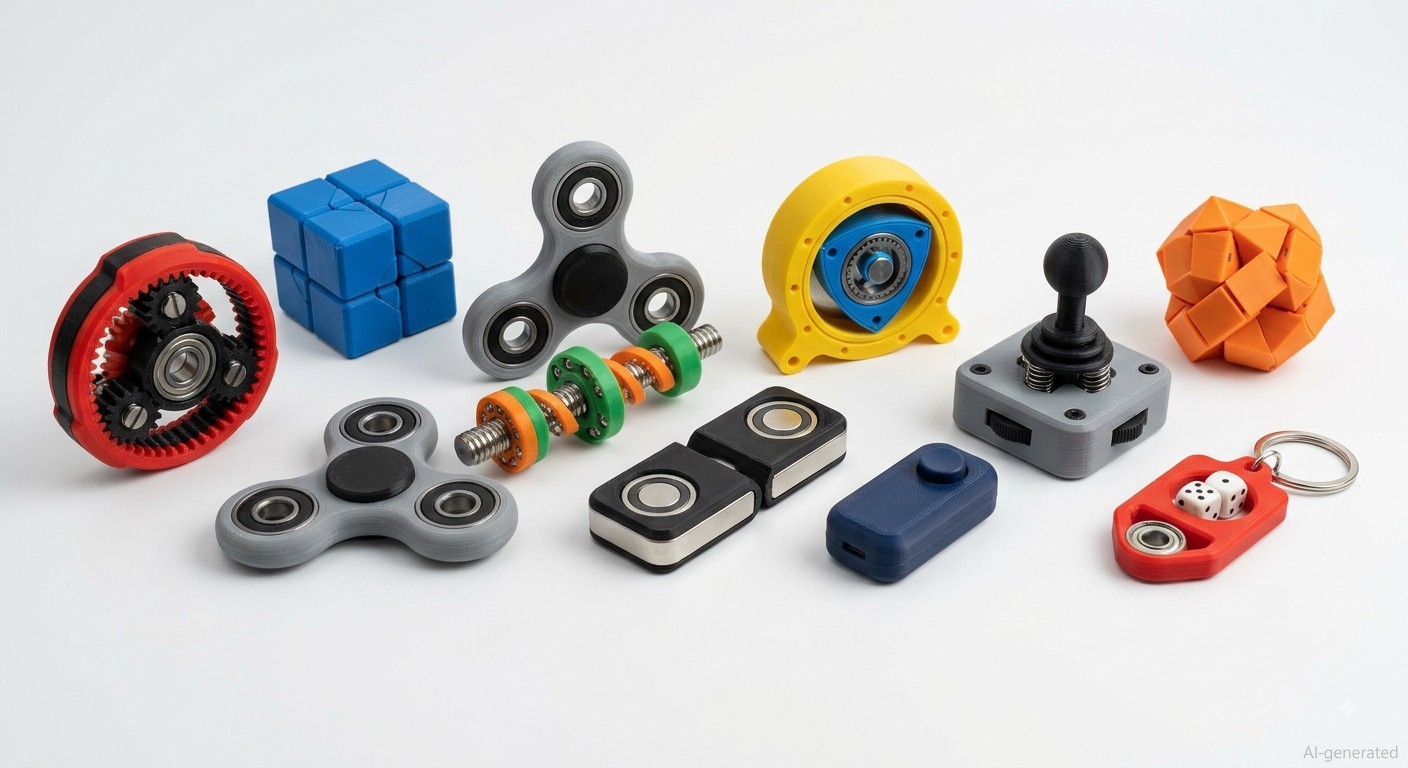
3D printed fidget toys have become a popular reason that people buy a printer in the first place. They're quick to print, immediately satisfying, and genuinely useful for focus and stress relief. The best ones also happen to be seriously impressive demonstrations of what additive manufacturing can do, gears that mesh perfectly, hinges that fold without any post-processing, and mechanisms that click, spin, and slide exactly as designed.
This guide covers 20 of the best 3D printed fidget toys in 2026 available right now, organized by type. For each one you'll find what makes it worth printing, where to get the STL, recommended materials, and print settings that actually work. Whether you want something you can run off in an hour or a weekend mechanical challenge, this list has it.
If you're new to printing toys and want more project ideas first, here's a great starting point: 10 3D Printed Toys You Should Try Making.
If you want the best possible results without printer ownership, JLC3DP's FDM printing gets you an instant quote from an uploaded STL in minutes.
- Starting From $0.3 per part · No Minimum Order Quantity
- 48-Hour Lead Time · Up to $123 Welcome Coupons
How We Selected These Fidget Toys
With thousands of 3D printable fidget designs available online, we selected these models based on practical printing experience, mechanical design quality, and overall user value.
Each fidget toy was evaluated using the following criteria:
Printability
Can it be successfully printed on FDM printers? Does it require complex support or difficult post-processing?
Mechanical Design
Does the design provide reliable movement, smooth operation, or interesting mechanisms? Are tolerances and assembly requirements reasonable?
Beginner Friendliness
Is the model suitable for different skill levels? Does it help users learn about calibration, tolerances, or mechanical assemblies?
Material Compatibility
Does it work well with commonly used filaments such as PLA and PETG? Are the recommended materials suitable for the intended use?
Overall Experience
Does the final print provide a satisfying user experience and demonstrate the strengths of 3D printing?
Quick Comparison: Best 3D Printed Fidget Toys and Print Settings
| No. | Fidget Toy | Category | Print Type | Material | Layer Height | Infill | Est. Time | Difficulty | Hardware | STL Source |
|---|---|---|---|---|---|---|---|---|---|---|
| 1 | HelixCore | Press-to-Spin | Assembly | PETG (PLA tunable) | 0.15mm | 40% | 6–10h | Advanced | 3mm steel balls | Printables "HelixCore" |
| 5 | Planetary Gear Spinner | Gear | Print-in-place | PLA (PETG for wear) | 0.15mm | 25% | 4–5h | Medium | None | Printables "Planetary Gear Fidget" |
| 8 | Wankel Rotary Engine | Gear | Assembly | 2-color PLA | 0.2mm | 35% | 3–5h | Medium | Yes | Printables "Wankel Rotary Fidget" |
| 9 | Classic Fidget Spinner | Spinner | Assembly (bearing) | PLA / PETG | 0.2mm | 40-60% | 1–2h | Easy | 1× 608 bearing | Thingiverse "Fidget Spinner 608" |
| 12 | Dice Spinner Keychain | Spinner | Assembly (bearing) | PLA | 0.2mm | 50-80% | 1–2h | Easy | 1× 608 bearing | Thingiverse/Printables "Dice Spinner Keychain" |
| 13 | Infinity Cube | Folding | Assembly (hinges) | PLA (PETG hinges) | 0.2mm | 25% | 3–4h | Easy | Hinges | Thingiverse "Infinity Cube Fidget" |
| 15 | Octa Twist | Folding | Assembly | PLA / PETG | 0.2mm | 20% | 2–3h | Medium | Yes | Printables "Octa Twist Fidget" |
| 17 | Magnetic Haptic Slider | Slider | Assembly | PLA | 0.15mm | 40% | 2–3h | Medium | 6–10× neodymium magnets | Printables "Magnetic Haptic Slider" |
| 19 | Mini Clicker | Clicker | Print-in-place / spring | PLA | 0.2mm | 40% | 1h | Easy | Partial (some need spring) | Printables/Thingiverse "Mini Clicker Fidget" |
| 20 | Joystick Fidget | Clicker | Print-in-place | PLA | 0.15mm | 25% | 2–3h | Easy-Medium | None | Printables "Joystick Fidget Print-in-Place" |
Note
1. Print-in-place designs contain moving parts that are printed as one assembled piece, while assembly designs require separate components or hardware.
2. These settings are starting points rather than fixed requirements. Actual results may vary depending on printer, nozzle size, filament, model scale, slicer settings, and dimensional calibration.
Want to make your prints successfully? Here's a detailed breakdown of successful printing tips: Faster 3D Printing Tips.
Press-to-Spin Fidgets
These are the mechanical heavyweights of 3D printed fidget toys, the ones that use clever engineering to turn simple pressing and twisting motions into the kinetic feedback. They're the coolest 3d printed fidgets to hand to someone who's never seen additive manufacturing at its best.
1HelixCore (Ball Screw + Clutch)
Best for: Advanced makers and mechanical design enthusiasts
Why we recommend it:
HelixCore is the most mechanically sophisticated 3D printed fidget toy on this list, and possibly one of the most impressive mechanisms ever designed for desktop FDM printing. It uses a ball-guided screw mechanism with a clutch-like locking system, press one end and it rotates; release and it locks. The action is deeply enjoyable and surprisingly smooth for a printed part.
The design requires careful printing. Tolerances matter throughout, and the ball bearings (standard 3mm steel balls) need to seat properly in the printed races. If you want a weekend build that actually tests your calibration, this is the one to print.
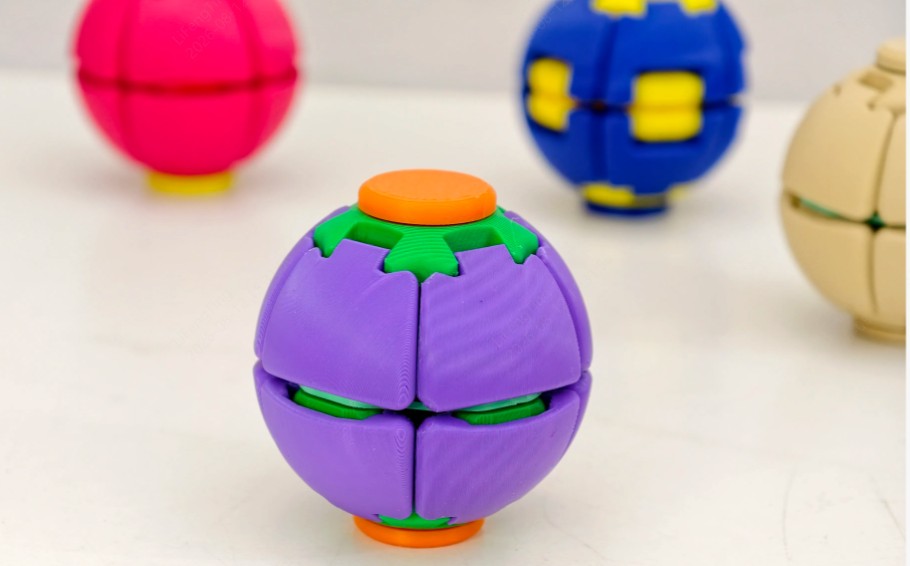
helixcore press-to-spin squishy ball
Recommended starting settings:
Material: PETG offers better toughness, while PLA usually provides better dimensional accuracy for small mechanical parts.
Layer height: 0.15mm
Infill: 40%
Print time: 6-10 hours depending on printer
Difficulty: Advanced
STL: Makerworld "HelixCore"
2Ball Screw Fidget V2
Best for: Intermediate makers and mechanical fidget enthusiasts
Why we recommend it:
A slightly simpler interpretation of the ball-screw mechanism that still delivers exceptional tactile feedback. The V2 version improves on the original with better ball retention geometry and smoother internal channels. Good intermediate step before attempting a full HelixCore build.
Recommended starting settings:
Material: PLA or PETG
Layer height: 0.15mm
Infill: 35%
Difficulty: Medium
STL: Not specified in the source
3Twisty Fidget Ball
Best for: Makers who prefer compact and tactile fidgets
Why we recommend it:
A spherical fidget toy with internal rotating elements that create a satisfying resistance as you twist. The outer shell is smooth and comfortable in the hand.
Recommended starting settings:
Material: PLA
Layer height: 0.2mm
Difficulty: Medium
STL: Printables, search "Twisty Fidget Ball"
4Infinity Ball Fidget
Best for: Makers who enjoy weighted and rotational fidgets
Why we recommend it:
A spherical outer shell containing a weighted inner ball that rotates freely in any direction. The satisfying weight shift as you tilt the ball from hand to hand makes this one of the most interesting cool 3d printed fidgets. Works best when the inner ball has a slight mass difference from the outer shell, adding a steel ball bearing inside the printed core improves the feel significantly.
Recommended starting settings:
Material: PLA
Layer height: 0.2mm
Infill: 20% (shell), solid (inner ball)
Difficulty: Medium
STL: Not specified in the source
Gear Fidgets
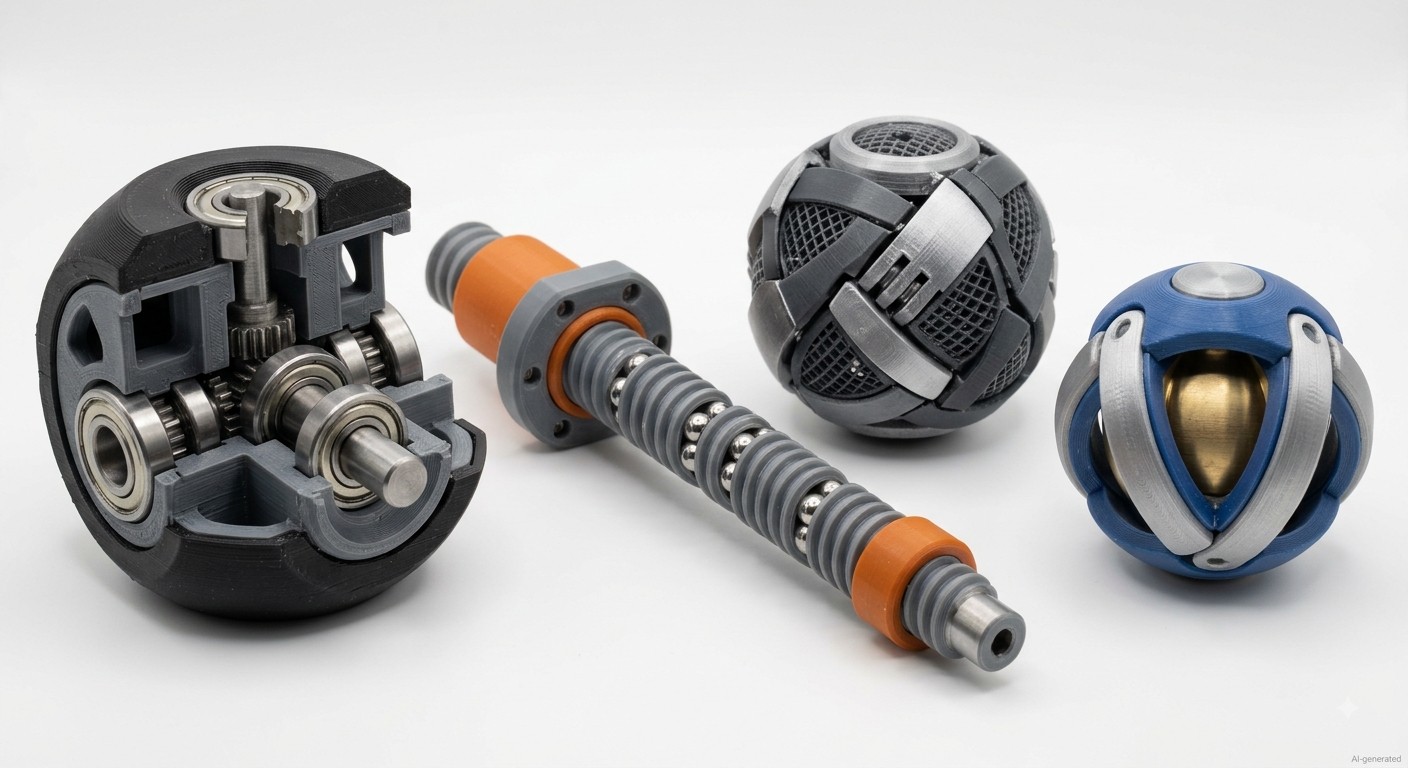
3D printed mechanical fidget toys with ball-screw and rotating mechanisms
Gear fidgets let you watch interlocking mechanical movement while you fidget. They're some of the most visually impressive 3d printed fidget toys, and they demonstrate tolerance capabilities in a way that's immediately visible.
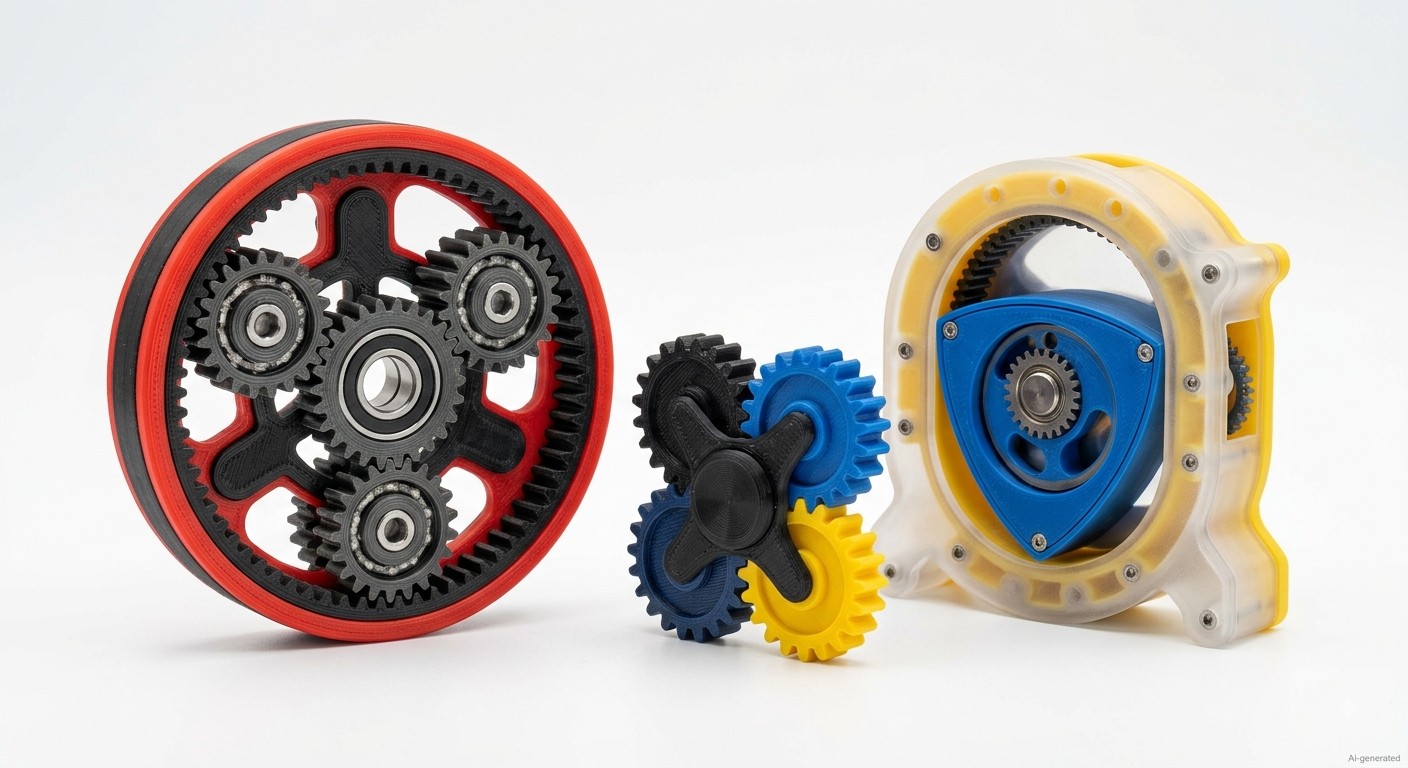
5Planetary Gear Spinner
Best for: Mechanical design enthusiasts and makers interested in print-in-place mechanisms
Why we recommend it:
A sun gear surrounded by three planet gears in a ring gear housing, this is one of the top 3d printed fidget toys for engineering nerds. Spin the outer ring and watch all three planets revolve around the sun. Works best printed as a single print-in-place assembly, which means no assembly at all if tolerances are right.
Recommended starting settings:
Material: PLA (PETG for longer wear life)
Layer height: 0.15mm
Infill: 25%
Print time: 4-5 hours
Difficulty: Medium, calibrate elephant's foot before printing
Key Tip
Test your printer's dimensional accuracy on a calibration cube first, even 0.1mm overextrusion can lock the gears.
STL: Printables, search "Planetary Gear Fidget"
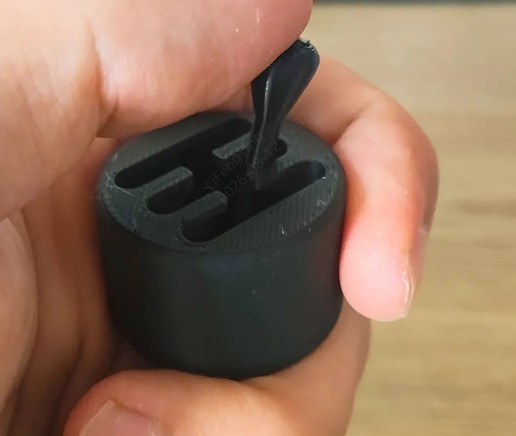
6Gear Fidget MakerCoin
Best for: Makers who want a compact pocket-sized mechanical fidget
Why we recommend it:
A flat coin-sized gear fidget with tactile mechanical movement, compact enough to carry in a pocket and distinctive enough to be one of the coolest 3d printed fidgets to show off. Multiple gears mesh within a single thin profile.
Recommended starting settings:
Material: PLA
Layer height: 0.15mm
Infill: 40%
Difficulty: Medium
STL: MakerWorld "MakerCoin Gear Fidget"
7Ball Gear Fidget
Best for: Makers who prefer smooth and quieter mechanical movement
Why we recommend it:
This design replaces standard gear teeth with ball-bearing-style recesses, each "tooth" is actually a ball seat. The rolling action between meshed components is uniquely smooth compared to standard printed gears. If you prefer smooth and silent over clicky, this is the gear fidget to print.
Recommended starting settings:
Material: PLA
Layer height: 0.15mm
Difficulty: Medium-Advanced
STL: Not specified in the source
8Wankel Rotary Engine
Best for: Engineering enthusiasts and mechanical model makers
Why we recommend it:
This mechanical model recreates the rotary motion of a Wankel engine, making it both a functional fidget and a visually engaging demonstration of mechanical movement.
Recommended starting settings:
Material: Two colors of PLA recommended
Layer height: 0.2mm
Difficulty: Medium
Note
Print housing and rotor in separate colors for visual effect.
STL: Printables, search "Wankel Rotary Fidget"
Spinner Fidgets
Classic spinning action, improved by modern print quality. The best 3d printed fidget toys in this category are all about balance, bearing quality, and minimizing wobble. Printing too thick or with poor layer adhesion creates vibration at speed.
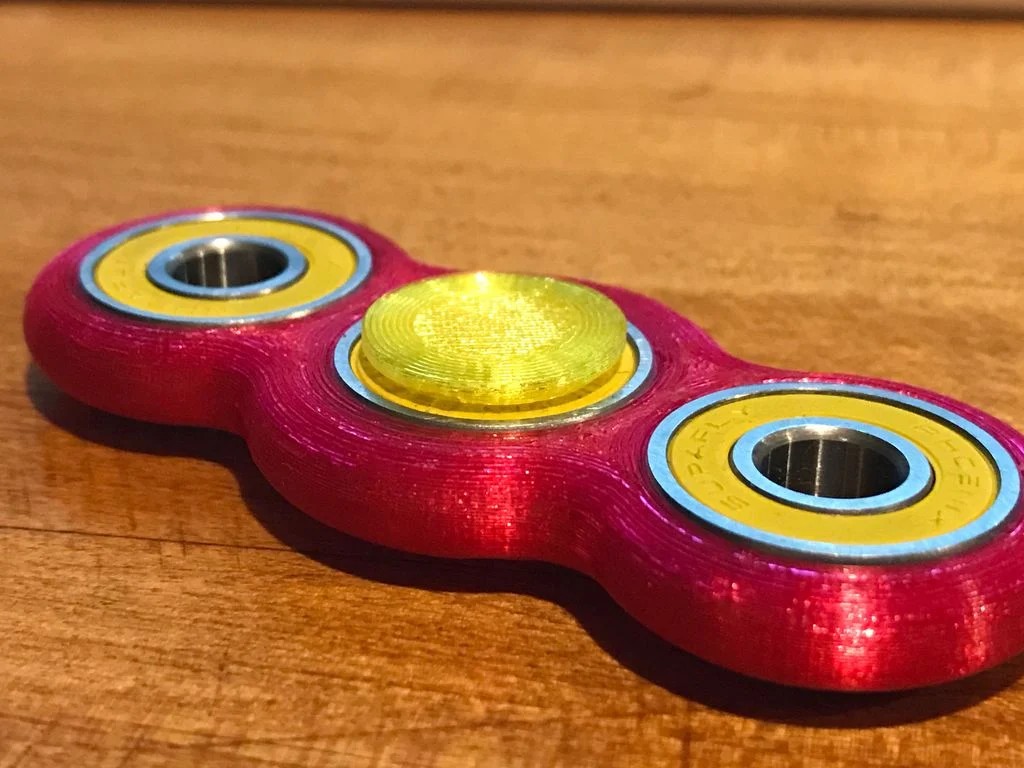
9Classic Fidget Spinner
Best for: Beginners and first-time fidget projects
Why we recommend it:
The classic three-lobed spinner is simple to print and provides a practical introduction to bearing installation, balance, and weight distribution.
Recommended starting settings:
Material: PLA (heavier filament like PETG improves spin time)
Layer height: 0.2mm
Infill: 40-60%
Hardware: 1× 608 bearing, optional 2× smaller tip bearings
Difficulty: Easy
STL: Thingiverse "Fidget Spinner 608"
10Passthrough Spinning Top
Best for: Beginners who want a bearing-free spinning fidget
Why we recommend it:
A gyroscopic top that you can keep spinning with a push-through motion, a stem passes through the outer disc, and pushing it down gives the top a spin boost. Satisfying to use and impressive to watch. One of the coolest 3d printed fidgets that doesn't require bearings.
Recommended starting settings:
Material: PLA
Layer height: 0.2mm
Infill: 40%
Difficulty: Easy
STL: Printables, search "Passthrough Spinning Top"
114-Gear Spinner
Best for: Makers who enjoy visible mechanical movement
Why we recommend it:
Four synchronized external gears rotate around a central bearing, creating a visually complex movement pattern.
Recommended starting settings:
Material: PLA (dual color recommended)
Layer height: 0.15mm
Infill: 35%
Difficulty: Medium
STL: Not specified in the source
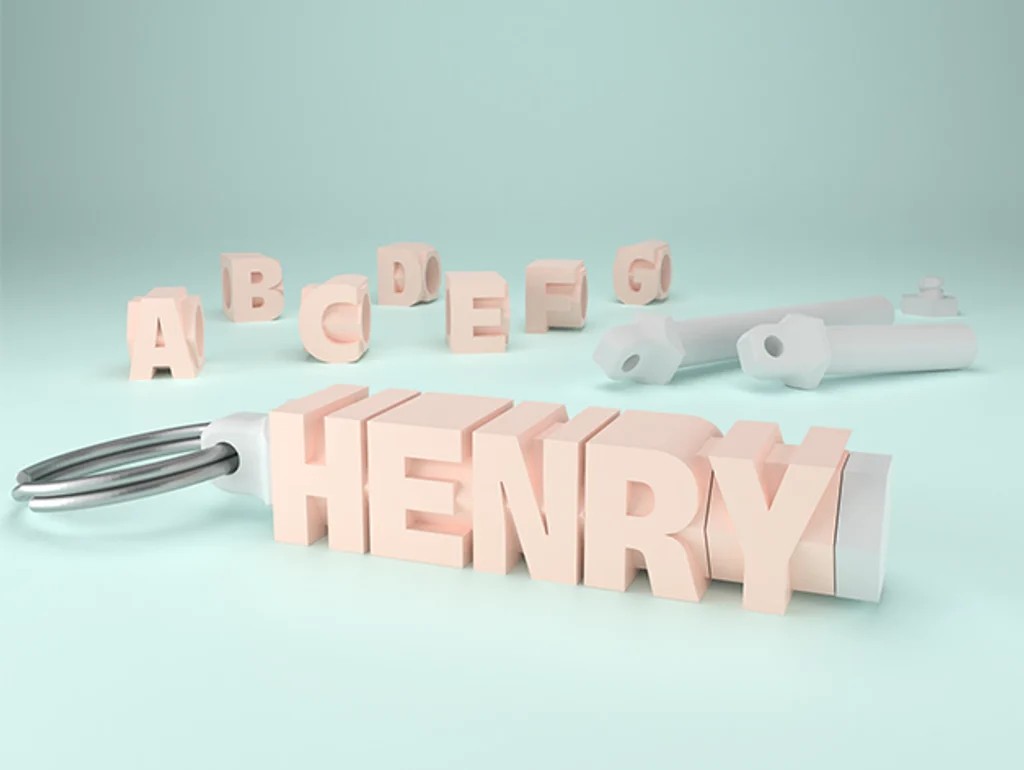
12Dice Spinner Keychain
Best for: Everyday carry and beginner-friendly fidget projects
Why we recommend it:
A compact six-sided dice form factor that houses a central bearing, it spins, it's a keychain, and it has a certain weight to it.
Recommended starting settings:
Material: PLA
Layer height: 0.2mm
Infill: 50-80%
Hardware: 1× 608 bearing
Difficulty: Easy
STL: Thingiverse, "Dice Spinner Keychain"
Infinity & Folding Fidgets
Folding fidgets are endlessly satisfying in a different way from spinning ones, they're about transformation, the satisfying click of segments rotating into new configurations, and the way they never quite look the same twice. Some of the best 3d printed fidget toys for desk fidgeting (quieter than spinners or clickers).
13Infinity Cube
Best for: Beginners learning to print hinged assemblies
Why we recommend it:
The Infinity Cube uses eight connected cubes that fold continuously into different configurations, making it a straightforward introduction to articulated 3D printed toys.
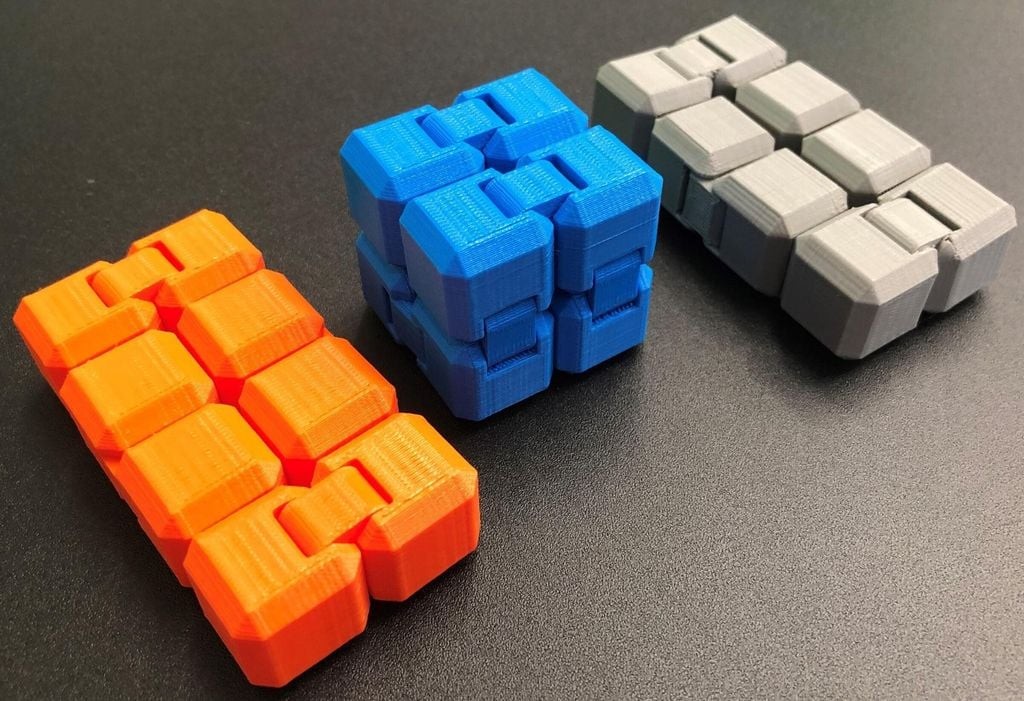
Recommended starting settings:
Material: PLA (PETG for more durable hinges)
Layer height: 0.2mm
Infill: 25%
Print time: 3-4 hours
Assembly: Yes, small hinges connect the printed cubes
Difficulty: Easy
STL: Thingiverse "Infinity Cube Fidget"
14Minecraft Creeper Cube
Best for: Beginner makers and themed gift projects
Why we recommend it:
An infinity cube variant with Creeper face texture on the cube faces, same folding mechanism, themed exterior.
Recommended starting settings:
Material: PLA, green recommended
Layer height: 0.2mm
Difficulty: Easy
STL: Printables, search "Creeper Infinity Cube"
15Octa Twist
Best for: Intermediate makers who want more complex folding movement
Why we recommend it:
Octa Twist uses eight connected segments that fold and flip through multiple configurations, offering more varied movement than a basic Infinity Cube.
Recommended starting settings:
Material: PLA or PETG
Layer height: 0.2mm
Infill: 20%
Difficulty: Medium
STL: Printables, search "Octa Twist Fidget"
16Star Fidget
Best for: Makers who prefer compact geometric fidgets
Why we recommend it:
Six-pointed star segments that rotate around a central pivot, spin them into different configurations or press them flat. Compact, pocketable, and one of the coolest 3d printed fidgets for someone who likes geometric aesthetics.
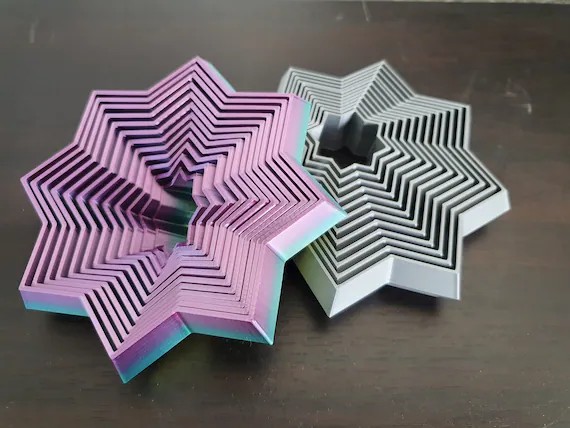
star fidget
Recommended starting settings:
Material: PLA (multicolor for visual effect)
Difficulty: Easy-Medium
STL: Thingiverse search "Star Fidget"
Slider & Clicker Fidgets
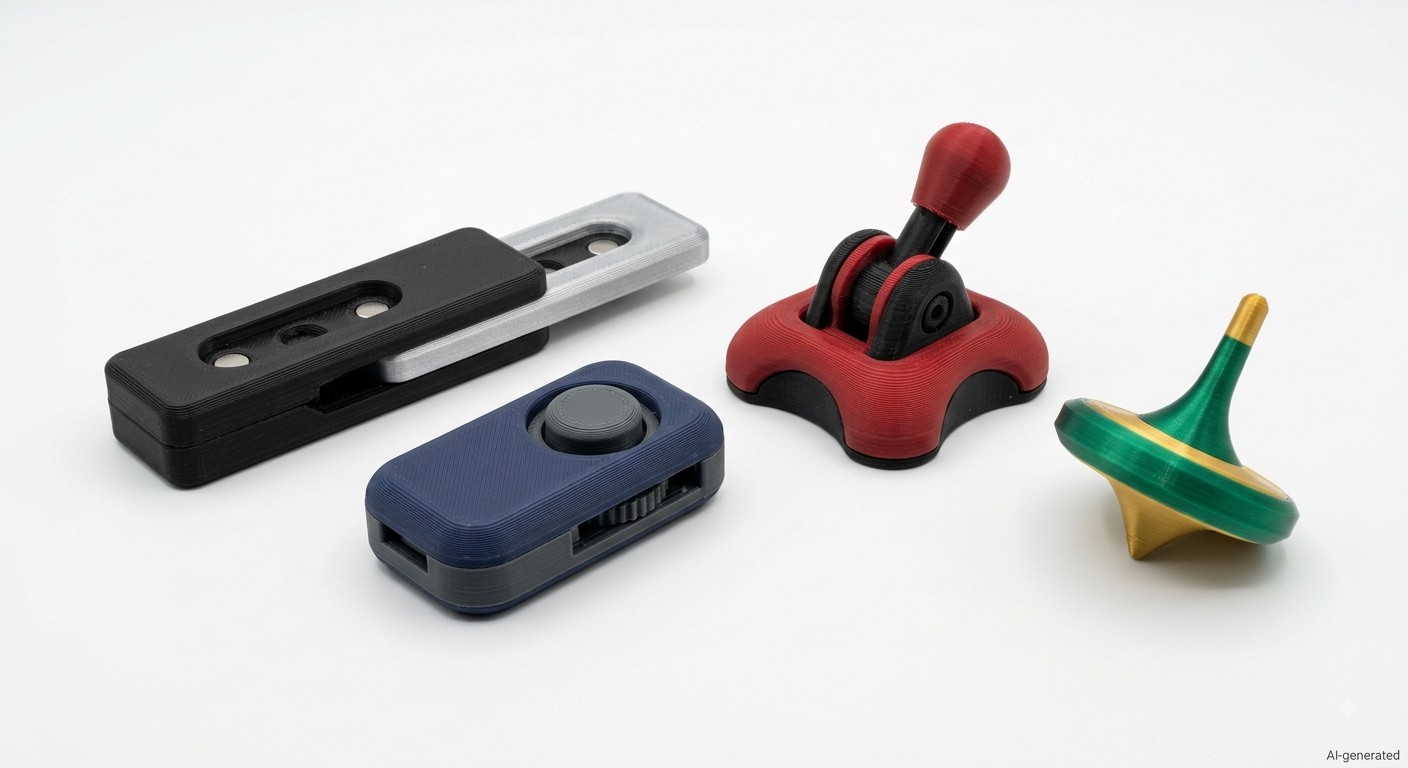
Tactile feedback is different from spinning, it's about resistance, the precise moment of engagement, and the sound. These are the best 3d printed fidget toys for people who click pens in meetings.
17Magnetic Haptic Slider
Best for: Users who prefer subtle, tactile desk fidgets
Why we recommend it:
The slider uses embedded magnets to create distinct tactile detents as the slider moves back and forth, providing feedback without relying on mechanical stops.
Recommended starting settings:
Material: PLA
Layer height: 0.15mm
Infill: 40%
Hardware: 6-10× small neodymium magnets
Difficulty: Medium
STL: Printables, search "Magnetic Haptic Slider"
Safety Note
Some fidget toys contain small magnets, bearings, steel balls, or other detachable parts. These components can present choking or ingestion hazards and should be kept away from young children. Always follow the STL creator's safety guidance and use appropriate materials for the intended application.
18Gravity Flip Fidget
Best for: Makers who enjoy gravity-based moving mechanisms
Why we recommend it:
It is one of the most popular 3d printed fidget toys. A gravity-actuated flipper, hold it at an angle and an internal moving insert flips open under gravity, snap it shut with a flick. Satisfying and surprisingly quick to print.
Recommended starting settings:
Material: PLA or PETG
Layer height: 0.2mm
Infill: 35%
Difficulty: Easy-Medium
STL: Printables, search "Gravity Flip Fidget"
19Mini Clicker
Best for: Beginners who want a quick and simple fidget
Why we recommend it:
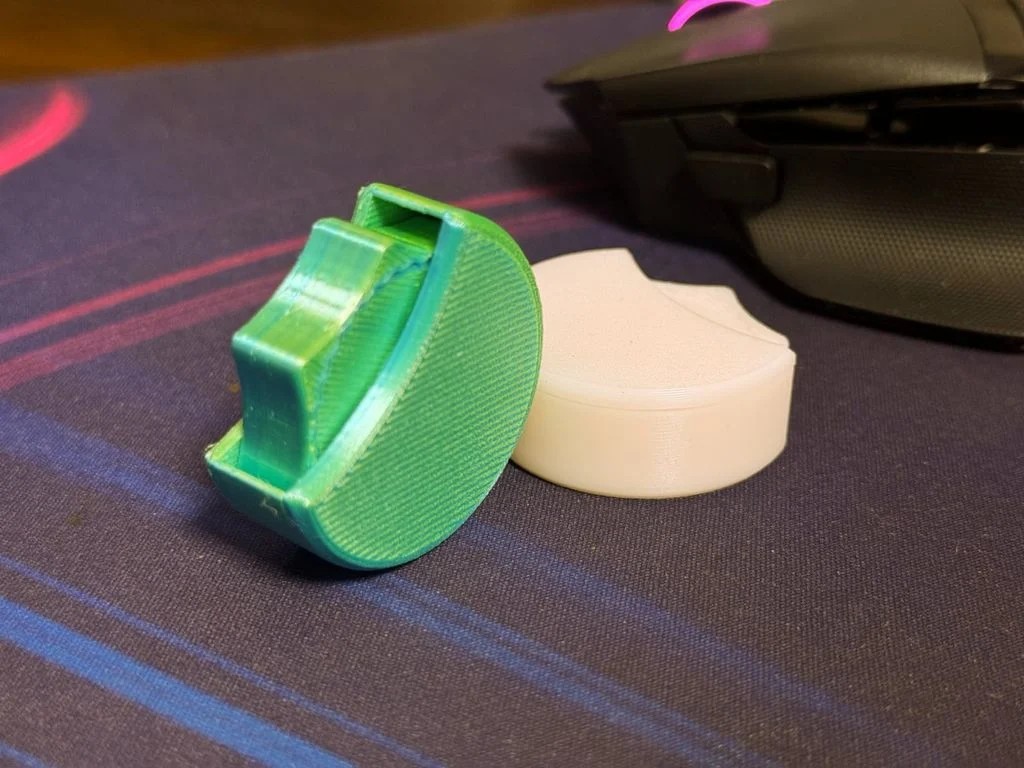
A spring-loaded clicker mechanism in miniature, presses the top, it clicks, springs back. Some versions are print-in-place; others use a small spring for a more enjoyable action. Among the simplest cool 3d printed fidgets that delivers immediate satisfaction.
Recommended starting settings:
Material: PLA
Layer height: 0.2mm
Infill: 40%
Difficulty: Easy
STL: Thingiverse, search "Mini Clicker Fidget"
20Joystick Fidget
Best for: Gamers and programmers who want a compact interactive fidget
Why we recommend it:
A miniature joystick with a spring-return mechanism, push it in any direction and it returns to center. Print-in-place versions exist that produce a working joystick directly off the bed. One of the best 3d printed fidget toys for programmers and gamers who want something thematic.
Recommended starting settings:
Material: PLA
Layer height: 0.15mm
Infill: 25%
Difficulty: Easy-Medium
STL: Printables, search "Joystick Fidget Print-in-Place"
Print-in-Place vs Assembly Fidget Toys
For most beginners, starting with a print-in-place fidget toy is the better path, you'll learn about tolerance and calibration through a low-stakes, interesting project. Assembly fidgets like the HelixCore reward the additional effort with mechanism complexity that print-in-place can't achieve.
| Type | Advantage | Challenge |
|---|---|---|
| Print-in-Place | No assembly, works straight off the bed, beginner-friendly | Requires precise calibration, tolerances must be exact, harder to fix if wrong |
| Assembly | More complex mechanisms possible, hardware improves feel, components replaceable | Requires hardware (bearings, magnets), assembly time, alignment during construction |
Where to Find STL Files
For an in-depth comparison of all the major STL platforms, here's a complete breakdown: Best Websites to Get 3D Printing Files.
| Platform | Best For | Notes |
|---|---|---|
| Printables | Quality, verified prints | Prusa-backed platform with growing community and good rating system |
| MakerWorld | Bambu Lab users, newer designs | Strong community growth, excellent quality control on featured files |
| Thingiverse | Largest selection, classic designs | Oldest platform, massive library but variable file quality and slower updates |
| Cults3D | Premium and paid designs | Mix of free and commercial files, higher average design quality |
| MyMiniFactory | Curated collections | Good quality control, some licensed branded designs |
FAQ about 3D Printed Fidget Toys
Q: What is the easiest 3D printed fidget toy to print?
The Mini Clicker, Classic Fidget Spinner, and Infinity Cube are the easiest 3d printed fidget toys for beginners. All three use simple geometry, don't require tight tolerances, and work well with standard PLA at 0.2mm layer height. The Infinity Cube requires assembly but the folding mechanism is forgiving.
Q: What material is best for 3D printed fidget toys?
PLA works for many fidget toys and is the best starting point, it's easy to print, produces good surface finish, and holds tolerances well on calibrated printers. PETG is a better choice when toughness and impact resistance are more important, like HelixCore ball races or hinges that will flex thousands of times. Avoid TPU for gear fidgets, it's too flexible for precise meshing.
Q: Do 3D printed fidget toys need hardware?
Some do, some don't. Print-in-place designs like the Planetary Gear Spinner and Joystick Fidget work straight off the bed with no additional parts. Others like the Classic Fidget Spinner need 608 bearings, and the Magnetic Haptic Slider needs small neodymium magnets. The hardware cost is usually under $5 for most popular 3d printed fidget toys.
Q: How do I print gears that actually mesh?
Calibrate your printer's dimensional accuracy first using a test cube, then set your first layer height carefully to eliminate the elephant's foot. For gear fidgets specifically, print at 0.15mm layer height with a 0.4mm nozzle, keep the first layer slow, and ensure your flow rate is accurate. Most gear failures come from overextrusion rather than design problems.
Q: Can I sell 3D printed fidget toys?
Before selling a physical product based on an STL file, check the model's license and confirm that commercial use and physical-product resale are permitted.
Check:
● Commercial-use permission
● Attribution requirements
● Modification rights
● Physical-product resale rights
● Trademark restrictions
● Character / brand IP restrictions
Note: A model being free to download does not automatically mean that the resulting physical product can be sold commercially.
Conclusion: Print Your Way to Relaxation
If you're new to 3D printing, start with the Mini Clicker , Classic Fidget Spinner , or Infinity Cube . If you want to explore mechanical accuracy and print-in-place mechanisms, the Planetary Gear Spinner is a stronger challenge. For advanced makers looking for a more complex mechanical project, HelixCore is one of the most ambitious options on this list. Before printing, always check the model's license, hardware requirements, and recommended settings. For users who need multiple copies, custom dimensions, or production-scale 3D printing, JLC3DP can help turn a tested design into finished parts.
Keep Learning
26 Spooky & Fun 3D Printed Halloween Decorations for 2026
Halloween’s coming up, which means it’s time to break out the printer and make something way cooler than store-bought plastic pumpkins. 3D printing opens up a whole different level of fun, you can make creepy little ghosts for your shelves, haunted door signs, or a skull bowl that’s somehow both disturbing and classy. (Image generated by AI integration) The best thing about 3D printed Halloween decorations is that you get to control the weirdness. You can go cute, creepy, or absolutely cursed, dependi......
5 Essential 3D Printed Gaming Accessories
(source: FreePik) 3D printing gives gamers something off-the-shelf gear rarely does: control. Control over comfort, setup, and how every piece of equipment fits into your play style. Whether you're on PC, console, or deep into tabletop gaming, there's a whole world of printable accessories that don’t just work, they work for you. You don’t need to go full engineer and build your own mouse from scratch (unless you want to). Even simple upgrades, like better controller grips or custom storage, can make ......
Lithophane 3D Print: How to Print Photos That Glow
Key Takeaways A lithophane 3D print turns a photo into a backlit relief plate: thin areas pass light and read bright, thick areas block it and read dark. The image only appears when you put a light behind it. Most converters follow one basic principle: image brightness becomes physical thickness. Photos typically convert as a negative, white-background logos as a positive — but the preview is the real check. Pick wrong and the print shows an eerie inverted ghost. Four settings carry most of the qualit......
20 Best 3D Printed Fidget Toys in 2026 (STL Sources & Settings)
Key Takeaways Best overall: HelixCore for advanced makers who want a challenging mechanical fidget. Best for beginners: Mini Clicker, Classic Fidget Spinner, and Infinity Cube. Best print-in-place design: Planetary Gear Spinner, which can be printed as a single assembled piece without additional hardware. Best material: PLA is a good starting material for most fidget toys, while PETG can be a better choice when greater toughness or repeated flexing is required. Recommended starting settings: Many mode......
How 3D Printing Makes Complex Jewelry Design More Accessible
For jewelers and designers, bringing incredibly detailed and custom visions to life is paramount. Traditional jewelry making often involves careful handcrafting or complex mold-making processes. Today, 3d printed jewelry techniques are providing powerful new ways to design and produce pieces, from initial concepts to finished items, addressing key industry needs for precision, customization, and efficiency. How 3D Printing is Improving Jewelry Design and Manufacturing 3D printers at JLC3DP The core ad......
Beyblade 3D Model: Top Free Downloads & Pro Design Tips 2026
Back in the early days, bladers were just swapping parts and testing combos. Fast forward to 2026, things look a whole lot different. Now, the most competitive players aren’t just battling, they’re engineering. (source: Reddit) Sure, grabbing a Beyblade 3D model free download is the easy entry point. But if you really want an edge, it’s about going beyond surface-level files and building models that have performance baked in. That means precision design, tested materials, and a little pro-level know-h......