Best Resin Printer for Miniatures in 2026
20 min
- Why Resin 3D Printers Are Best for Miniatures
- Why SLA Printers Excel at Fine Details
- Top Resin Printers for Miniatures (2026 Picks)
- Best Budget Resin Printer Options for Miniatures in 2026
- Best 3D Printers for D&D Minis and Tabletop Terrain
- Anycubic Photon Mono for Miniatures: Still Worth It?
- Resin Recommendations for Miniature Printing (Quick Guide)
- Final Verdict: Which Resin Printer Is Best for Miniatures?
- FAQs about Miniatures Printers
Choosing the best resin printer for miniatures in 2026 comes down to one thing: detail per dollar. After a hands-on review of this year's leading SLA and 4K/8K LCD resin printers, we ranked the top picks for D&D, Warhammer, and tabletop terrain — from a $149 beginner machine to an 8K showcase rig. This guide covers resolution (4K vs 8K), build volume, resin choices, and a buyer's checklist, so you can print crisp minis without overspending or drowning in failed prints.
Why Resin 3D Printers Are Best for Miniatures
If you’re chasing crisp facial features, sharp armor edges, or runes that are actually readable, resin is really the only option. Miniatures demand extreme detail at a tiny scale, and that’s exactly where resin printing shines. With layer heights as low as 0.025 mm, layer lines all but disappear, letting facial expressions, chainmail, and surface textures stay sharp instead of turning into a soft plastic blur.
Resin also delivers strong repeatability. Once the best resin printer for miniatures is dialed in, you can produce entire squads of identical figures with consistent results, one reason painters and sellers have largely moved away from filament for this use case.
That consistency, however, is harder to maintain at home. LCD wear, resin variation, washing, and post-curing all introduce subtle inconsistencies.
Industrial resin workflows, like those used by JLC3DP, control those variables through calibrated exposure, standardized wash cycles, and controlled curing, producing truly consistent, paint-ready miniatures across full batches.
Also, if you're switching to resin and running into issues like warped bases, failed supports, or soft details, this breakdown of 8 common resin 3D print failures and their fixes is worth reading before you tweak settings blindly.
While resin printers excel at capturing the fine details needed for miniatures, FDM printers are the much better choices when it comes to cost, material efficiency, and large-scale terrain.
If you’re comparing the two technologies before choosing a printer, this guide on Resin vs FDM for Miniatures explains the differences for each process.
Why SLA Printers Excel at Fine Details
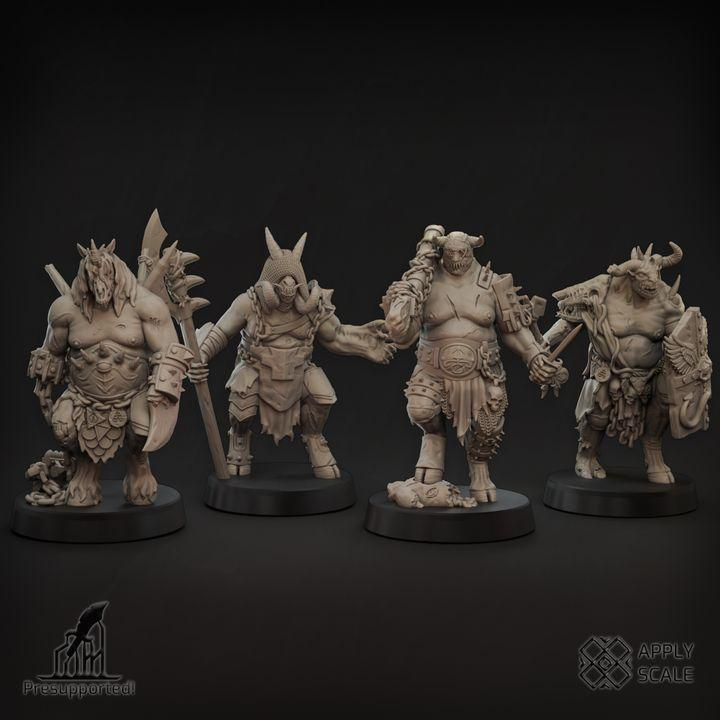
(resource: myminifactory)
SLA technology is the reason the best SLA printer for miniatures consistently outperforms other options.
SLA printers use a focused light source (laser or LCD-based UV exposure) to cure resin with extremely high precision. This allows them to capture:
a. Sharp edges on armor and weapons
b. Fine facial details like eyes and expressions
c. Subtle textures such as fabric folds, skin, and stone
Because each layer is cured uniformly, SLA printers for miniatures avoid the mechanical limitations of moving nozzles and extrusion pressure. This is why even entry-level SLA machines today can outperform older, more expensive printers when it comes to miniature quality.
For anyone serious about tabletop gaming, painting, or selling prints, choosing the best SLA printer for miniatures isn’t just about quality, it saves time, reduces failed prints, and dramatically improves final results.
Top Resin Printers for Miniatures (2026 Picks)
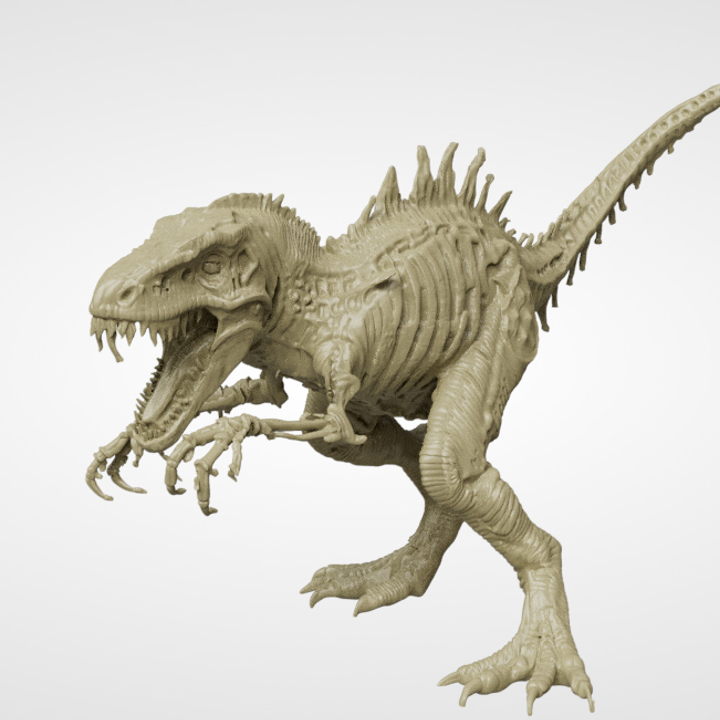
(resource: myminifactory)
The best resin printers for miniatures in 2026 all have one thing in common: high pixel density, consistent exposure, and reliable mechanics. At this point, you don’t need experimental tech, you need a printer that produces sharp details every single time without constant babysitting.
Below are the categories that matter most when choosing the best resin printer for minis, whether you’re printing a single D&D character or batches of tabletop figures.
| Printer Model | Resolution | Build Volume | Why It’s Great for Miniatures | Best For |
|---|---|---|---|---|
| Elegoo Saturn 4 Ultra 16K | 16K | Medium-Large | Exceptional detail, large build area, and smart features make it ideal for printing large batches of miniatures and detailed models | Best Overall |
| Elegoo Mars 5 Ultra | 9K | Small | Excellent detail, compact size, auto leveling, and beginner-friendly workflow | Best for Character Minis |
| Anycubic Photon Mono M7 Pro | 14K | Medium | High resolution with strong speed and consistency for detailed miniature printing | Best High-Resolution Alternative |
| Phrozen Sonic Mighty 16K | 16K | Medium-Large | Reliable accuracy and build volume for serious hobbyists | Premium detail and serious miniature printing |
| Phrozen Sonic Mega 8K S | 8K | Very Large | Large build platform for terrain, and oversized models | Best for Terrain & Large Prints |
| Anycubic Photon Mono 2 | 4K | Small | Affordable entry-level option that can still produce quality tabletop minis | Best Budget Pick |
Best Budget Resin Printer Options for Miniatures in 2026
Not every hobbyist needs the latest 14K or 16K resin printer. Actually, a budget resin printer can already produce very impressive results for most makers.
The best budget resin printers for miniatures in 2026 focus on the factors that actually affect print quality: pixel size, Z-axis stability, resin compatibility, and reliable settings. A lower-cost resin printer does not necessarily mean lower detail, especially when the machine is properly calibrated and paired with the right resin.
When choosing an affordable resin printer for miniatures, prioritize:
1. XY resolution: Around 30–35 μm is enough for most tabletop miniatures, while smaller pixel sizes can help preserve finer details.
2. Build stability: A rigid Z-axis reduces layer shifts and improves consistency across multiple prints.Resin compatibility: Support for standard, tough, and specialty resins provides more flexibility for different miniature types.
3. Community support: Popular budget printers often have more shared profiles, troubleshooting guides, and optimized settings.
If you already have a finished miniature design but don’t want to invest in your own resin printer, professional printing services can be a practical alternative.
JLC3DP’s resin 3D printing service supports high-detail SLA printing, making it ideal for tabletop miniatures, prototypes, and display models. This enables easy conversion of STL files into clean, ready-to-paint parts without the need for specialized machines or manual resin settings adjustments.
Best 3D Printers for D&D Minis and Tabletop Terrain
Not all tabletop prints ask the same thing from a printer. A 32 mm hero miniature stresses resolution and precision, while dungeon tiles and buildings care far more about size and reliability. Treating these as the same use case is how beginners end up with the wrong machine.
Below is a practical breakdown of which type of printer works best, followed by specific model recommendations based on official specifications.
Best 3D Printers for D&D Character Minis (High Detail)
Who this is for:
Painters, display collectors, and players who care about crisp faces, sharp armor edges, and clean surface texture.
What Actually Matters for Minis
1. XY resolution (pixel size):
35 µm or smaller is the sweet spot for readable facial features and fine textures.
2. Z-axis stability:
Any wobble shows up instantly on hands, weapons, and facial features.
3. Layer height:
0.03–0.05 mm reduces visible stepping and cuts prep time before painting.
4. Build volume:
Not critical, most minis fit comfortably on small plates.
Recommended Printer: Elegoo Mars 5 Ultra
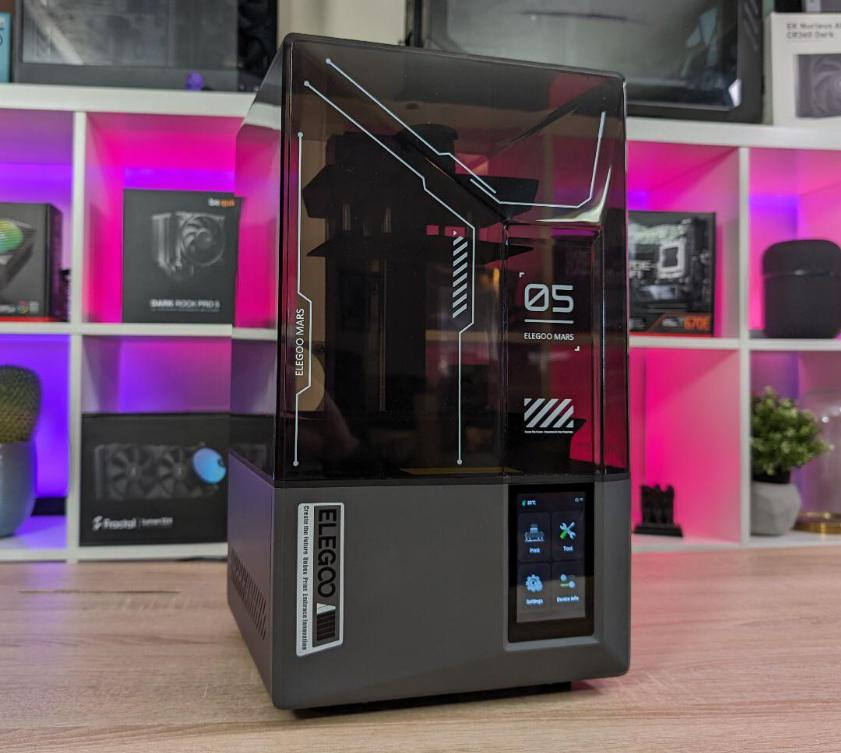
(Resource: Reddit)
Best High-Resolution Resin Printer for Miniatures
Key Specifications
Technology: MSLA Resin
Build Volume: 153 × 77 × 165 mm
LCD Resolution: 9K
XY Resolution: 18 × 18 microns
Connectivity: USB, Wi-Fi
Why It’s Great for Minis
The Mars 5 Ultra is built for detail-first printing. Its extremely fine pixel size captures subtle facial expressions, engraved armor lines, and fabric textures that cheaper printers blur away. Auto-leveling and tilt-release features reduce failed prints, which matters when printing fragile miniatures.
Pros
Exceptional detail for 28–32 mm figures
Auto leveling simplifies setup
Built-in camera for monitoring prints
Cons
Small build volume limits terrain printing
Prints can stick aggressively to the build plate with default settings
Bottom line:
If your priority is beautiful minis, this printer punches far above its price.
Best Resin Printers for Mixed Minis + Larger Models
Who this is for:
Players who print both character minis and larger monsters, statues, or batch runs.
Recommended Printer: Elegoo Saturn 4 Ultra
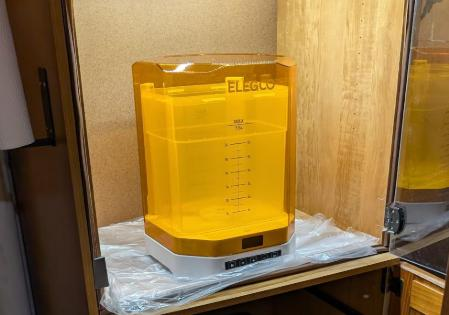
(Resource: Reddit)
Best Overall Resin Printer for Tabletop Gaming
Key Specifications
Technology: MSLA Resin
Build Volume: 218.8 × 122.8 × 220 mm
LCD Resolution: 16K
XY Resolution: ~19–24 microns
Connectivity: USB, Wi-Fi
Why It Works
The Saturn 4 Ultra balances size and resolution better than most printers. It can print armies of minis in one go or large creatures without sacrificing surface detail. The tilting vat design reduces suction forces, improving reliability on long prints.
Pros
Excellent 16K print quality
Larger build plate without major detail loss
High print speeds
Auto leveling + camera
Cons
Larger footprint than entry-level printers
Camera currently limited to Chitubox
Bottom line:
If you want one resin printer to do almost everything, this is one of the safest bets.
Best Resin Printer for Warhammer Miniatures
Warhammer players have different needs from casual miniature hobbyists. While a single character model focuses mainly on facial details and fine textures, Warhammer players require consistent quality across dozens or even hundreds of units. The ideal resin printer should offer sharp detail, reliable batch printing, and enough build space for efficient miniature production.
Who this is for:
1. Warhammer infantry squads and character models
2. Space Marines, heroes, and character models
3. Detailed tabletop miniatures that require consistent batch quality
Recommended Printer: Elegoo Saturn 4 Ultra
Best Resin Printer for Warhammer Printing
Key Specifications
Technology: MSLA Resin
Build Volume: 218.8 × 122.8 × 220 mm
LCD Resolution: 16K
XY Resolution: 14 μm microns
Connectivity: USB, Wi-Fi
Why It Works
The Elegoo Saturn 4 Ultra with a larger build platform allows users to print multiple units in a single batch while maintaining excellent surface detail. The combination of high resolution and reliable printing features makes it easier to produce consistent squads, characters, and larger models.
Compared with smaller resin printers, the Saturn 4 Ultra reduces the number of print cycles needed for minis building without sacrificing the fine armor details, weapons, and insignias that Warhammer miniatures require.
Pros
Large build volume for printing multiple miniatures at once
Excellent detail quality for armor, weapons, and character models
High-speed printing with reliable consistency
Auto leveling and built-in monitoring features
Cons
Larger footprint compared with entry-level resin printers
Higher upfront cost for casual miniature printing
Bottom line:
If you are printing Warhammer units, characters, and larger tabletop models, the Elegoo Saturn 4 Ultra is one of the best-balanced choices.
Best 3D Printers for Tabletop Terrain (Size & Throughput)
Who this is for:
Dungeon masters printing tiles, buildings, scatter terrain, and large monsters.
What Matters for Terrain
1. Build volume:
Larger plates reduce splitting models into multiple glued sections.
2. Reliability:
Terrain prints often run for many hours.
3. Resolution:
Still important, but ultra-fine pixels matter less once primed and dry-brushed.
Recommended Printer: Phrozen Sonic Mega 8K S
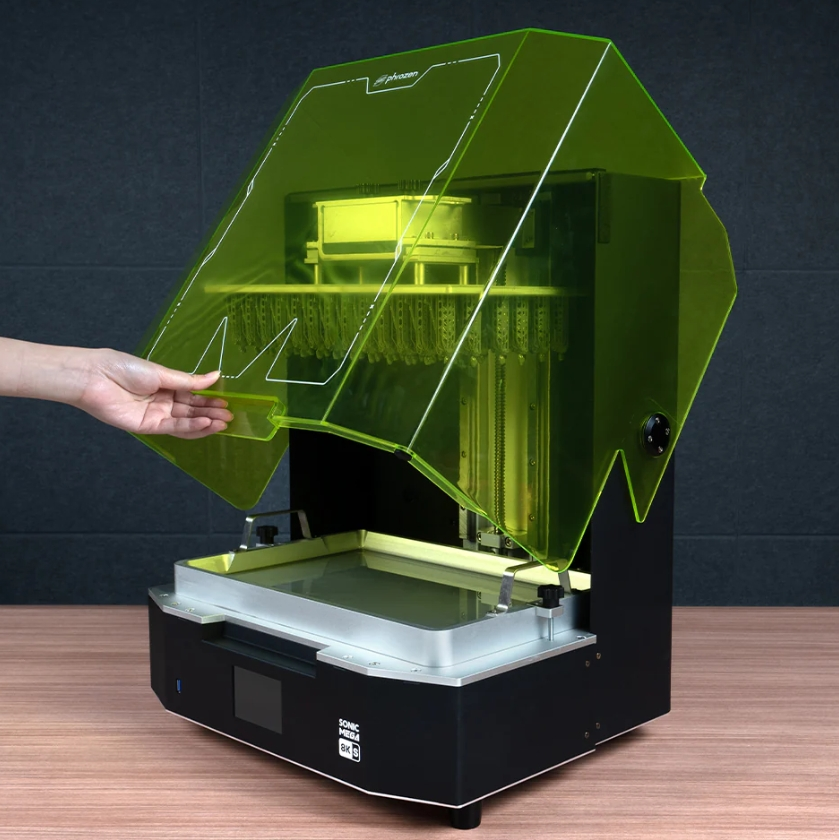
(Resource: Reddit)
Best Large-Format Resin Printer for Terrain
Key Specifications
Technology: MSLA Resin
Build Volume: 330 × 185 × 300 mm
LCD Resolution: 8K
XY Resolution: 43 microns
Why It Makes Sense
This printer rivals FDM machines in size while retaining resin detail. For dungeon tiles, large ruins, and massive monsters, the Mega 8K S dramatically reduces part splitting and post-assembly.
Pros
Massive build volume
Factory-leveled plate
Excellent reliability for long prints
Cons
Expensive
Large physical footprint
Overkill for small minis
Bottom line:
Ideal for terrain-heavy campaigns or print farms, but unnecessary for casual mini printing.
Beginner-Friendly Option (Low Cost, Low Friction)
Recommended Printer: Anycubic Photon Mono 2
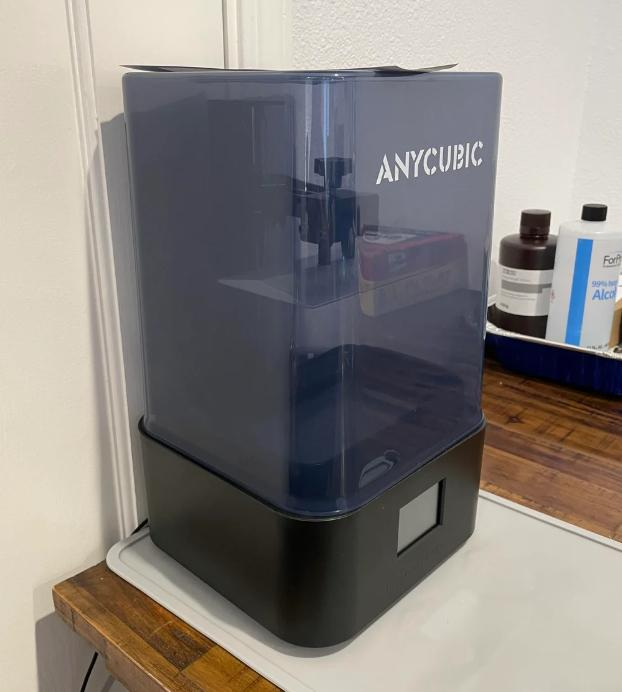
(Resource: Reddit)
Key Specifications
Build Volume: 165 × 89 × 143 mm
LCD Resolution: 4K
XY Resolution: 34 microns
Why It’s a Good Start
Simple setup, reliable results, and very affordable. It won’t match 9K or 12K machines, but it’s more than capable of producing paint-ready minis.
Pros
Affordable
Compact
Easy to learn
Cons
Limited build volume
Lower resolution than newer models
Quick Decision Framework
Choose a high-resolution resin printer if:
1. You primarily print characters or display minis
2. You care about crisp faces and armor details
3. You want minimal sanding before painting
Choose a larger-format printer if:
1. You print dungeon tiles, buildings, or large monsters
2. You want fewer glued seams
3. You plan long print runs
Many experienced tabletop players eventually run two printers:
Resin for minis, resin or FDM for terrain. Beginners don’t need both, but knowing which category you fall into saves money and frustration.
Build Volume vs Detail: The Trap to Avoid
Build volume is often oversold for miniature printing. Most D&D minis take up very little space, and extra plate size doesn’t improve detail. Terrain and large creatures are where size actually pays off.
Specs should serve your campaign, not your ego.
For workflows like white jet resin or full-color 3D printing, this is one area where home setups simply aren’t an option. These processes rely on specialized materials and industrial printers, so if a miniature or display model needs true color output straight from the printer, it’s something that has to be done through a professional service like JLC3DP.
Real Questions People Ask
1.“Do I need a 4K or 8K printer for D&D minis?”
Higher resolution helps, but pixel size matters more than marketing labels. Many 4K printers produce excellent minis if the screen is small enough.
2. “Can one printer handle both minis and terrain?”
Yes, but it’s a compromise. Expect either slightly less detail on minis or more assembly for terrain.
3.“Is resin always better than FDM for D&D?”
For minis, absolutely. For terrain, FDM can be cost-effective, especially for large pieces.
4. “Should beginners prioritize resolution or build volume?”
Resolution. Beginners notice lost detail more than limited size.
If you’re printing masters for silicone molds or planning to cast terrain pieces in batches, this guide on 3D printing for mold making covers which resins and surface finishes hold up best during molding.
Anycubic Photon Mono for Miniatures: Still Worth It?
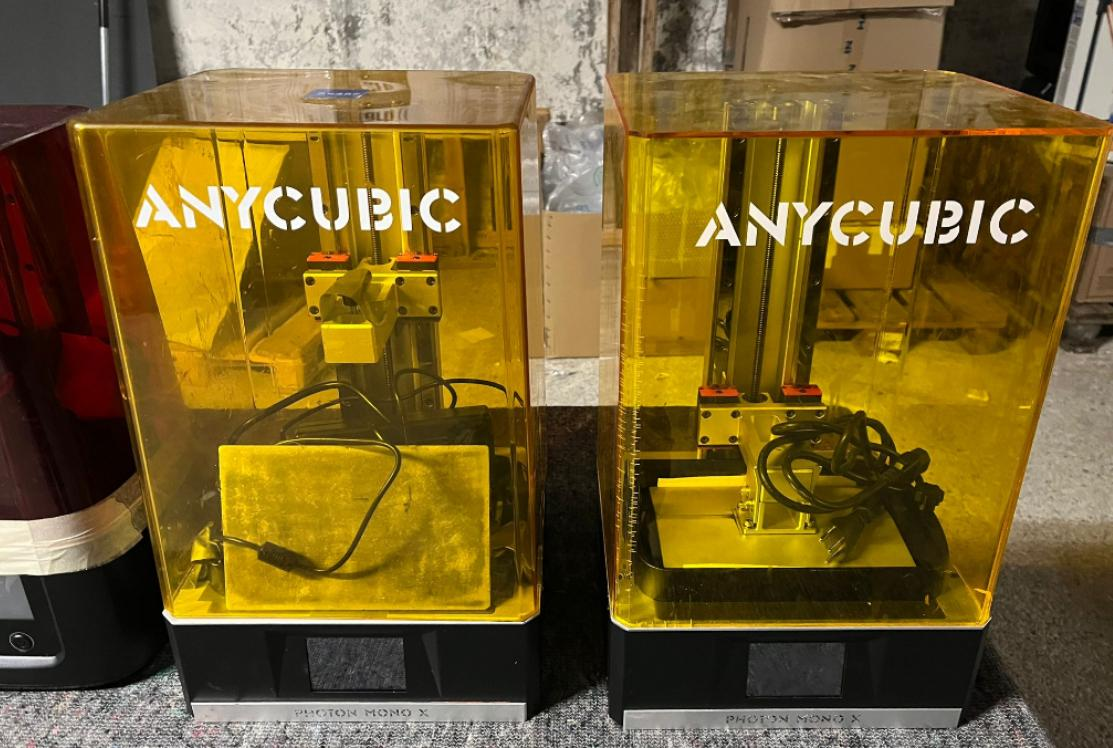
(Resource: Reddit)
Let’s cut to the chase: the Anycubic Photon Mono series is still one of the most commonly recommended resin printers for miniatures, and for good reason. Even in 2026, with 8K machines everywhere, the Photon Mono line, especially the 4K variant, delivers clean detail, reliable results, and a low entry price that makes it a solid first choice for hobbyists and painters.
Detail Quality and Print Results
Ask any miniature painter who’s used a Photon Mono for miniatures and you’ll hear the same thing: it works with minimal fuss. The 4K screen resolves armor rivets, facial features, and fine surface textures cleanly. While it can’t match the hyper-crisp output of an 8K printer, it’s more than adequate for common tabletop scales (25–32 mm, even up to 40 mm). In practice, the difference often only shows up under macro shots or harsh lighting.
Where the Photon Mono really stands out is consistency. Its stable UV exposure and LCD panel let you dial in a resin profile and repeat it reliably, especially important when printing full batches of minis instead of one-off tests.
Pros, Cons, and Who It’s Best For
Pros
Excellent value for detail vs price (especially the 4K Mono models)
Large, active community with shared print settings and resin profiles
Simple setup and fewer weird quirks compared to older resin designs
Reliable for both hobby and side-business minis
Cons
Not as crisp as full 8K systems, tiny engraving or micro-texture can be softer
Smaller build volume than some terrain-focused printers
Requires calibration and good resin choices to avoid failures
Who It’s Best For
Beginners stepping up from FDM or first-time resin users
Painters who want reliable tabletop-grade miniatures without overspending
Gamers printing batch runs for campaigns or clubs
Anyone who wants good detail without chasing every micron
Resin Recommendations for Miniature Printing (Quick Guide)
Choosing the best resin for miniature printing matters just as much as choosing the printer itself. Different resins balance detail, toughness, and flexibility differently. See our guide to the best resin for 3D printing miniatures for a detailed comparison of resin types and use cases. You can own a high-resolution SLA machine and still get soft details or brittle parts if the resin isn’t right. For a detailed comparison of standard resin and ABS-like resin, see our guide on ABS-like resin vs standard resin to choose the right material for durability, flexibility, and print performance. For minis, the goal is simple: sharp features, clean edges, and enough toughness to survive handling, priming, and gameplay.
Most failed mini prints don’t come from “bad printers.” They come from mismatched resin choices, overly brittle standard resins, overly flexible tough resins, or poor exposure tuning. Below is the practical breakdown that actually works for tabletop minis.
Read more details on the best resin for 3d printing fine details vs functional parts.
Standard vs Tough Resin for Miniatures
Standard detail resins are usually the best resin for minis if your priority is surface quality. They’re low-viscosity, cure cleanly, and capture fine features like facial expressions, chainmail, and engraved armor extremely well. This makes them ideal for display pieces, painting competitions, or high-detail characters.
However, standard resins can be brittle. Thin weapons, ankles, or capes may snap if dropped.
Tough or ABS-like resins trade a small amount of sharpness for durability. They flex slightly instead of shattering, which is useful for gaming minis that get handled a lot. However, some tough resins soften micro-details and require longer exposure times, which can blur very fine textures if you’re not careful.
Best practice for most users:
Mix ratios or “detail-tough blends” (e.g., 70% standard + 30% tough) often produce the best balance. You keep crisp detail while dramatically reducing breakage, especially for weapons, spears, and thin limbs.
For a deeper, real-world comparison between commonly used engineering and detail resins, this side-by-side analysis of resin 9600 vs 8111X explains how stiffness, brittleness, and surface finish actually differ in printed parts.
Best Resin Settings for Sharp Details
Even the best SLA resin for miniatures won’t perform well without proper settings.
Layer height: Stay in the 0.025–0.04 mm range for crisp faces and readable textures.
Exposure time: Dial it just high enough to hold detail, overexposure causes light bleed and rounds sharp edges.
Lift speed: Keep it moderate to avoid suction damage on delicate supports.
Post-curing: Balance is key, over-cure makes resin brittle, under-cure leaves it rubbery.
It’s about finding that one repeatable sweet spot and sticking to it. If the calibration or the post-processing becomes too much of a bottleneck, especially for high-end display pieces or large batches, it's often more efficient to just outsource the work to a shop like JLC3DP that already has the industrial-grade consistency dialed in.
Final Verdict: Which Resin Printer Is Best for Miniatures?
There’s no single “best” resin printer for minis that is everyone’s cup of tea. The right choice depends on whether you’re printing your first squad of D&D characters or producing showcase pieces with flawless surfaces.
Best Choice for Beginners
For beginners, reliability matters more than raw specs. A 4K or 6K SLA printer with strong community support, proven resin profiles, and predictable exposure behavior will outperform a higher-resolution machine that constantly needs tuning. Pair it with a quality standard detail resin and focus on learning supports and orientation, that’s where most beginners win or lose.
Best Choice for Pro Painters & Detail Lovers
If you care about paint-ready surfaces, subtle textures, and minimal cleanup, higher-resolution SLA printers for miniatures, combined with dedicated detail resins are worth it. These setups reduce sanding, preserve sculpted intent, and save time during finishing. At this level, resin choice and workflow consistency matter more than brand loyalty.
That doesn’t mean home resin printers aren’t capable, they absolutely are. For personal projects, campaigns, and learning the craft, desktop SLA machines are more than enough. The gap shows up when deadlines matter, when batches need to match perfectly, or when the model is a final piece rather than a test print. That’s where professional services like JLC3DP step in, not as a replacement for hobby printing, but as a way to reach a finish level that’s difficult to replicate consistently at home.
- Starting From $0.3 per part · No Minimum Order Quantity
- 24-Hour Lead Time · Up to $123 Welcome Coupons
FAQs about Miniatures Printers
Q: Is resin or FDM better for miniatures?
Resin 3D printing is generally better for miniatures because it produces finer details, sharper edges, and smoother surfaces. FDM is usually more cost-effective for large terrain, dungeon tiles, buildings, and other large-scale tabletop models.
Q: Do I need a 4K or 8K resin printer for miniatures?
For most 28–32 mm tabletop miniatures, 4K resolution is sufficient to produce detailed, paint-ready models. Higher-resolution 8K and 16K printers can provide additional detail, but XY pixel size matters more than the advertised 4K or 8K label.
Q: How much does a resin printer for miniatures cost?
In 2026, budget resin printers can provide good miniature-quality results without requiring a high-end machine. Entry-level 4K models are generally the most affordable option, while higher-resolution and larger-format printers cost more. Remember to budget separately for resin, washing, curing, and other post-processing equipment.
Q: Can you print Warhammer miniatures with a resin printer?
Yes. Resin printers are well suited to Warhammer-style miniatures because they can reproduce fine armor details, weapons, insignias, and other small features. When printing models based on third-party or commercial files, make sure you have the appropriate rights to reproduce them and consider the printer's build volume when printing larger models or batches.
Q: Do I need a wash and cure station for resin miniatures?
A wash and cure station is strongly recommended for resin miniature printing. Washing removes uncured resin from the model, while controlled UV curing helps achieve a more consistent final result. Proper post-processing is an important part of achieving clean, paint-ready miniatures.
Q: What resin is best for printing miniatures?
Standard detail resin is a good choice when maximum surface detail is the priority. For gaming miniatures that will be handled frequently, tough or ABS-like resin can provide better impact resistance. A detail-tough resin blend can offer a useful balance between fine details and durability.
Keep Learning
Best Resin Printer for Miniatures in 2026
Choosing the best resin printer for miniatures in 2026 comes down to one thing: detail per dollar. After a hands-on review of this year's leading SLA and 4K/8K LCD resin printers, we ranked the top picks for D&D, Warhammer, and tabletop terrain — from a $149 beginner machine to an 8K showcase rig. This guide covers resolution (4K vs 8K), build volume, resin choices, and a buyer's checklist, so you can print crisp minis without overspending or drowning in failed prints. Why Resin 3D Printers Are Best f......
Strongest Resin for 3D Printing (2026): Tough vs High Strength Resins Compared
When people ask for the strongest resin for 3D printing, what they usually mean is “the strongest for my part.” A rigid bracket, a snap-fit enclosure, and a heat-exposed fixture all fail in different ways. This guide breaks it down clearly. What Is the Strongest Resin for 3D Printing? In pure tensile and flexural testing, high strength engineering resins are typically the strongest SLA resin options available. However, in real-world applications, parts often fail from impact, repeated stress, or stres......
ABS-Like Resin vs Standard Resin: The Definitive Guide to Material Choice & Performance
Key takeaways Standard Resin: High stiffness, extreme brittleness, best for static visuals. ABS-Like Resin: High elongation, exceptional impact resistance, mandatory for snap-fits. Near-Isotropic Advantage: Unlike FDM-printed authentic ABS which suffers from weak interlaminar (Z-axis) bonds and anisotropy, SLA ABS-like resin cures via liquid cross-linking, providing near-isotropic advantage and uniform multi-directional strength. Water Washable Resin: Zero IPA needed, eco-friendly workflow, but sacrif......
Best Flexible Filament for 3D Printing: TPU vs PEBA vs TPE
You're staring at three flexible filament options and they all claim to be "flexible." That word covers a lot of ground. A phone case grip and an airless basketball both need flexibility, but they need completely different things from it. This guide breaks down what actually separates TPU, PEBA, and TPE so you pick based on what your part needs to do, not just what's available. What Is the Best Flexible Filament for 3D Printing? The softest 3D printing material depends entirely on the application. TPU......
What Is 9000HE Resin? The High Strength SLA Engineering Resin Explained
What Is 9000HE Resin? The High Strength SLA Engineering Resin Explained Most SLA resins are designed for one thing: looking good. Smooth surface, fine detail, accurate geometry. That's where the technology excels and that's what most resin materials are optimized for. 9000HE wasn't designed for that. It was designed for the parts that actually have to do something, carry load, survive assembly, hold up in functional testing, and behave like an engineering material rather than a display model. If you'v......
Which Resin Is Best for 3D Printing Fine Details vs Functional Parts?
Resin 3D printing is often marketed as a single category, but in practice, the resin you choose matters more than the printer itself. A photosensitive resin optimized for ultra-fine surface detail behaves very differently from a resin designed for load-bearing or heat-resistant parts. Treating them as interchangeable is one of the most common reasons resin prints fail to meet expectations. When comparing 3D printing resin types, the real question isn’t which resin is “best” overall, it’s what the part......