Best 3D Printers for ABS and PC: What Actually Matters
11 min
- 3D Printers for ABS and PC: What Any Machine Must Deliver
- 3D Printers for ABS and PC: Three Machine Tiers That Can Do It
- ABS and PC Printer Specs That Matter More Than Marketing
- The Economics: Is an ABS-Capable Printer Worth Buying?
- When a Print Service Beats Buying
- FAQ about Best 3D Printers for ABS & PC
- Match the Machine to the Filament
Key Takeaways
- Every enclosed printer can *claim* to print ABS; the machines that do it reliably share four things: a hot end with headroom past 250°C, a bed above 90°C, a real enclosure, and a chamber that actually holds heat.
- ABS is a Tier-1 job — enclosed desktop machines handle it well. PC is a Tier-3 job: its 260–310°C hot-end demand and need for a warm, stable chamber disqualify most desktop machines.
- Chamber temperature is not chamber existence: a shell that blocks drafts is not a heated chamber. If the spec sheet has no chamber temperature reading, it does not have one.
- Hot-end headroom is a reliability rule: running a 300°C-rated hot end at 300°C all day shortens its life and steadies nothing. Buy 20–30°C of margin.
- The economics go by volume: occasional ABS rarely justifies a new machine — and when a part needs PC-grade heat and stiffness, a service is often the cheaper ticket, with a PC alloy such as PC-ABS the practical route rather than pure PC.
Materials decide machines. ABS wants a 230–250°C hot end, a 90–110°C bed, and an enclosure that keeps cooling drafts away; PC escalates every one of those numbers (260–310°C hot end, 100–120°C bed, a chamber that stays warm on purpose). This guide turns those demands into a shopping checklist — the four specs that actually matter, the three tiers of machines that can do the job, and the honest economics of when buying beats sending the file out. If you are still deciding between the materials themselves, our ABS vs PLA and ABS vs PC comparisons sort that first; this page assumes the filament is chosen.
3D Printers for ABS and PC: What Any Machine Must Deliver
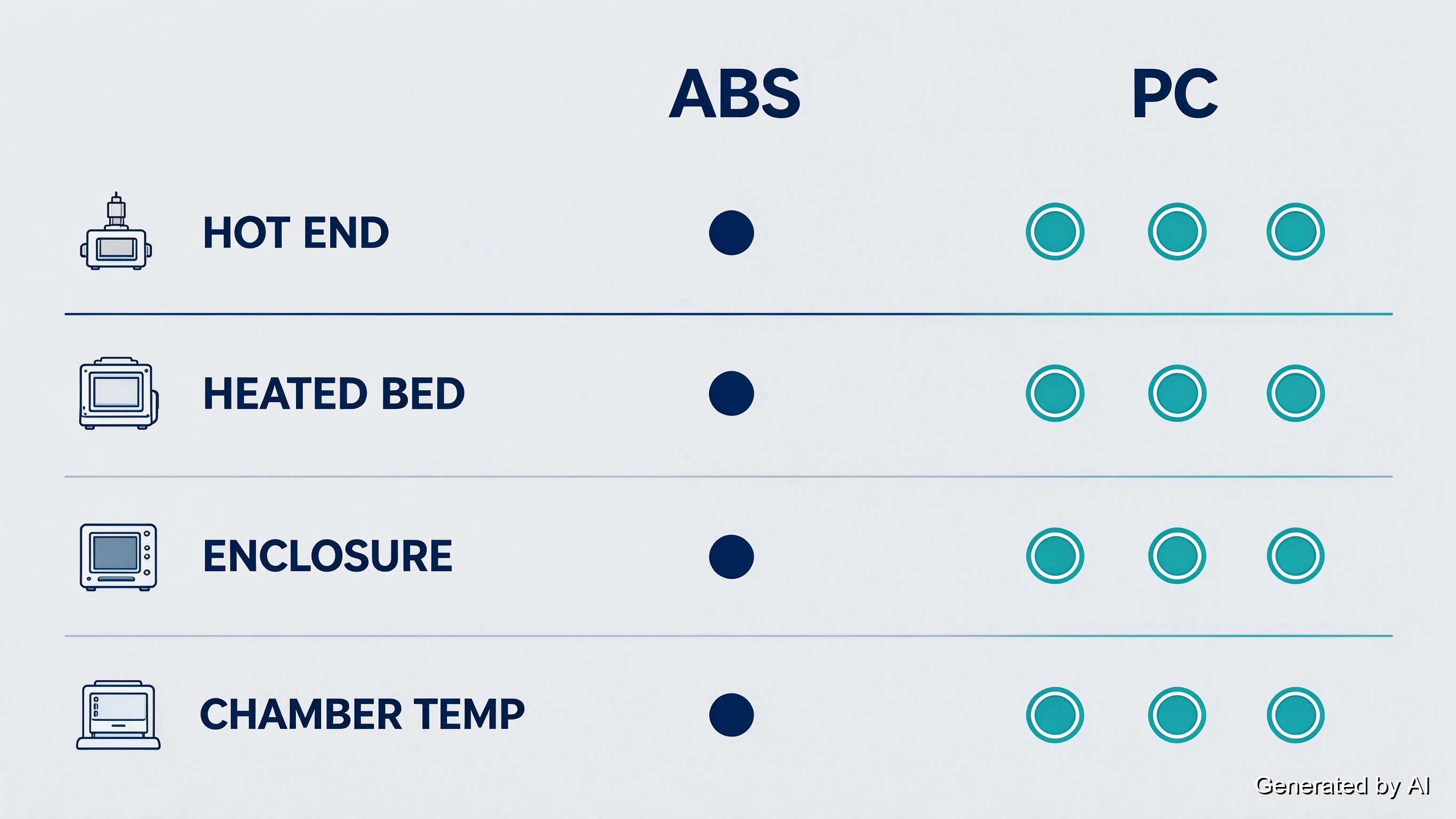
The shopping list writes itself from the materials' temperature behavior (the full three-temperature framework is in our ABS temperature resistance guide; here it becomes hardware):
| Machine spec | ABS needs | PC needs |
|---|---|---|
| Hot end | 230–250°C working range — buy headroom past it | 260–310°C working range — most desktop hot ends top out at the threshold |
| Heated bed | 90–110°C | 100–120°C |
| Enclosure | Strongly advised (warp control) | Effectively required |
| Chamber temperature | Warm and draft-free | Actively warmed and stable |
The mechanism behind the table is short. Both materials shrink as each layer cools, and shrinking layers pull parts into warp; a warm, still chamber slows that cooling and lets each layer settle before stress builds. PC simply moves every threshold up: its higher printing temperatures and stronger shrinkage turn "helpful" into "required."
One line in this table eliminates more machines than the rest combined: the hot end. A machine specced to 260°C cannot run PC's working range at all, and running any hot end at its own ceiling all day trades reliability for nothing.
3D Printers for ABS and PC: Three Machine Tiers That Can Do It
Machine classes, not model numbers, are the honest way to shop here — models change yearly, classes change slowly. Specs below are typical of each class as of writing; verify the current version's spec sheet before buying, since brands revise without renaming.
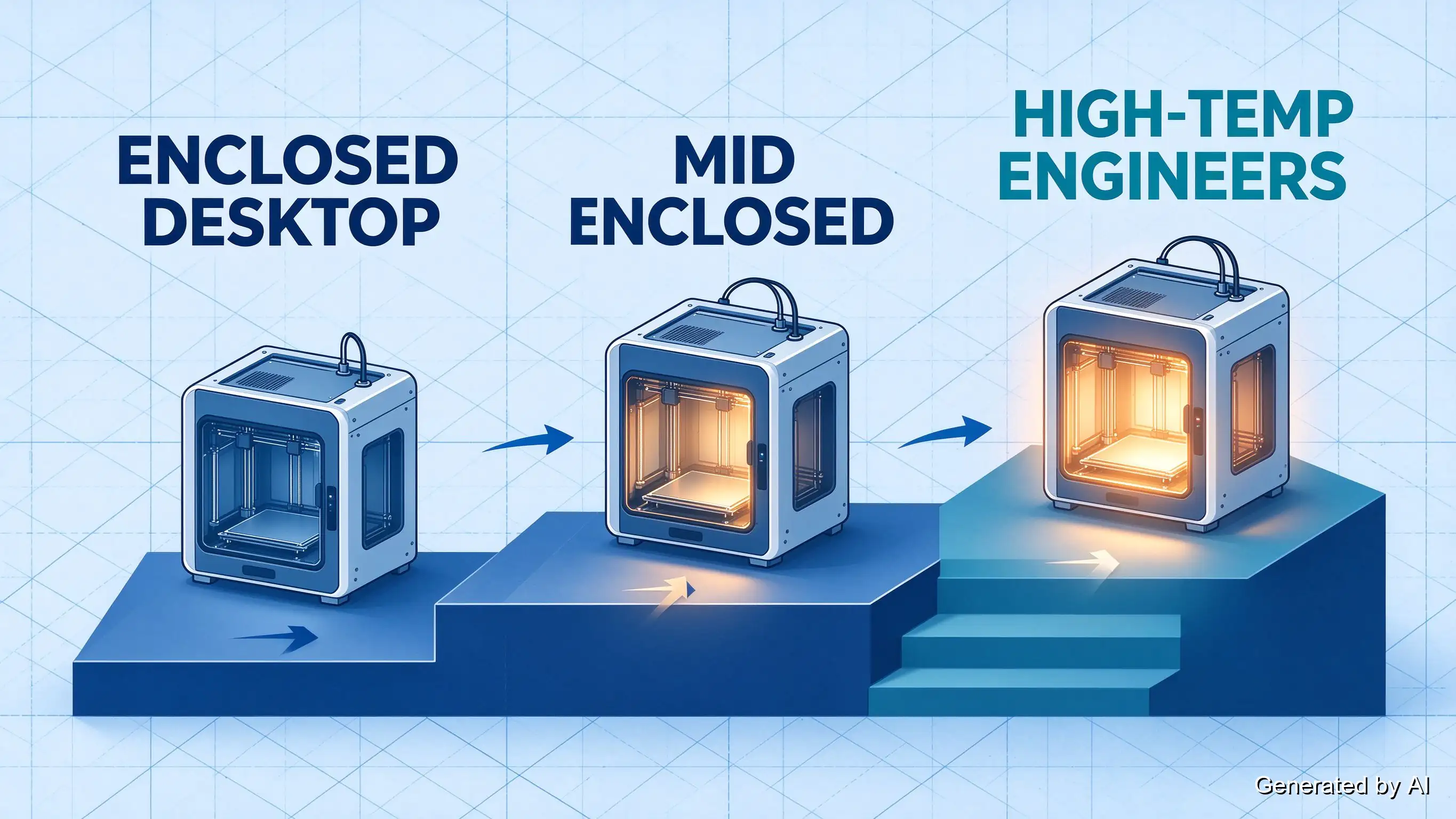
Tier 1 — Enclosed desktop (the ABS line). Fully shrouded consumer machines with ~300°C-rated hot ends: Creality's K1-series and Bambu Lab's P1S are the common examples. They hold drafts out and bed heat in well enough to print ABS reliably, and they are what most people mean by "a printer that can do ABS." Their ceiling: the chamber is passive (warmed by the bed and the heat of printing, not actively heated), and the hot end sits near PC's threshold. Occasional small PC parts are a gamble; production PC parts are not their job.
Tier 2 — Desktop machines with active chamber control (the bridge). Machines that add active chamber heating or tighter thermal management to the desktop format: Qidi's X-Plus 3 class (350°C hot end, 65°C independent chamber heating, 120°C bed per Qidi's own comparison sheet), with Bambu Lab's X1C sitting at this tier's edge — an enclosed machine with active chamber *circulation* but a passive, unheated chamber. ABS becomes boringly reliable here, and PC moves from gamble to possible. Small-to-medium parts, tuned profiles, and the acceptance that you are near the top of the class's range.
Tier 3 — Engineering-chamber machines (the PC line). The machines built for this filament: nozzles rated far past PC's range and actively heated engineering chambers holding a constant temperature — Intamsys's Funmat HT line, for example, runs a 450°C nozzle, a 90°C constant-temperature chamber, and a 160°C bed. On these, PC is not the hardest job the machine can do; it prints PC the way Tier 1 prints PLA, as a normal Tuesday. They cost accordingly, which is exactly why the economics section exists — and why the honest Tier-3 question is not "which machine" but "how many PC parts per year."
One honest note on where the boundary sits, because the spec sheets invite the wrong conclusion: Qidi's X-Plus 3 and X-Max 3 share identical headline numbers — the same 350°C hot end, the same 65°C independent chamber heating, the same 120°C bed. The X-Max 3 is this class scaled up to a 325 mm chamber, which makes it the ceiling of Tier 2 for large, long PC parts rather than a separate thermal class. The unambiguous Tier-3 machines are the ones with engineering chambers — 90°C held constant, nozzles at 450°C — where PC is routine rather than the reason the machine exists.
A few honest boundaries inside the tiers. Tier-1 machines printing PC are running at their spec ceilings: expect slower, smaller parts, more failed first layers, and no headroom to grow into. Tier-2 active chambers narrow but do not close that gap — a 65°C desktop chamber still sits well below an engineering chamber's 90°C. And every tier above the first assumes you will run the checklist (dried filament, tuned profiles, closed door): the hardware enables good ABS and PC prints, it does not automate them.
ABS and PC Printer Specs That Matter More Than Marketing
Within any tier, four details separate machines that hold ABS and PC to spec from machines that merely survive them:
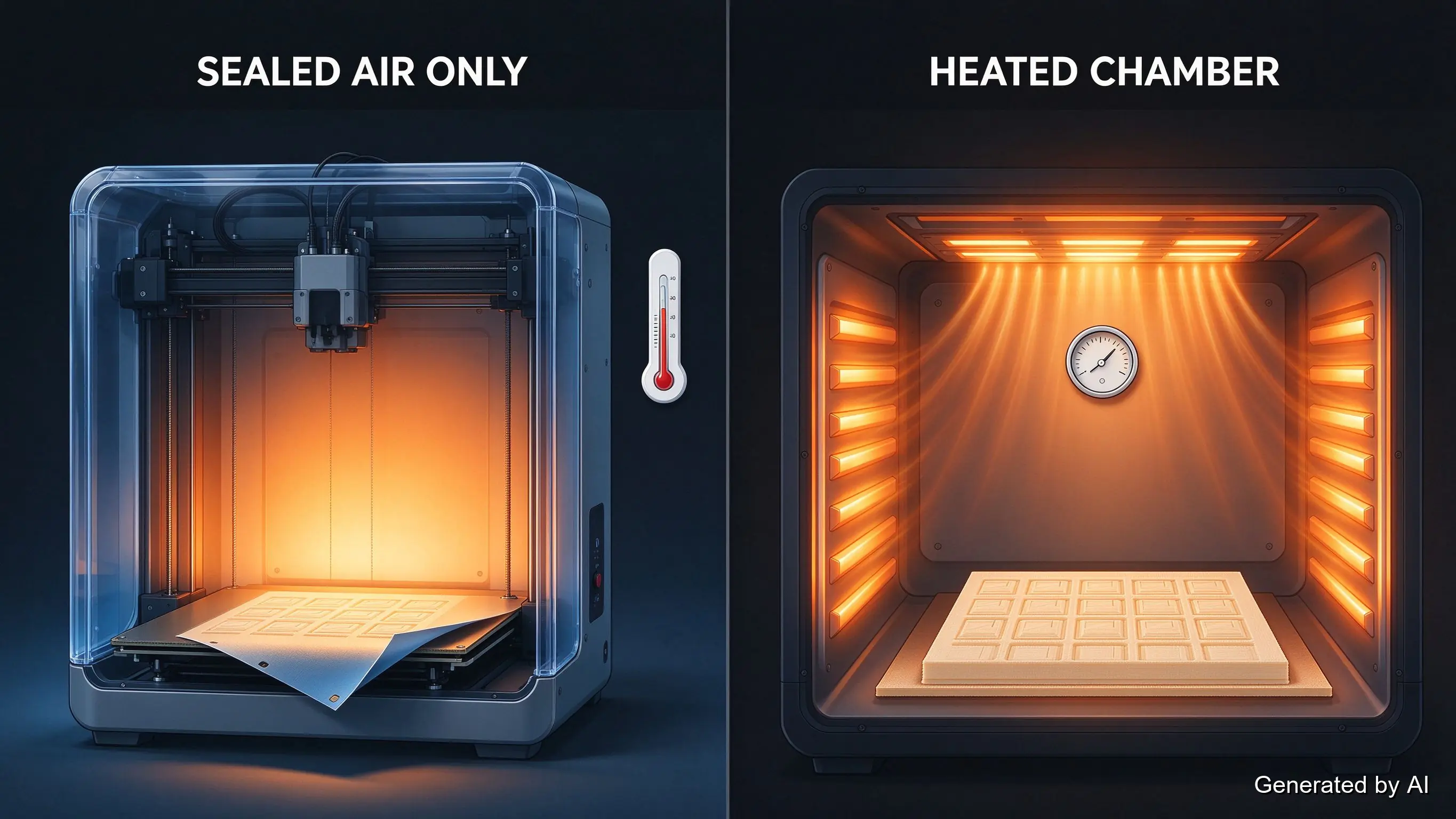
Chamber temperature vs chamber existence. A plastic shroud blocks drafts; it does not hold heat. The spec that counts is a chamber temperature reading, either an active heater or, at minimum, a sensor showing what the chamber actually reaches. "Fully enclosed" with no chamber figure is a windbreak, not a chamber.
Hot-end headroom. The rule: 20–30°C of rated margin above your working temperature. A 300°C-rated hot end printing PC all day runs at its own ceiling; heater cartridges age, thermistors drift, and consistency slides. Tier-3 machines earn their price partly here. A classic counter-example is the popular desktop machines whose ~280°C ceiling makes PC a permanent compromise.
Bed surface at temperature. ABS and PC both want aggressive adhesion at 100°C+ and clean release at cool-down; PEI-type surfaces handle this well, and bare glass tends not to. Check what the machine ships with and what the bed actually reaches at the corners, not just the center.
Filtration and venting. ABS prints with a noticeable odor and PC similar; a recirculating HEPA/carbon filter is a genuine spec for a printer living in a shared room, and an exhaust port matters if you would rather vent outdoors. Neither affects part quality — both affect where the machine is allowed to live.
The Economics: Is an ABS-Capable Printer Worth Buying?
The price gap between an open printer and a properly enclosed one is, in effect, the admission ticket for ABS and PC. Whether the ticket pays back is a volume question:
| Your situation | Sensible move |
|---|---|
| Mostly PLA/PETG, occasional curiosity about ABS | Do not buy for it — the ticket outweighs the use (our material guides cover the alternatives) |
| Regular ABS parts, PC rare | Tier 1–2 machine; ABS pays the ticket back, PC stays a guest |
| Recurring PC or engineering-grade work | Tier 3 — or a service, which is often cheaper at this tier (PC-ABS covers most "PC" parts) |
| First printer | Start with PLA-friendly open machines; the ABS vs PLA comparison explains why beginners should not start here |
The service arithmetic, stated once: a Tier-3 machine's price divided by the number of PC parts you realistically print per year is an invisible per-part cost. If that number is larger than a service quote per part — and for most people printing PC occasionally, it is — the service wins before the first failed print is counted.
When a Print Service Beats Buying
Tier 3 exists for a reason: PC's demands (260–310°C, an actively warmed chamber, reliability at the top of the range) are real hardware, and most home shops do not have them. For production parts, engineering brackets, or anything where material performance matters more than the joy of tuning, a service is the shorter path — provided the service actually runs the material.
JLC3DP prints ABS and PC-ABS via FDM — the blend tests at 106°C heat deflection with published figures on the PC-ABS material page — with automatic manufacturability checks and an engineer reviewing every model before production. To be precise about the material list: pure PC filament is not on our FDM menu; PC-ABS, the PC alloy, is the practical route for the parts most people think of as "PC." For ABS users and PC-alloy users alike, that is production hardware without the Tier-3 invoice: upload the model for an instant quote and check the per-part number against the machine budget.
FAQ about Best 3D Printers for ABS & PC
Q: Can any 3D printer print ABS?
No — an open-frame machine fighting cooling drafts produces warped, layer-split ABS parts more often than good ones. A heated, enclosed chamber is the practical minimum, which is what puts ABS a tier above PLA in hardware terms.
Q: What temperature do I need for PC filament?
A hot end working at 260–310°C (buy one rated past 300°C for headroom), a bed at 100–120°C, and an actively warmed, stable chamber. Most desktop machines meet the first requirement only at their own ceiling, which is what makes PC a Tier-3 filament.
Q: Do I really need an enclosed printer for ABS?
Strongly advised, yes. ABS warps as shrinking layers pull corners off the bed, and an enclosure that holds warmth is the difference between a flat part and a curled one. The mechanism and the countermeasures are the same story covered in our ABS vs PLA comparison.
Q: Is an enclosed desktop printer good enough for PC?
For occasional small parts, possibly — if its hot end is rated meaningfully past PC's 260°C floor and the chamber holds warmth. For recurring or dimensional PC work, desktop-class machines sit at their limits; that is the Tier-3 boundary and, often, the point where a service becomes the sensible tool.
Q: How much should I spend to print ABS reliably?
Tier-1 enclosed machines carry ABS reliably without exotic spending. Spend further only when volume justifies it: the machine's price divided by your realistic ABS-and-PC part count is the honest per-part cost to compare against a print service's quote.
Q: Can a print service handle ABS and PC?
Partly, and the distinction matters. JLC3DP runs ABS and PC-ABS via FDM on production hardware, with PC-ABS test figures published on the material page — PC-ABS is a PC alloy rated to 106°C heat deflection, and it is the practical route for most parts people think of as "PC". Pure PC filament is not on our FDM material list, so a job that genuinely needs unmodified PC is not something we take; that is the honest answer, and it is the same reason Tier-3 hardware exists as a category.
Match the Machine to the Filament
The order of operations saves money: read the filament's temperature table first, the machine's spec sheet second, and the four discriminating specs (chamber temperature, hot-end headroom, bed surface, filtration) before the badge. Tier 1 covers ABS handsomely; PC lives in Tier 3 or with a service. Buy the ticket only when the rides justify it, and when they do not, the upload is one step away.
Keep Learning
Best 3D Printers for ABS and PC: What Actually Matters
Key Takeaways Every enclosed printer can *claim* to print ABS; the machines that do it reliably share four things: a hot end with headroom past 250°C, a bed above 90°C, a real enclosure, and a chamber that actually holds heat. ABS is a Tier-1 job — enclosed desktop machines handle it well. PC is a Tier-3 job: its 260–310°C hot-end demand and need for a warm, stable chamber disqualify most desktop machines. Chamber temperature is not chamber existence: a shell that blocks drafts is not a heated chamber......
Recommended Best Resin 3D Printers in 2024
In recent years, resin 3D printers have developed rapidly in the home 3D printer market. Compared with traditional FDM printing, resin printers can provide higher precision and more delicate printing details. The improvement of printing technology allows users to easily complete the production of high-precision models at home. This article will recommend several of the most competitive resin 3D printers in the 3D printing market in 2024 to help you choose the most suitable equipment and the factors to......
How Much is a 3D Printer? A Comprehensive Guide for Every Budget
3D printing is becoming more and more popular, bringing countless creative and practical possibilities. So how much is a 3D printer? 3D printers have a very wide price range, depending on the printing process, materials, and complexity of the 3D printing solution. This article will analyze the cost of 3D printers based on their type and intended use, helping you find a model that fits your budget. Types of 3D Printers and Their Costs 1. Entry-level 3D Printers ($100 - $500) Entry-level 3D printers are......
Best 3D Printers for Beginners
Embarking on your journey into the world of 3D printing can be both exciting and daunting. With a plethora of options available, choosing the right 3D printer as a beginner is crucial for a smooth transition into additive manufacturing. To simplify your decision-making process, we've curated a list of the top 10 beginner-friendly 3D printers that offer a perfect balance of affordability, ease of use, and quality output. Creality Ender 3 V2 Neo Price: $379.00 Features: Full-metal integrated design, CR ......
Recommended and Purchase Guide for Small 3D Printers in 2024
In previous blog posts, we have introduced many excellent 3D printers on the market. If you are a beginner and want to enter the field of 3D printing, but don’t want to spend too much money or need a large workspace, a small 3D printer is a suitable purchase option. In this article, we will introduce the most recommended small 3D printers in 2024, focusing on their functions and technical features. If you are still in the watch-and-wait stage for 3D printer consumption, it is recommended to use JLC3DP......
Top 5 3D Printer Tables of 2025: Boosting Your 3D Printing Experience
Choosing the right table for your 3D printer that enhances printing stability, reduces noise, and provides organized storage space is important for achieving high-quality prints and optimizing your workflow. In this guide, we'll look at what makes a good 3D printer table and recommend the best 3D printer tables on the market in 2026. Below are our top five 3D printer tables and stands for 2026, highlighting their features, benefits, and why they might be perfect for your printing space. Best 3D Printe......