Multi-Color 3D Printing: How It Works & Your Options
11 min
- How Multi-Color 3D Printing Works
- Your Four Routes to Multi-Color
- Rainbow Filament: Multi-Color Without the Hardware
- Multi-Color Slicing: the Cost of Color
- Choosing a Multi-Color Printer
- Matching the Route to the Part
- FAQ about Multi-Color 3D Printing Guide
Key Takeaways
- Multi-color 3D printing on desktop FDM comes down to four routes: manual filament swaps, a rainbow spool, an automatic filament changer, and multiple nozzles — ranked roughly from cheapest to most automated, not from best to worst.
- The color lives in the filament, not in the machine: every route works by feeding different plastic to the same nozzle (or one spool that changes its own color), which is why the color count is always a trade against cost or waste.
- Color changes cost material. Every swap in a single-nozzle setup purges the old color through a wipe tower, so a part with many color transitions can easily use twice the filament of a single-color print.
- Rainbow filament gives you continuous gradients with zero extra hardware, but the color sequence is not controllable — it suits large artistic parts, not logos with exact color boundaries.
- If a part needs exact color separation and consistent quality across batches, sending it out beats buying hardware for it — service FDM covers rainbow-filament prints and separately printed color parts assembled after production, not multi-spool mixing; an engineer-reviewed quote is one upload away.
Multi-color 3D printing used to mean one thing: pausing a print halfway up, pulling out a spool, threading in another, and hoping the purge went clean. It now spans four very different routes, from free to fully automatic, and the right one depends on the part more than the printer. This page walks through how color actually gets into an FDM print, what each route costs in money and in waste, and how to match a route to the job. The industrial end of this spectrum, where a machine jets full-color resin rather than swapping filament, is a different technology family covered in our full-color 3D printing comparison; here it is desktop FDM, one color of plastic at a time.
How Multi-Color 3D Printing Works
Start with the mechanism, because it explains every trade-off on this page. In FDM, the color is the filament: the pigment is mixed into the plastic before it is extruded, so a machine never "inks" a part the way a paper printer does. 3D print multiple colors, and what you are really doing is arranging for different colored plastics to arrive at the nozzle at different moments, or accepting a spool that cycles its own color.
That mechanism sets the three variables every route trades against:
- How many colors a setup can hold and deliver
- How automatic the changeover is (a person, a mechanism, or nothing at all)
- How much material gets wasted making the transitions clean
The industrial full-color machines sidestep all three by jetting colored resin drop by drop, closer to inkjet printing than to filament extrusion. That is a service-tier technology with a matching price, covered in our full-color 3D printing comparison, and it is why desktop routes keep evolving: they chase the same result with spools of plastic and clever mechanisms.
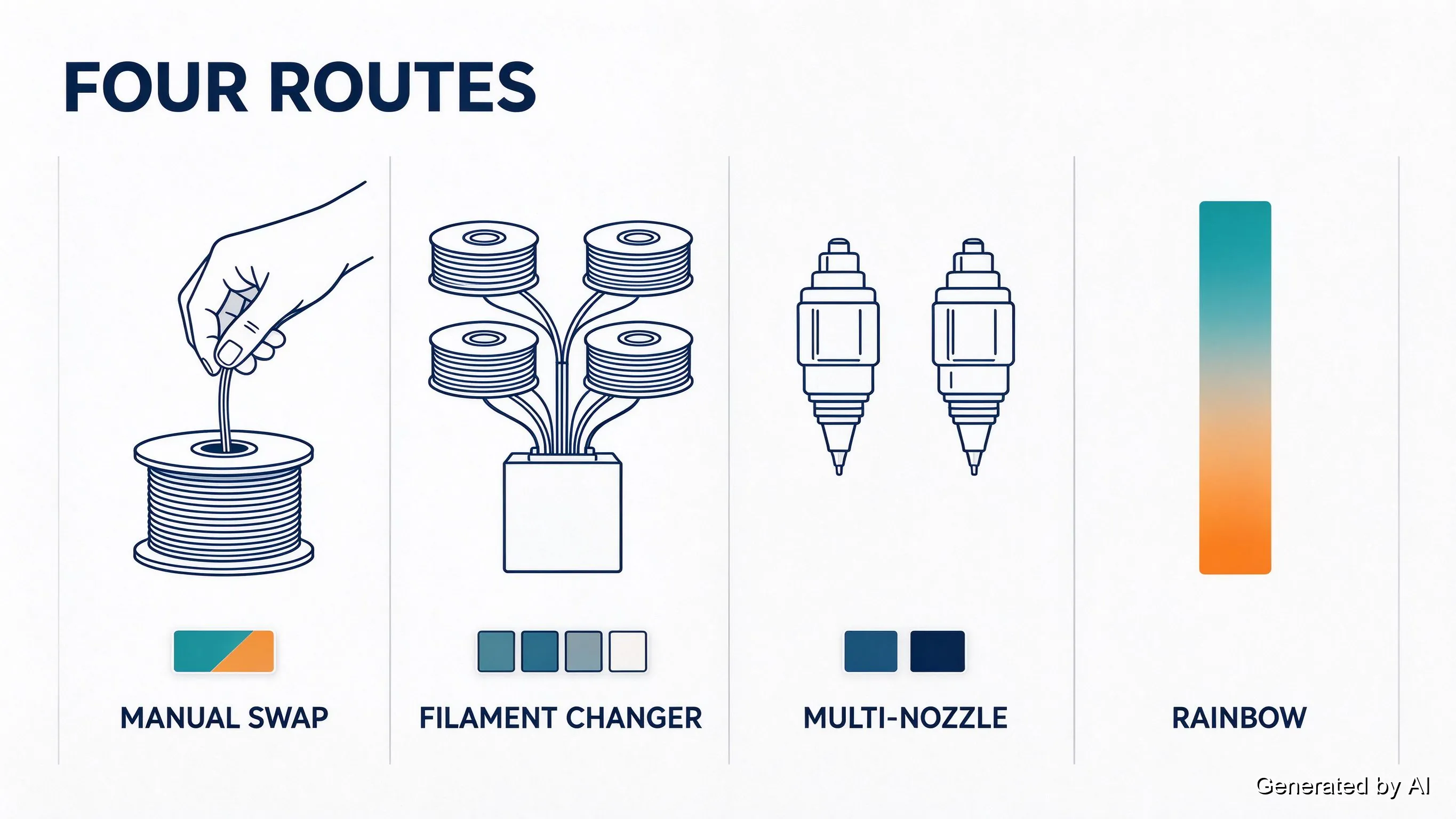
Your Four Routes to Multi-Color
Everything on the desktop market fits into one of four buckets. None is strictly best; each buys something at the expense of something else.
| Route | Cost | Colors | Changeover | The catch |
|---|---|---|---|---|
| Manual filament swap | Free | Unlimited (one swap at a time) | By hand, per change | Your presence, every time |
| Rainbow spool | Free | Continuous gradient | None | Sequence not controllable |
| Automatic filament changer | Hardware | Several per system | Automatic | Purge waste, purge time |
| Multi-nozzle | Hardware | One per nozzle | None needed | Color count = nozzle count |
Manual swaps run on a slicing feature as old as the hobby: the slicer pauses at a layer, beeps, and waits while you pull the old spool and feed the new. Resuming cleanly takes a little practice (priming the new color before the print restarts), and each swap costs 2–5 minutes of presence. For a part that changes color twice, it is the honest zero-cost answer; for a part that changes color forty times, it is an evening you will not get back.
Rainbow spools cheat the whole system: the color gradient lives inside the filament itself, so a stock single-nozzle machine produces smooth multi-hue parts with zero modifications. The next section gives it its own space, because it is the route with the fewest rules.
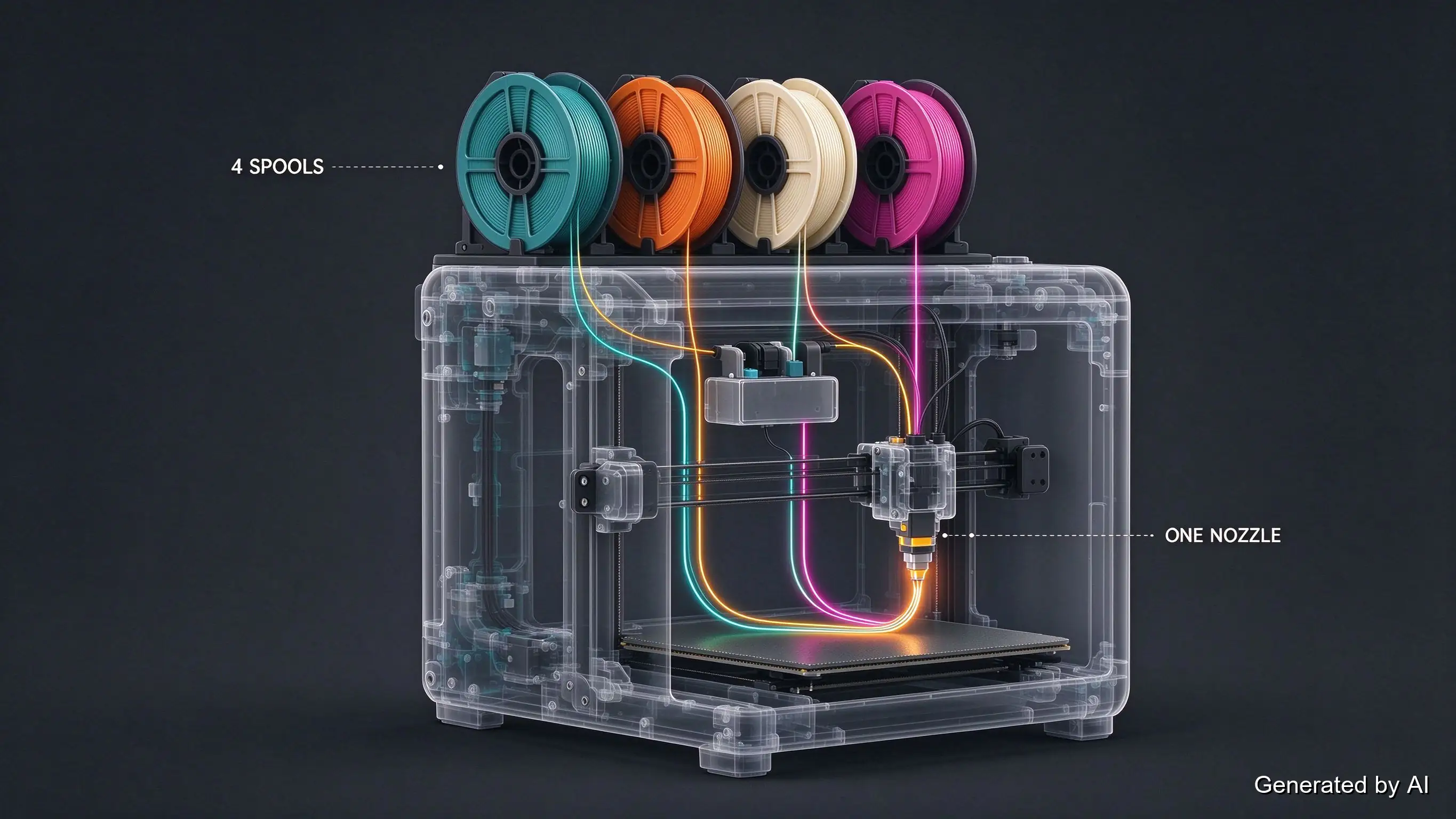
Automatic filament changers bolt a switching mechanism onto a standard single nozzle: 4–8 spools feed one hot end in current desktop designs, and the unit swaps between them on command. This is the route most people picture when they imagine a multicolor 3d printer, and it earns that picture: setup stays simple (one nozzle to tune), the color count is practical, and the machine does the babysitting. The bill arrives as purge. Each transition pushes the previous color out through a wipe tower, and tall thin parts with frequent color changes pay for it in both filament and hours.
Multi-nozzle setups give every color its own hot end, so switching colors means moving to a different nozzle instead of purging one. Waste drops hard, print time barely moves, and no purge blob ever touches your part. The trade is upfront: nozzles cost money, desktop units commonly carry 2–4, and the color count equals the nozzle count. The mechanical types (two independent heads that hand the job off) add weight and complexity worth reading about in our dual extruder guide before committing.
Rainbow Filament: Multi-Color Without the Hardware
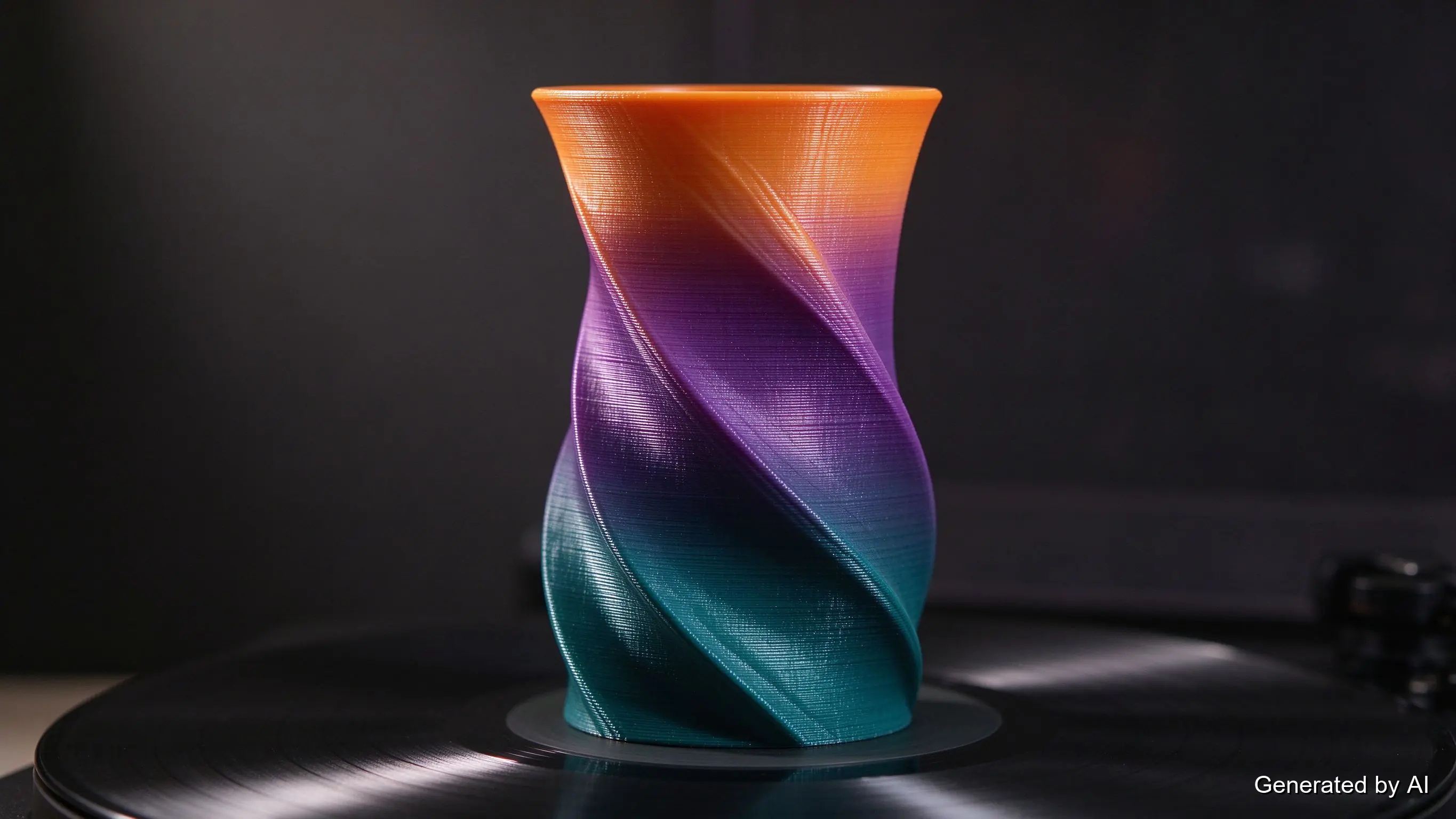
Rainbow filament is a single spool whose color drifts continuously along its length — through a designed palette, sometimes several. Print with it and the part picks up the color that happens to be entering the nozzle, layer by layer, producing smooth gradients that no amount of slicer work can fake. Rainbow filament needs no upgrade, no purge tower, and no attention; it is the closest thing the hobby has to a free lunch.
The boundary is equally real: the sequence is not controllable. You cannot place a red stripe at a specific height or keep a logo's color boundaries crisp, because the color at any moment depends on how much filament has already passed through; a 1kg spool typically delivers 1–2 full gradient cycles across a normal printing queue. Two prints from the same spool will not match. That makes rainbow spools perfect for vases, planters, tall decorative pieces, and anything where "every copy is unique" is a feature rather than a bug, and wrong for parts that need exact color placement. Most rainbow stock is PLA (with silk and PETG variants around), so the usual PLA service-temperature logic applies to the finished part.
Multi-Color Slicing: the Cost of Color
Whatever route you choose, the slicer is where multi-color gets planned, and it is also where the hidden costs live.
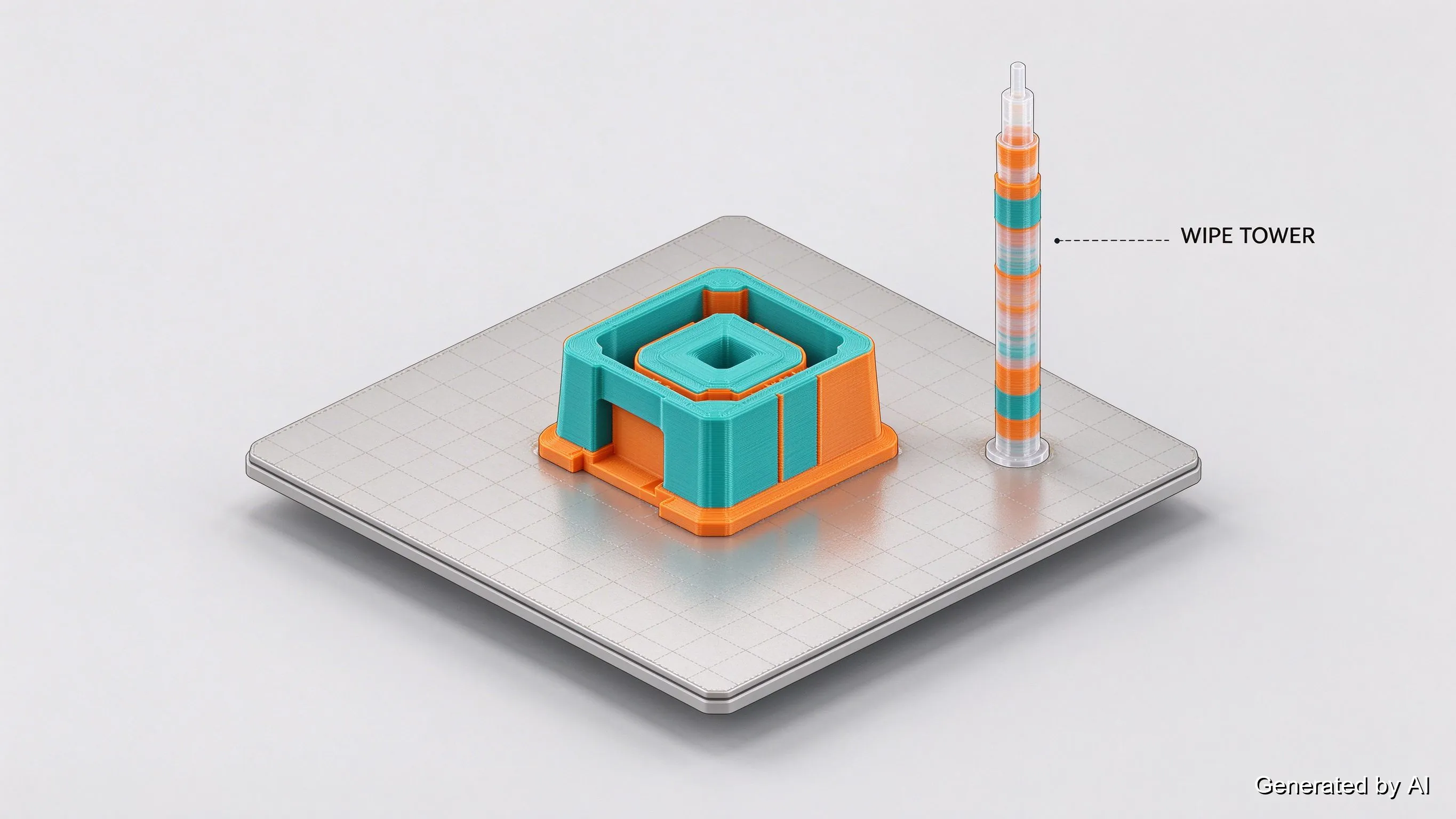
The workflow has three moves: split the model into color regions (by object, by layer height, or by painting regions directly on the model in the slicer), assign each region to a filament slot, and let the slicer generate the changeover instructions. For single-nozzle routes, every transition also generates a wipe tower (sometimes called a purge block): a sacrificial column that catches the old color while the new one flushes through. The tower is not optional — without it, the first layers of the new color would come out smeared with the last color.
The cost arithmetic follows directly. A transition purges roughly 2–5g of mixed filament on a typical 0.4mm setup (a nozzle-volume plus whatever keeps the tower stable), and transitions scale with how many times colors alternate per layer. Parts with interleaved colors (a patterned surface, a checkered badge) can spend more filament on purging than on the part itself; the honest hedge is that it varies wildly with design, but "double the material" is a realistic planning number for swap-heavy parts. The fix is design-side: group same-color regions onto shared layers, put the most-used color on the biggest tower share, and accept fewer, chunkier color boundaries where the look allows. For a worked example of the whole slicing process, our guide to adding colored text to a 3D print walks a real part through it.
Choosing a Multi-Color Printer
The purchase question is really four questions, and answering them in order narrows the field fast:
| Your need | Points toward |
|---|---|
| Occasional color accents, no budget | Manual swaps (and rainbow for artistic parts) |
| Regular multi-color parts, hands-off | Single nozzle + automatic filament changer |
| Frequent color changes, waste-sensitive | Multi-nozzle setup |
| Exact multi-color, production volume | A print service with production machines |
A printer that can print multiple colors spans this whole list, which is why "best multicolor 3d printer" searches rarely end with a single answer: the machine that suits a weekend vase printer is not the machine that suits a batch of two-tone brackets. Judge candidates on the variables this page kept repeating — how many spools it holds, whether changeover is automatic, and what purging does to your material budget — rather than on color count alone.
One adjacent note: multicolor resin printing exists but stays limited on desktop machines; most resin color work is done by painting cured parts. The full-color industrial route is real, though — JLC3DP runs full-color WJP, a material-jetting process that prints photorealistic color straight into the part (covered in our full-color 3D printing comparison). For desktop resin buyers, color remains a finishing step rather than a printer feature.
Matching the Route to the Part
Pick by the part, not the hardware: occasional accents cost nothing with manual swaps or a rainbow spool; recurring multi-color work justifies an automatic changer; waste-heavy designs reward a second nozzle; and exact color separation at production volume is a service question. When volume or consistency is the constraint, service FDM covers two routes: rainbow-filament prints for gradient color, and separately printed parts in solid colors, assembled after production — multi-spool mixing is not a standard service route. JLC3DP prints engineering thermoplastics via FDM with tuned profiles and an engineer's review on every model — upload yours for an instant quote and ask which color route fits your part.
FAQ about Multi-Color 3D Printing Guide
Q: How does multi-color 3D printing work?
The color is in the filament, so printing multiple colors means delivering different colored plastics to the nozzle in sequence — by manual swap, an automatic changer, or separate nozzles — or using a rainbow spool that cycles its own gradient. Each route trades cost against automation and waste.
Q: What 3D printer can print multiple colors?
Any FDM machine can, at least manually: slicers can pause mid-print for a spool change. Regular hands-off multi-color needs an automatic filament changer or a multi-nozzle setup, so judge candidates by spool capacity, changeover automation, and purge cost rather than color count alone.
Q: Is rainbow filament real multi-color?
It is real color, but it is gradient, not placement. A rainbow spool produces smooth, continuous transitions that look great on vases and decorative pieces, yet you cannot control where each color lands, and no two prints match exactly. Exact boundaries need one of the swap-based routes.
Q: Does multi-color printing waste a lot of filament?
Single-nozzle routes purge through a wipe tower at every color change, and swap-heavy parts can use on the order of twice the filament of a single-color print. Grouping same-color regions on shared layers and choosing chunkier color boundaries cuts the bill substantially.
Q: Can resin printers print in multiple colors?
Only in limited ways on desktop machines; most resin color work happens after printing, by painting cured parts. Full-color resin printing exists at the industrial service tier, which is a different technology family from desktop resin.
Q: Is multi-material printing the same as multi-color?
No. Multi-material means different polymers in one print (rigid and flexible, for example); multi-color means different pigments. Multi-nozzle machines often do both at once, but a rainbow spool does color with zero material variety, and soluble-support setups do material variety with zero color change.
Keep Learning
Multi-Color 3D Printing: How It Works & Your Options
Key Takeaways Multi-color 3D printing on desktop FDM comes down to four routes: manual filament swaps, a rainbow spool, an automatic filament changer, and multiple nozzles — ranked roughly from cheapest to most automated, not from best to worst. The color lives in the filament, not in the machine: every route works by feeding different plastic to the same nozzle (or one spool that changes its own color), which is why the color count is always a trade against cost or waste. Color changes cost material.......
Dual Extruder 3D Printer: Types, Principles and Tips
In the 3D printing industry, with the development of dual-extrusion technology, engineers can now use dual extruder 3d printers to print parts composed of two or more materials. Compared with traditional single-extrusion printers, dual extruder 3d printers have significant advantages in functionality and application range, but at the same time, design difficulty and maintenance costs also increase. This article introduces the types, working principles, advantages and disadvantages, and printing techni......
Low Volume Manufacturing with 3D Printing: Benefits and Applications
Key Takeaways Cost-Effective Production: 3D printing eliminates expensive tooling costs, making low volume manufacturing economically viable. Faster Time-to-Market: Production can begin within days instead of weeks. Design Flexibility: Complex geometries and customization are achievable without additional tooling costs. Low volume manufacturing bridges the gap between prototyping and mass production. It is useful when companies need smaller production runs, want to test a product before investing in t......
How to Turn a Photo Into a 3D Model: AI, Photogrammetry & 3D Scanning
Quick Overview You can convert a regular photo into a usable 3D model using AI image generation, multi-photo reconstruction, photogrammetry, or 3D scanning. For most creators and beginners, the simplest workflow is straightforward: prepare your photo, generate a 3D model, inspect every angle, fix geometry issues, and export. Single-image AI tools work best for fast visual results. If you need precise shapes, complete object coverage, or accurate real-world dimensions, multi-photo reconstruction, photo......
Tree Support vs Grid Support in 3D Printing: How to Choose the Right Support Strategy
Key Takeaways -A 45° overhang is a conservative starting point for support decisions, not a universal rule. -Tree or organic supports use branching geometry to reach overhangs with less unnecessary contact. -Grid-style supports generally provide broader, more continuous support beneath large areas. -Material savings and print-time differences vary by model, orientation, slicer, interface settings, and support density. -The best support settings should be treated as starting points and adjusted accordi......
How Accurate is FDM 3D Printing for Prototyping?
When speed and affordability matter, FDM 3D printing often takes center stage in prototyping. But there's one question that comes up time and again, how accurate is FDM 3D printing really? If you're developing a functional prototype, testing fitment, or evaluating mechanical properties, understanding the accuracy of 3D printing, especially FDM, can be the difference between a reliable test piece and a misleading mockup. (souruce: Unsplash) What is FDM 3D Printing? FDM (Fused Deposition Modeling) is a ......