Polycarbonate Filament: Properties, Printing, and Uses
15 min
- What Is Polycarbonate Filament?
- Where PC Sits: Properties Against Common Filaments
- The Three Types of PC Filament
- Why PC Is Hard to Print
- Drying and Storage: PC's Moisture Problem
- Post-Processing: Annealing and Stress Relief
- When to Use PC — and When Another Material Fits Better
- FAQ about Polycarbonate Filament
- Matching the Material to the Part
Key Takeaways
- Polycarbonate filament — the spool form of the polymer most people simply call PC — is an engineering-grade fused deposition modeling (FDM) material that pairs high impact resistance with heat resistance well above what ABS or PETG reach.
- PC prints hot: typical starting points are a nozzle at 260–310°C and a bed at 100–120°C, confirmed against the spool's datasheet. An all-metal hotend is recommended, because PC printing temperatures can exceed the continuous-temperature limits of many PTFE-lined hotends.
- A heated enclosure is strongly recommended for large or demanding PC prints. PC expands as it cools unevenly, and unenclosed prints tend to warp or split between layers.
- PC absorbs moisture quickly. Wet polycarbonate filament prints with popping, weak layer bonds, and heavy stringing, so drying often decides whether a print works at all.
- PC is not the top of the ladder. PEEK holds higher temperatures, carbon-fiber nylons offer more stiffness, and ASA handles outdoor UV better — pick the material by the property the part actually needs.
Polycarbonate filament earns its reputation the hard way. It resists impacts that would crack ABS and shatter PLA, holds its shape at temperatures where most filament sags, and can be printed translucent for light covers and diffusers. It is also one of the few common materials that will not print at all on a stock desktop machine. The gap between what PC delivers and what it demands is the whole story of this material, and it decides whether PC is the right choice for your part or an expensive detour. The grades differ, the hardware requirement is real, and for a large share of parts a different material turns out to be the better answer — so the sections below work through what polycarbonate filament is, where it sits against the filaments you already know, the three types it comes in — pure PC, PC blends, and carbon-fiber PC — and when to reach for something else.
What Is Polycarbonate Filament?
Polycarbonate is a thermoplastic known for three properties in combination rather than one in isolation: impact strength, heat resistance, and optical clarity. In sheet form it is the material behind safety visors, machine guards, and structural glazing, which is why the reputation arrives before the filament does. As a 1.75mm spool it becomes what most people simply call PC filament, bringing that same polymer to FDM printers and landing in the engineering tier alongside nylon and PEEK rather than with the everyday materials.
Two heat numbers get quoted for PC, and they are not the same measurement. The glass transition temperature (Tg) marks where the polymer turns leathery under load; for PC it sits around 110–130°C depending on grade. The heat deflection temperature (HDT) describes how the material behaves under a specific load in a specific test, and PC is reported in a similar range, around 125–130°C. Datasheets quote one figure or the other, so check which measurement a specification refers to; a part that sees 120°C in service should be judged against the loaded figure. The comparison table below uses HDT for every material, so the heat column is measured the same way across the board.
The rest of PC's profile is familiar engineering territory: tensile strength in the tens of megapascals, density around 1.19–1.20 g/cm³, and excellent notched impact resistance. Exact values move with grade, colorant, and print orientation, so treat any single figure as a starting point rather than a specification for your part.
For where PC sits against the full material menu, the filament types guide maps the five practical groups and the four properties that drive the choice.
Where PC Sits: Properties Against Common Filaments
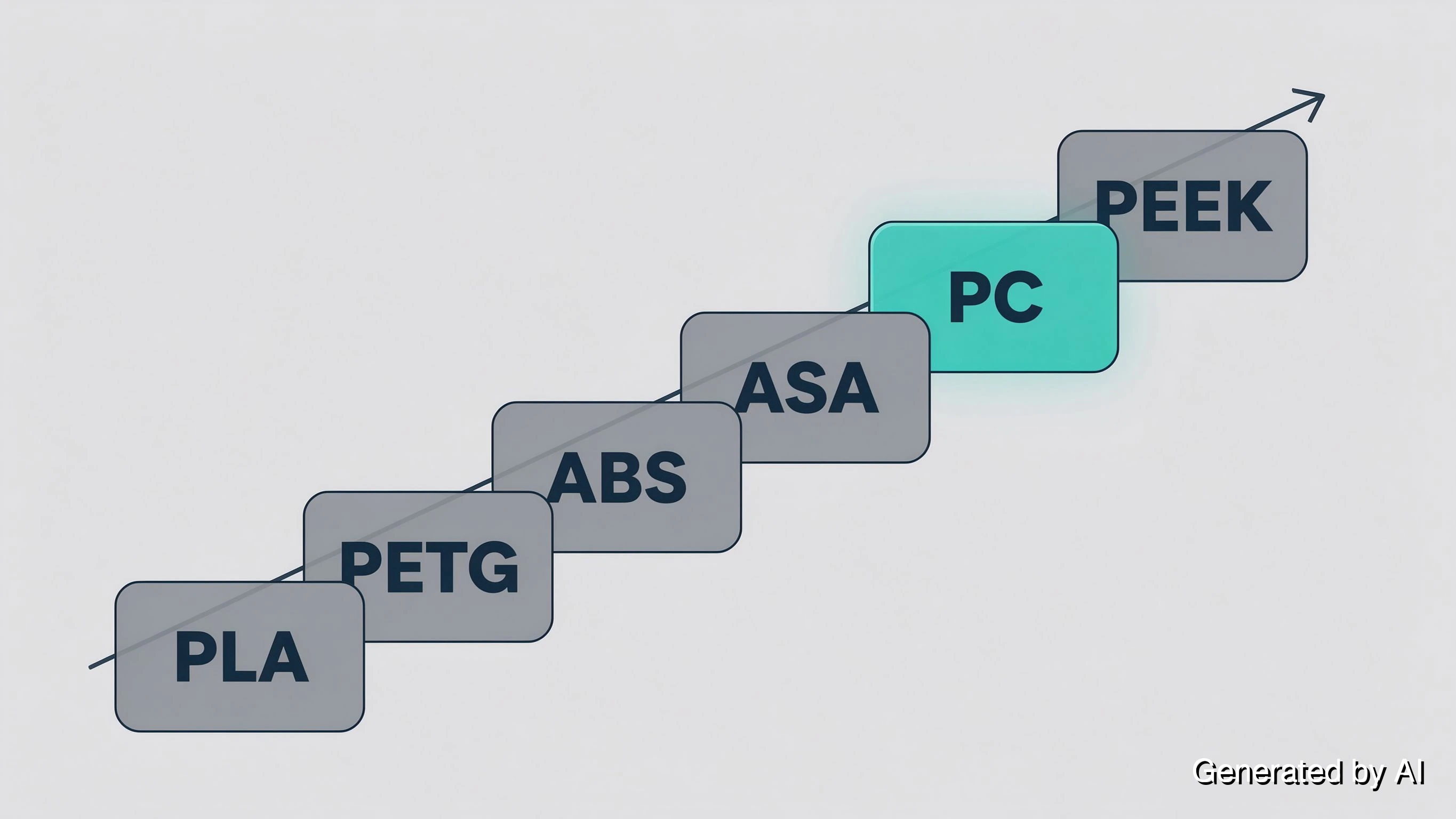
PC outruns PLA, PETG, ABS and ASA on heat resistance, and only PEEK sits above it.
| Filament | Heat resistance (HDT) | Nozzle / bed | Enclosure | Print difficulty | Typical use |
|---|---|---|---|---|---|
| PLA | ~50–55°C | 200–220°C / 50–60°C | Not needed | Easy | Visual models, low-load parts |
| PETG | ~65–70°C | 230–250°C / 70–85°C | Not needed | Moderate | Enclosures, mechanical casings |
| ABS | ~85–95°C | 230–250°C / 90–110°C | Recommended | Moderate to hard | Automotive, appliance parts |
| ASA | ~90–95°C | 240–260°C / 90–110°C | Recommended | Moderate to hard | Outdoor housings, UV-exposed parts |
| PC | ~125–130°C | 260–310°C / 100–120°C | Required | Hard | Load-bearing parts, lighting housings |
| PEEK | ~150–160°C | 360–400°C / 120–160°C | Required, high-temp | Extremely difficult | Aerospace, medical, industrial |
Heat figures in the table are typical heat deflection temperatures at 1.82MPa for unfilled grades — the most commonly quoted measure of filament heat resistance — and exact values vary with grade and manufacturer.
Reading down the table shows what PC buys and what it costs. Compared with ABS, it holds noticeably more load before deforming and pushes the thermal ceiling up by a meaningful margin, at the price of a much narrower printing window. Compared with PEEK, the gap reverses: PC is the approachable end of the high-performance bracket.
The comparison that matters most in practice is PC against ASA. Both resist heat, both need an enclosure, and both cost more than ABS. The split is UV exposure: PC yellows and embrittles under sustained sunlight, while ASA was formulated for exactly that condition. An outdoor bracket that sees direct sun belongs in ASA; an indoor part that must survive impact and heat belongs in PC. The heat-resistant filament comparison ranks the same six materials by HDT and printability if you want the full spread.
The Three Types of PC Filament
Polycarbonate does not come in one formulation, and the differences decide whether a desktop machine can print it at all.
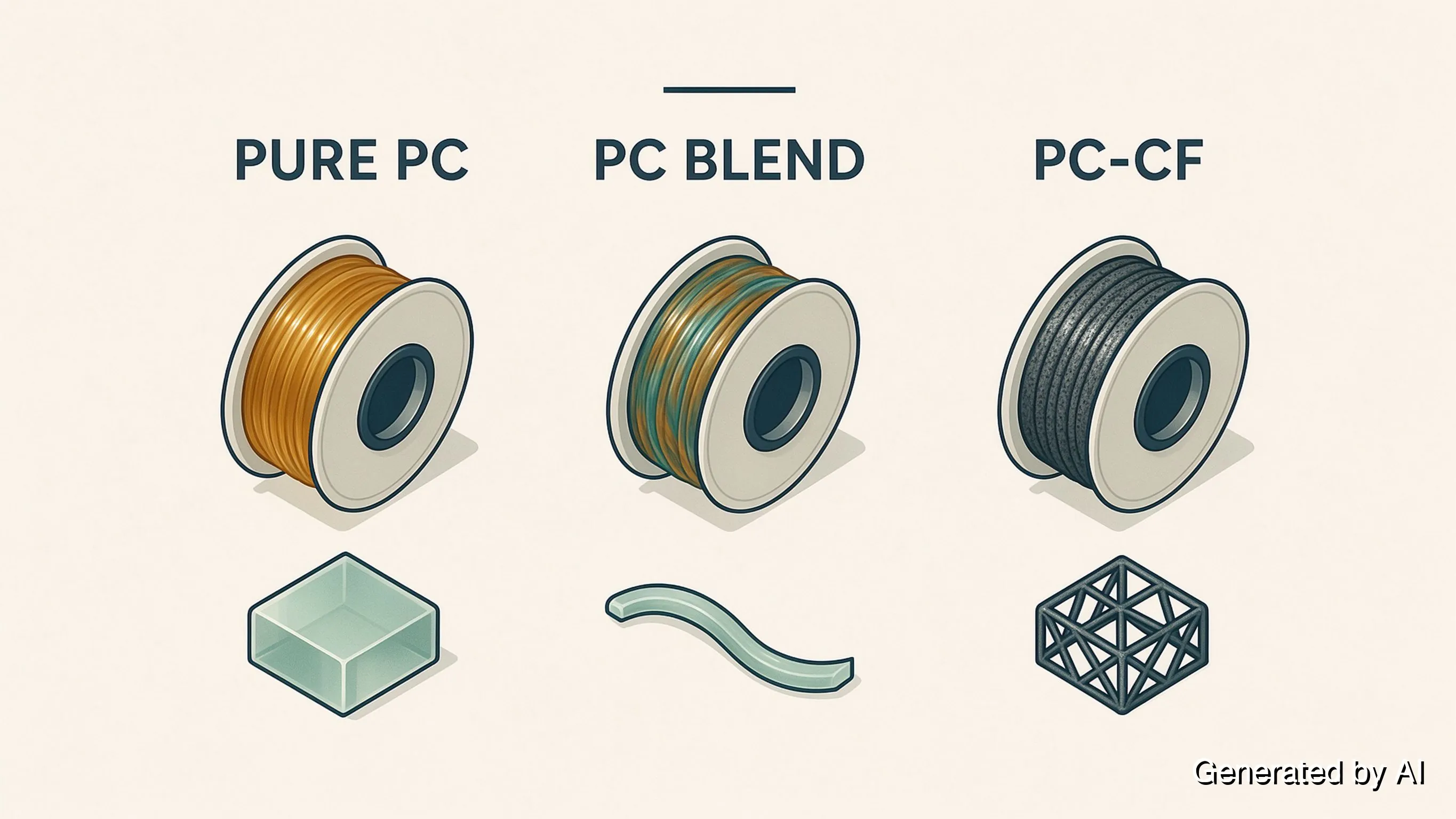
Pure PC is the strongest and most heat-resistant form, and the hardest to print. It wants the top of the temperature range, a genuinely hot chamber, and patience. Industrial and engineering work runs on it when the part needs everything the polymer offers.
PC blend mixes polycarbonate with another polymer, most commonly ABS or PETG. The result prints at lower temperatures with far less warping, which makes it the practical entry point for a desktop machine. The trade is real: a blend gives up some strength and some of the thermal ceiling in exchange for printability. If your requirement is "PC-like toughness without rebuilding the printer," a blend is where that conversation starts.
PC-CF adds carbon fiber to the polymer. Stiffness and dimensional stability improve noticeably, and the part looks and feels like a machined composite. Two consequences follow: the filament is abrasive, so a hardened nozzle is the sensible pairing rather than a brass one, and the material becomes more brittle in impact terms. Jigs, fixtures, and structural brackets where deflection matters are its natural home.
One caution applies to all three: a PC-compatible label on the spool does not guarantee identical settings across brands, because the base polymer and additives differ. The starting values in this article are exactly that.
Why PC Is Hard to Print
The difficulty is a hardware problem before it is a settings problem. The settings themselves are best introduced as starting points:
| Setting | Typical starting point |
|---|---|
| Nozzle temperature | 260–310°C |
| Bed temperature | 100–120°C |
| Print speed | 30–60mm/s |
| Part cooling | Low; off for the first layer |
| Enclosure | Recommended; chamber air roughly 50–80°C |
| Nozzle material | Hardened steel for carbon-fiber PC |
| Drying | 70–90°C for 4–8 hours before printing |
All values are typical starting points for unfilled PC — the final settings belong to the spool's datasheet. The sections below explain why each one matters.
The hotend. PC extrudes in a typical 260–310°C range, and those temperatures rule out one component for regular PC printing. PTFE-lined heatbreaks have continuous-temperature limits that PC printing can exceed, and degraded PTFE releases fumes you do not want in a workshop. For anything beyond occasional small parts, an all-metal hotend is strongly recommended.
The build surface. A bed at 100–120°C is a starting point, not a maximum. PC adheres aggressively when hot and releases when it cools, which makes the plate choice consequential: PEI (polyetherimide) sheets are the common reliable answer, and a thin glue layer on glass gives a removable alternative. Adhesives formulated for lower-temperature materials break down at PC temperatures.
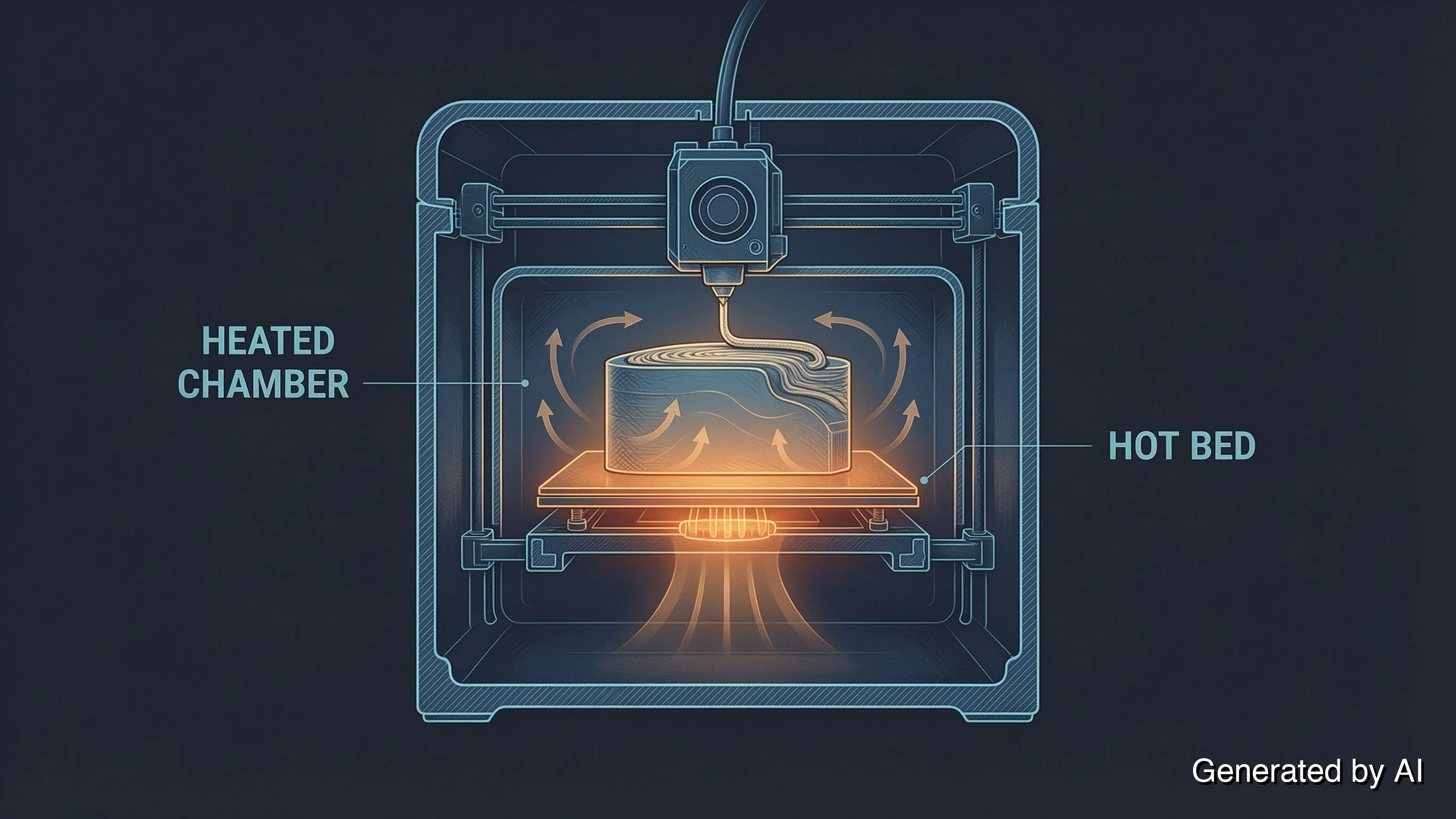
The chamber. An enclosure holding the ambient air at roughly 50–80°C often improves success rates more than any single slicer setting, especially on larger parts. The mechanism is thermal expansion: PC has a high coefficient of expansion, so when a freshly laid layer cools faster than the layer beneath it, the two contract by different amounts. That mismatch turns into warping on the plate and splitting between layers. A heated chamber narrows the temperature gap between what leaves the nozzle and what surrounds the part.
Cooling and speed. Part cooling fans run at zero for the first layer and stay low afterward, since the fan that fixes a PLA overhang actively damages a PC print. Print speeds of 30–60mm/s give each layer time to bond before the next arrives.
The practical read: if the machine cannot reach those temperatures and hold a heated chamber, no slicer profile can reliably make up for it, particularly on larger parts. Some parts genuinely need what PC offers, and for those the hardware is worth it. Others need a property that a friendlier material already delivers.
Drying and Storage: PC's Moisture Problem
PC is hygroscopic in the aggressive sense of the word. It takes on atmospheric moisture within hours of being left out, and unlike PLA, which mostly becomes brittle, wet PC fails during the print.
The symptoms are hard to miss once you know them: popping or crackling from the nozzle as trapped water flashes to steam, stringing that no retraction setting fixes, weak layer bonds, and a surface pitted with small voids. Each pop is a pocket of steam punching through the melt, and every one of them is a defect in the finished part.
Drying brings the material back. A filament dryer or a controlled oven, somewhere in the 70–90°C range for roughly 4–8 hours, covers most cases; the right combination depends on how much moisture the spool has taken on and what your drying equipment can hold steadily. Print straight from a dry box where possible, and keep unmounted spools sealed with desiccant.
Signs of moisture, storage habits, and shelf life across material types are covered in more depth in the heat-resistant plastics overview.
Post-Processing: Annealing and Stress Relief
A PC part can be improved after it cools. Printing builds internal stress into every layer, and an annealed part releases some of it: layer bonding improves, dimensional stability under heat improves, and the part behaves closer to the datasheet figures. The cost is dimensional change — PC relaxes and shrinks slightly during the cycle, so a tolerance-critical part should be annealed first and measured after, rather than measured before and trusted afterwards. Annealing runs in a controlled oven at a slow ramp, typically below the material's glass transition temperature, and the schedule is worth taking from the filament supplier's datasheet rather than from a general number. For parts where layer strength matters more than exact dimensions, it is the cheapest upgrade available.
When to Use PC — and When Another Material Fits Better
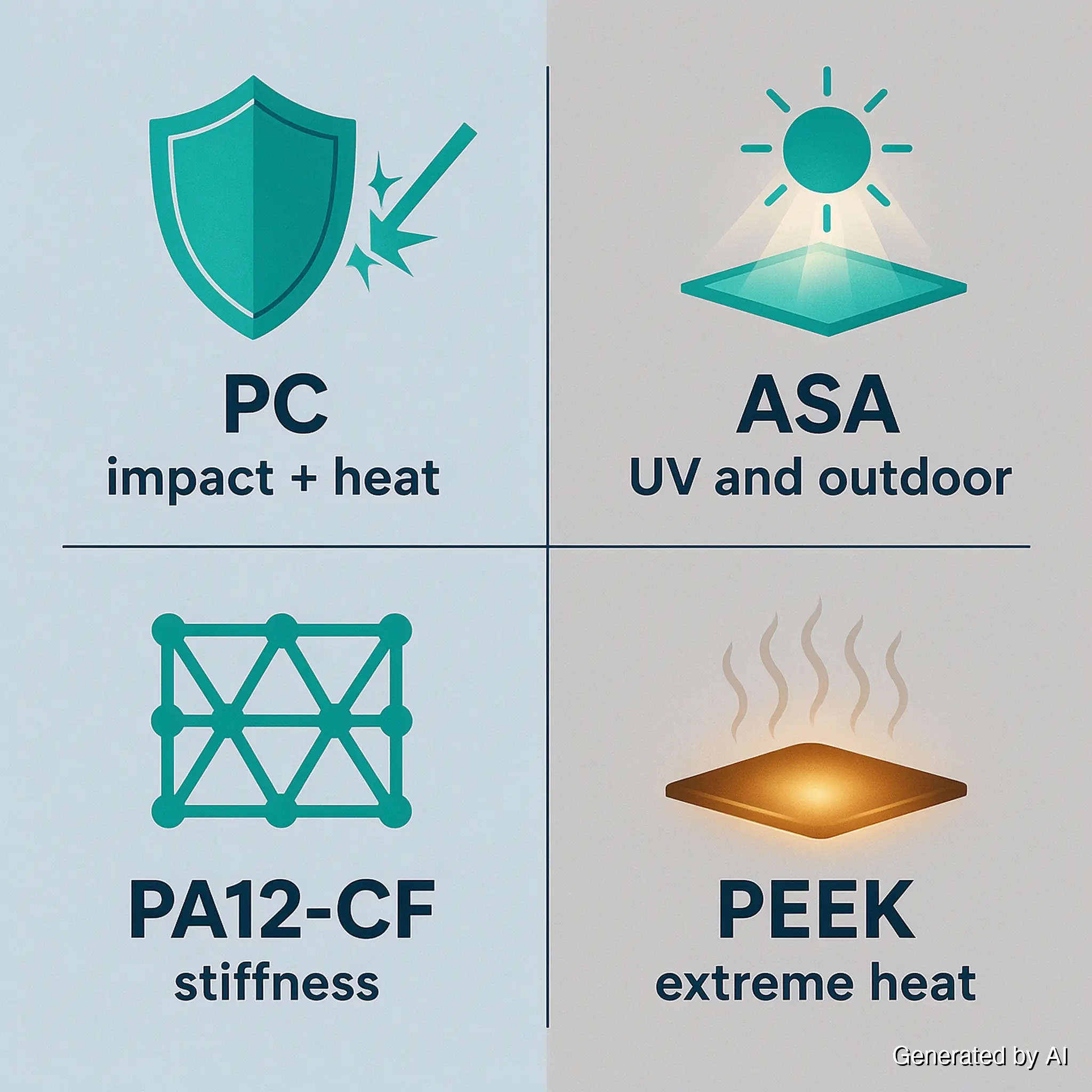
Start from what the part requires, then check whether those requirements land inside PC's window.
| The part needs | PC appropriate? | Better fit |
|---|---|---|
| Impact resistance at room temperature | Overkill | PETG or ABS handle most of it for less money and setup |
| Sustained heat above 100°C, indoor | Yes | PC is the practical choice short of PEEK |
| Outdoor service, direct sun | No | ASA — PC yellows and embrittles under UV |
| Maximum stiffness per gram | No | PA12-CF or another carbon-fiber nylon |
| Wear, fatigue, or low-friction parts | No | PA or PA12-CF — nylon composites are formulated for it |
| Service temperatures above 150°C | No | PEEK or PEI |
| Translucent or light-diffusing parts | Yes, if needed | Clear PC is the differentiator here |
| Purely cosmetic parts | No | PLA or PETG at a fraction of the cost |
The pattern is consistent: PC wins when a part needs impact toughness and heat resistance at the same time, indoors, and possibly light transmission on top. Remove any one of those conditions and a cheaper, easier material takes over.
There is also a hardware question behind the material question. Reaching PC's window means an all-metal hotend, a bed that holds 100–120°C, a heated chamber, and a drying setup — a configuration that costs real money and workshop space. Building it for one part is rarely the arithmetic that makes sense, and the parts that justify it are usually the ones a workshop prints repeatedly.
For one-off or occasional engineering parts, the practical route is to pick the material by the property and let someone with the machines run it. JLC3DP's FDM service covers ABS, ASA, PA12-CF and PEEK, with automatic manufacturability checks on upload and an engineer reviewing each model before it prints. If the requirement is heat resistance indoors, ABS or ASA covers it; if it is stiffness, PA12-CF does; if it is temperature beyond PC's ceiling, PEEK does. Matching the property to the process beats matching the material name on the spool — upload your model for an instant quote.
FAQ about Polycarbonate Filament
Q: What is polycarbonate filament used for?
Parts that need impact strength and heat resistance at the same time: machine guards and brackets, lighting housings and diffusers, load-bearing components, and translucent covers where light transmission matters. It also appears in automotive interior parts and industrial jigs, particularly where a part must survive both a knock and a warm environment.
Q: Is polycarbonate filament hard to print?
Yes, and the difficulty is mostly equipment rather than technique. PC needs an all-metal hotend, a bed that reaches 100–120°C, a heated enclosure, and dried filament. On a machine without those, tuning cannot substitute for hardware. On a machine with them, it prints predictably.
Q: What temperature does polycarbonate filament print at?
Typical starting points are a nozzle at 260–310°C and a bed around 100–120°C, with an enclosure holding ambient air somewhere near 50–80°C. The exact values vary by grade, colorant, and printer, so a manufacturer's datasheet for your specific spool takes precedence over general ranges.
Q: Can I print polycarbonate without an enclosure?
Not reliably, especially on larger parts. Without a heated chamber, layers cool unevenly, internal stress builds, and the part either lifts off the plate or splits along layer lines. Small parts occasionally survive an open machine, but treating that as a method rather than luck is not advisable.
Q: Does polycarbonate filament need drying?
Yes, and more urgently than most materials. PC absorbs moisture within hours of exposure, and wet filament prints with popping, voids, and weak layer bonds. Dry it in the 70–90°C range for several hours before a critical print, and store it sealed with desiccant between uses.
Q: Is polycarbonate filament toxic?
The polymer itself is considered safe in finished form, and PC parts see use in helmets, machine guards, and food-adjacent equipment. The printing process is the part that needs attention: PC prints hot enough to release fumes that irritate the respiratory tract, so ventilation or an enclosure with filtration belongs in the setup.
Q: How does polycarbonate compare with ABS and PETG?
PC is stronger and more heat-resistant than both, and considerably harder to print. ABS sits one step down in performance and needs an enclosure too; PETG is tougher than PLA and prints without one, but gives up the thermal ceiling that makes PC worth its cost.
Matching the Material to the Part
Polycarbonate filament is best understood as a trade rather than an upgrade. It buys impact resistance and a thermal ceiling that ABS, ASA, and PETG cannot reach, and it charges for them in hardware, preparation, and the patience to dry a spool before every important print. That trade makes sense for indoor parts that take hits and see heat, and it stops making sense the moment the requirement is really stiffness, or UV survival, or a temperature above PC's ceiling — each of which has a material that does the job with less friction.
If the part needs what PC offers but the setup does not exist yet, that work is one upload away.
Popular Articles
Keep Learning
Nylon vs PETG: Strength, Toughness & Heat Resistance
Note: PETG is included in this article for technical comparison only. JLC3DP does not currently offer or recommend PETG as a printing material. The comparison is intended for educational purposes and should not be interpreted as a JLC3DP material recommendation. Nylon vs PETG is not a contest with a single winner. Nylon generally leads in toughness, wear resistance, fatigue resistance, and higher-temperature applications. PETG is easier to print, easier to store, and more cost-effective for general-pu......
PEEK vs PEKK: Key Differences and How to Choose for 3D Printing
PEEK vs PEKK is a common comparison when selecting high-performance thermoplastics for 3D printing. Both belong to the polyaryletherketone (PAEK) family and offer high strength, thermal stability, and chemical resistance. However, differences in their molecular structures, crystallization behavior, and processing requirements can significantly affect part performance and manufacturing. PEEK has a long history in demanding industrial applications, while PEKK offers a range of grades with different melt......
Resin vs Filament 3D Printing: Which One Should You Choose?
Getting into 3D printing can feel a little like opening a toolbox without knowing what half the tools do. If you’ve ever stood between a resin printer and a filament printer, scratching your head, wondering which one’s for you, you’re not alone. Resin vs filament 3D printing is one of the most common beginner dilemmas. Each has its pros, cons, quirks, and learning curves. And choosing the right one can make all the difference in how enjoyable and successful your 3D printing journey becomes. In this gu......
Resin vs Filament: Which is Better for 3D Printing?
Resin printing and filament printing (FDM) are the two most widely used methods in 3D printing. To help you make an informed choice, this article will compare the two printing methods in detail from the perspectives of materials, resolution and quality, speed, ease of use, price, etc. If you don't have a 3D printer yet and just want to compare the two printing methods first, JLC3DP can meet your needs. Just upload your 3D model to our platform, choose the printing method and corresponding materials yo......
ABS vs PLA: Which Filament Should You Print?
Key Takeaways The ABS vs PLA choice is a trade between certainty and headroom: PLA prints easily, precisely, and cheaply; ABS survives heat, absorbs impact, and can be smoothed with acetone, but it makes you earn every print. Warping is the deciding pain: ABS parts curl as layers shrink unless you print in a heated, enclosed chamber; PLA barely warps on the same machine. "Stronger" splits into three answers: ABS is stiffer and tougher, but well-printed PLA holds layer-to-layer more consistently — pick......
ABS vs PC vs PC-ABS: Which Is Best for 3D Printing?
Key Takeaways The ABS vs PC vs PC-ABS decision comes down to one trade: PC gives you roughly 35–40°C more heat resistance and higher stiffness; ABS prints more easily and costs less; PC-ABS trades a little of each extreme for the most balanced printing experience. PC leads on heat resistance (~125–130°C vs ~85–95°C for ABS) and stiffness, with impact resistance as its signature trait — "strongest" depends on which property and grade you compare — but it demands the hottest, most enclosed, least forgiv......