The Best Websites to Get 3D Printing Files in 2026
13 min
- Quick Comparison Table
- Best Websites for Free 3D Printing Files
- Free STL Files by Category(What to Download)
- Who Uses Free Files for 3D Printing?
- How to Choose a Printable 3D File (Without Failed Prints)
- Why STL Files Fail to Print
- From STL Download to Finished Part
- H2 FAQ about Free Files for 3D Printing
Looking for free 3D printer files that actually print well? This guide compares the best websites to download STL files, free printable 3D models, engineering CAD files, and commercial-use designs. Whether you need functional parts, prototypes, toys, or production-ready files, these platforms offer different strengths in model quality, licensing, and supported formats.
Quick Comparison Table
Not all free STL websites are built for the same use cases. Some focus on hobby printing, while others are better for engineering models or production workflows.
| Website | Free/Paid | Free Models | Main Formats | Commercial Use | Best For |
|---|---|---|---|---|---|
| Thingiverse | Free | Large | STL | Partial | General 3D printing |
| CGTrader | Free/Paid | Large | OBJ / FBX / STL / BLEND / MAX / 3DS / C4D / 3MF | License-dependent | CG assets, games, VR/AR, visualization and 3D printing |
| Printables | Free | Large | STL / 3MF | Partial | Consumer users |
| MakerWorld | Free/Paid | Growing | STL / 3MF | Partial | Fast desktop printing |
| MyMiniFactory | Free/Paid | Mixed | STL | Creator license | Miniatures |
| Cults3D | Free/Paid | Mixed | STL | Depends | Design marketplace |
| Yeggi | Free | Large (aggregated) | Multiple sources | Depends | STL search engine |
| GrabCAD | Free | Large | STEP / STL | Limited | Engineering |
| Thangs | Free/Paid | Large | Multiple | Depends | Search and discovery |
| NIH 3D Print Exchange | Free | Curated | STL | Educational | Medical and education |
| Sketchfab | Free/Paid | Mixed | OBJ / STL | Depends | Visualization and assets |
Best Websites for Free 3D Printing Files
Each platform below serves different printing goals. Compare download quality, licensing, supported file formats, and print success rate.
1. Thingiverse — Best for General Free STL Downloads
One of the earliest and most widely used free 3D printer file platforms. Thingiverse offers millions of downloadable STL files covering everyday gadgets, home accessories, educational projects, art pieces, and functional prints.
Pros
- Massive collection of free STL files across many categories
- Open community with remix and customization support
- Easy access for beginners and hobby users
Cons
- Model quality can vary significantly
- Search and filtering features are relatively limited
- Interface feels less modern than newer platforms
Best use cases
- General hobby printing
- Finding inspiration for new projects
- Downloading everyday printable objects
Recommended prints
- Phone stands
- Tool organizers
- Desk accessories
- Simple mechanical parts
2. CGTrader — Best for Professional 3D Assets and Commercial Projects
CGTrader is a large marketplace offering both free and paid 3D models for 3D printing, games, animation, architecture, product visualization, and VR/AR projects. The platform lists more than 2 million models overall, including over 800,000 models in its dedicated 3D-printing section.
Pros
- Large selection of professional-quality and print-ready 3D models
- Supports many formats, including STL, OBJ, FBX, BLEND, MAX, 3DS, and C4D
- Royalty-free models can be used in commercial projects when incorporated into a larger product
- CGTrader states that its marketplace supports around 100 different 3D file formats. Commercial use is also possible for free models when they are provided under the Royalty Free License and are not redistributed as standalone files or individual printed products.
Cons
- Many of the highest-quality models require payment
- Licensing conditions must be checked separately for each model
- Not every model on the platform is designed or prepared for 3D printing
- CGTrader includes Royalty Free, Editorial, and custom licensing options. Editorial models have additional restrictions, while most general CG assets are intended for visualization, animation, games, or design rather than direct printing.
Best use cases
- Finding detailed models for professional or commercial projects
- Downloading assets for games, animation, architecture, and VR/AR
- Purchasing complex models that would be difficult to design from scratch
Recommended prints
- Detailed miniatures and collectible figures
- Cosplay props and costume accessories
- Vehicle, building, and architectural models
- Functional prototypes and mechanical components
3. Printables — Best for Reliable Printable Models
A rapidly growing 3D model platform known for curated content, verified designs, and an active creator community with regular design challenges.
Pros
- High-quality and validated printable files
- Clean interface with efficient search experience
- Includes optimized print profiles for popular printers
Cons
- Some designs are optimized around specific printer ecosystems
- Smaller engineering model library compared with CAD platforms
Best use cases
- Beginner-friendly printing
- Reliable desktop printing
- Discovering tested community models
Recommended prints
- Storage organizers
- Household tools
- Decorative objects
- Functional accessories
4. MakerWorld — Best for Fast Consumer Printing
A fast-growing 3D printing platform focused on highly printable models and community participation through rewards and design competitions.
Pros
- Strong printability verification system
- High-quality model selection
- Active creator ecosystem and incentives
Cons
- Closely integrated with the Bambu ecosystem
- Certain features work best with supported devices
Best use cases
- Fast and reliable consumer printing
- Finding optimized printable files
- Community-driven model discovery
Recommended prints
- Multi-part assemblies
- Decorative models
- Functional household products
- Beginner projects
5. MyMiniFactory
A specialized platform focused on miniatures, tabletop gaming, figurines, and creative collectibles.
Pros
- Strong niche community
- High concentration of themed content
- Excellent for hobby and display projects
Cons
- Many premium files require purchase
- Download experience may vary
Best use cases
- Miniature printing
- Tabletop games
- Character and figurine collections
Recommended prints
- RPG characters
- Fantasy miniatures
- Display models
- Cosplay accessories
6. Cults3D
An independent marketplace that combines free and paid 3D printing files with strong support for creators and original designs.
Pros
- Supports designer monetization
- Wide category coverage
- Available in multiple languages
Cons
- Larger proportion of paid content
- Interface can feel crowded for new users
Best use cases
- Discovering premium-quality models
- Supporting independent creators
- Finding unique printable designs
Recommended prints
- Decorative products
- Home accessories
- Artistic models
- Custom gifts
7. Yeggi
A dedicated search engine that indexes 3D printing files from multiple websites and helps users discover models across platforms.
Pros
- Aggregates results from multiple repositories
- Saves time during model discovery
- Broad coverage across categories
Cons
- File quality depends on source platforms
- Limited quality control and verification
Best use cases
- Cross-platform STL searching
- Comparing file availability
- Finding hard-to-locate models
Recommended prints
- Functional replacement parts
- Experimental projects
- Specialized accessories
- Multi-platform discoveries
8. Thangs
A modern 3D search and discovery platform with geometry-aware search capabilities.
Pros
- Powerful search experience
- Good recommendations
- Broad repository coverage
Cons
- Mixed free and paid content
- Some advanced features require accounts
Best use cases
- Model discovery
- Similar-part searching
- Professional workflows
Recommended prints
- Mechanical components
- Product prototypes
9. NIH 3D Print Exchange
A scientific and medical repository offering educational and research-ready printable models.
Pros
- Curated educational content
- High scientific accuracy
- Free access
Cons
- Narrower audience
- Limited entertainment content
Best use cases
- STEM education
- Medical learning
- Research projects
Recommended prints
- Anatomy models
- Molecules
- Medical demonstrations
10. Sketchfab
A large 3D asset platform that includes some downloadable assets can be converted for 3D printing, but most models are optimized for visualization rather than print-ready geometry.
Pros
- Massive design variety
- Interactive preview experience
- Excellent visual quality
Cons
- Not all assets are print-ready
- Format compatibility varies
Best use cases
- Character models
- Visualization
- Creative exploration
Recommended prints
- Sculptures
- Character figures
11.GrabCAD — Best for Engineering and Functional Files
GrabCAD is a professional engineering-focused platform offering an engineering CAD repository with STEP-based models intended for design reuse and simulation, often requiring adaptation before 3D printing. It is widely used by engineers for simulation, prototyping, and product development.
Pros
- High-quality engineering-grade CAD models
- Strong focus on STEP files (editable geometry)
- Ideal for industrial and mechanical design workflows
Cons
- Not optimized for consumer or decorative printing
- Limited community-driven “print-ready” models
Best use cases
- Mechanical engineering projects
- Product design and prototyping
- Functional industrial components
Recommended prints
- Machine parts
- Engineering assemblies
- Fixtures and jigs
Free STL Files by Category(What to Download)
Not all free 3D printer files are designed for the same purpose. Some prioritize appearance, while others focus on functionality, assembly accuracy, or print success rate. Choose the category that matches your use case, whether you're printing functional parts, prototypes, or visual models.
Most STL platforms fall into three types: hobby print repositories, engineering CAD libraries, and commercial design marketplaces—each serving different production needs.
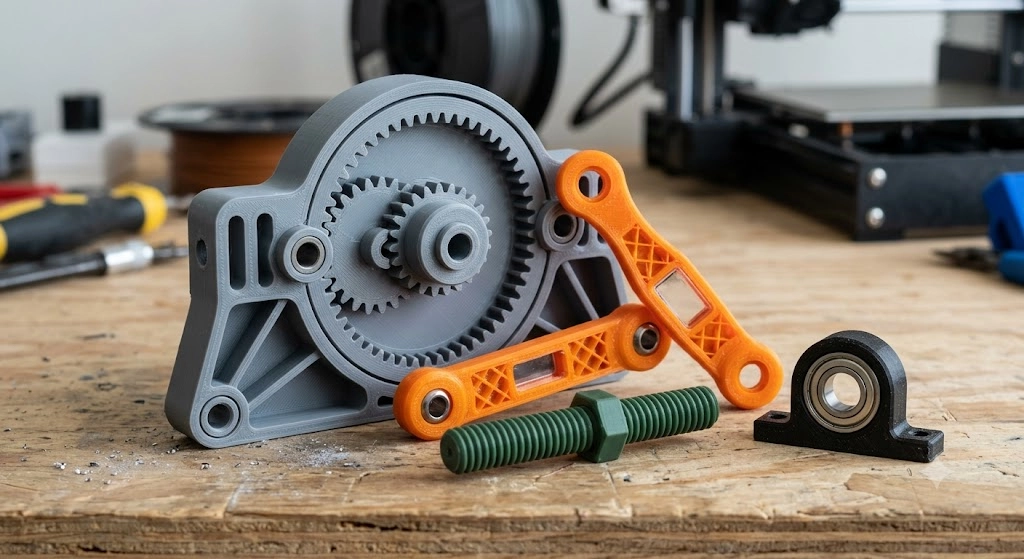
1.Functional Parts
Practical models designed for everyday use, repair, organization, and replacement applications.
For a deeper breakdown of how functional parts are engineered for real applications, visit Functional 3D Printing for Real Parts.
Recommended websites
- Thingiverse
- Printables
- GrabCAD
- Thangs
Suggested materials
- PLA — general household use
- PETG — durable functional parts
- ABS — moderate heat resistance
- Nylon — wear-resistant applications
Typical difficulty
★★☆☆☆ Beginner to Intermediate
Popular examples
- Tool holders
- Cable organizers
- Replacement clips
- Storage accessories
2.Engineering Models
Technical models focused on dimensional accuracy, testing, and product development.
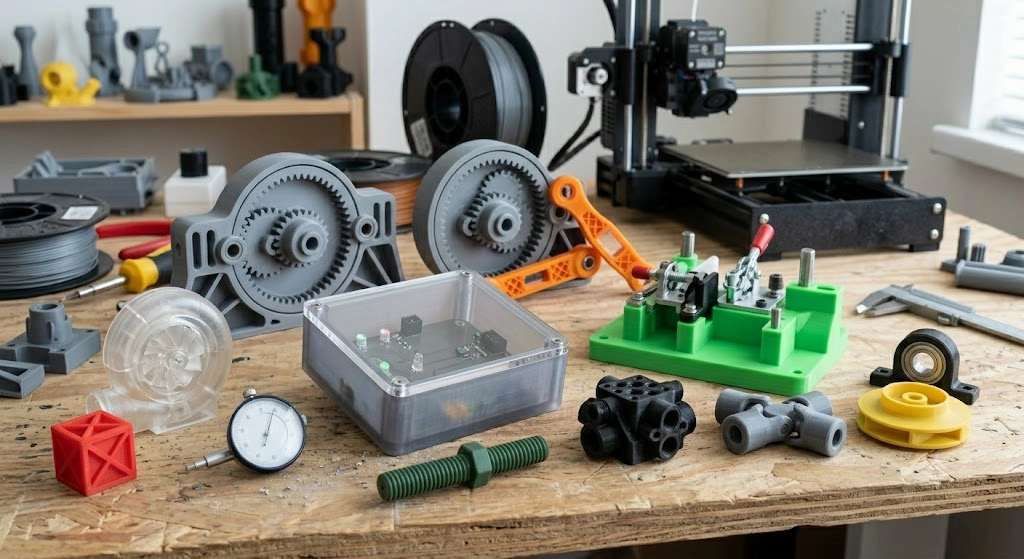
Alt text: 3d printed engineering models
Recommended websites
- GrabCAD
- Thangs
- Printables
Suggested materials
- PETG — rapid prototyping
- ABS — engineering prototypes
- Nylon — mechanical performance
- Resin — precision validation
Typical difficulty
★★★★☆ Intermediate to Advanced
Popular examples
- Prototype enclosures
- Fixtures
- Industrial components
- CAD validation models
3. Mechanical Assemblies
Multi-part printable designs with moving components or assembly requirements.
Recommended websites
- Thingiverse
- Printables
- MakerWorld
- GrabCAD
Suggested materials
- PLA — general mechanisms
- PETG — wear resistance
- Nylon — moving components
Typical difficulty
★★★★☆ Intermediate
Popular examples
- Gear systems
- Hinges
- Mechanical toys
- Tool mechanisms
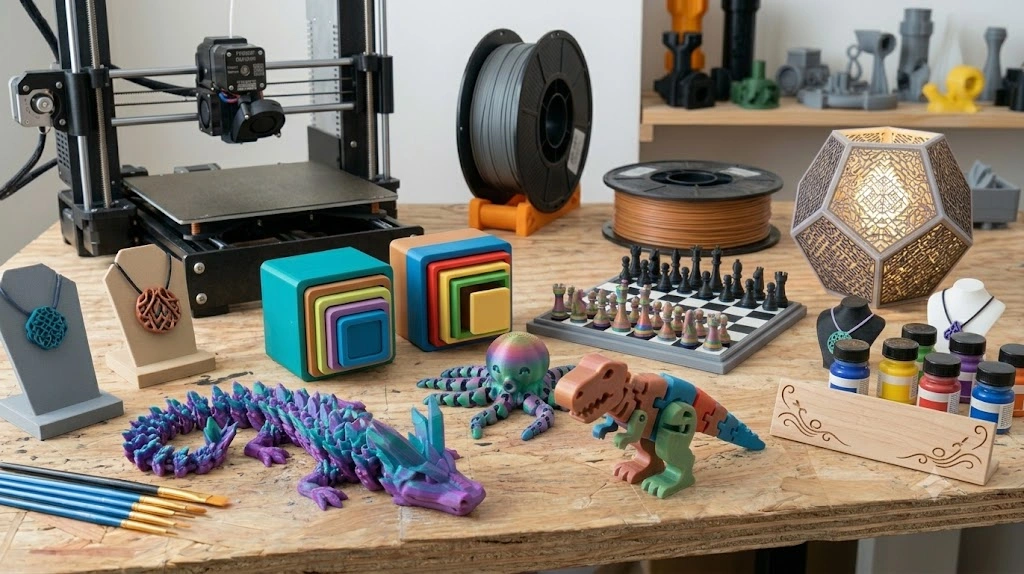
4.Toys and Gifts
Creative and decorative models designed for entertainment and personalization.
Recommended websites
- MakerWorld
- Thingiverse
- Cults3D
- Printables
Suggested materials
- PLA — color variety
- Silk PLA — decorative finish
- Multi-color PLA — visual projects
Typical difficulty
★☆☆☆☆ Beginner
Popular examples
- Desk toys
- Puzzle models
- Personalized gifts
- Seasonal decorations
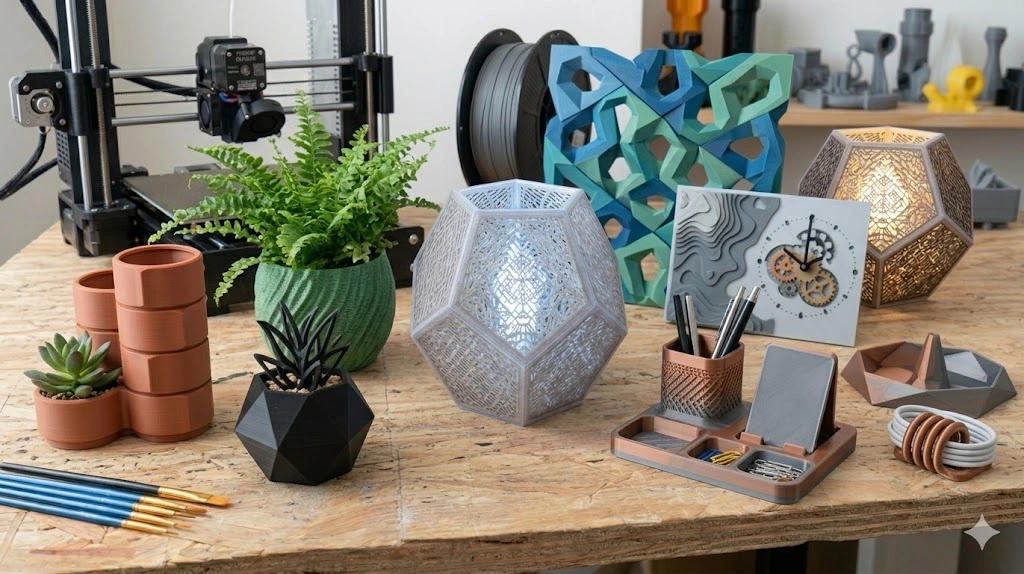
5.Home Decor
Decorative objects optimized for appearance and display.
Recommended websites
- Cults3D
- Printables
- Thingiverse
- Sketchfab
Suggested materials
- Silk PLA — premium appearance
- Matte PLA — modern finish
- Resin — detailed textures
Typical difficulty
★★☆☆☆ Beginner
Popular examples
- Lampshades
- Plant pots
- Wall decorations
- Decorative organizers
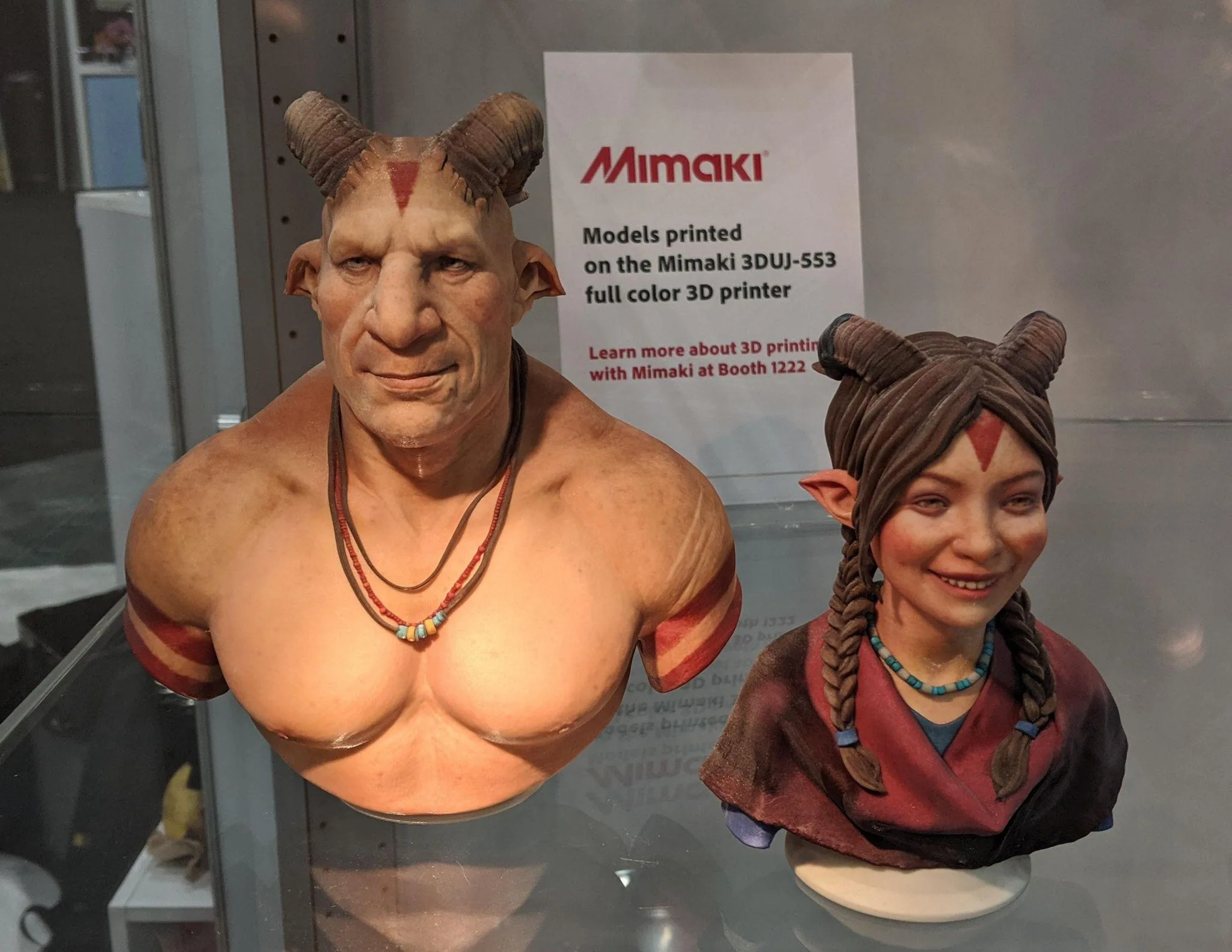
6. Miniatures
High-detail printable models for gaming, collecting, and display.
Recommended websites
- MyMiniFactory
- Cults3D
- Sketchfab
Suggested materials
- Standard Resin — high detail
- Tough Resin — durability
- Fine-detail PLA — larger miniatures
For most users, resin printing is preferred over FDM due to its precision and surface quality. You can compare both approaches in our guide on Resin vs FDM for Miniatures.
Typical difficulty
★★★★★ Advanced
Popular examples
- Tabletop characters
- Fantasy creatures
- Display statues
- Game accessories
Who Uses Free Files for 3D Printing?
Free STL platforms are used by different types of users, but all focus on the same goal: accessing free printable 3D models for prototyping, learning, or production.
(source: Freepik)
Engineers
Use free STL and CAD files mainly for:
- Rapid prototyping
- Design validation
- Mechanical testing
Preferred sources: GrabCAD, Thangs, Printables
Makers
Use free STL files for:
- Hobby printing
- Home projects
- Functional tools
Preferred sources: Thingiverse, Printables, MakerWorld
Businesses
Use free STL files for:
- Early-stage prototyping
- Concept validation
- Low-cost testing before production
Preferred sources:MyMiniFactory, Cults3D, GrabCAD
Key takeaway
Most free 3D printing file platforms overlap in content, but users choose them based on workflow, not just file availability. And Cost optimization is critical before moving to production: How to Reduce Cost of 3D Printing.
How to Choose a Printable 3D File (Without Failed Prints)
Downloading STL files is easy, but choosing the right model can save hours of failed prints, rework, and post-processing. Before printing, most models should be checked for file format, geometry quality, and licensing.
Choose the Right File Format for Your Workflow
Different file formats are designed for different workflows in 3D printing and manufacturing.
- STL — Best for most desktop 3D printing and slicing workflows
- STEP — Ideal for engineering projects and editable CAD geometry
- OBJ — Supports textures and visually complex models
- 3MF — Stores print settings, colors, and metadata for advanced slicing workflows
- AMF — Advanced format for multi-material and complex structures, but with limited software support
- G-code — Machine-level execution file generated by slicers (optional use case)
File formats directly impact printability and compatibility: Understanding 3D Printing File Formats.
Check Model Quality Before You Print
Before downloading or slicing a model, always check:
- Wall thickness is sufficient for printing
- Geometry is clean and watertight (no mesh errors)
- Print orientation and support requirements are reasonable
- User comments and real print photos confirm success
Check Licensing for Commercial Use
Not all free STL files can be used commercially. Always verify the license before using a model for production or resale.
Check whether the file allows:
- Personal use
- Commercial use
- Modification
- Redistribution
Why STL Files Fail to Print
Even well-designed models can fail if they are not prepared correctly.
- STL not slicing correctly — Repair mesh or re-export the file
- Non-watertight model — Fix holes using mesh repair tools
- Incorrect scale — Verify units before slicing
- Print failure mid-job — Adjust supports, orientation, or material settings
From STL Download to Finished Part
A printable file is only the first step. Production-ready parts usually require a simple workflow:
Download file → Repair geometry → Choose material → Get instant quote → Manufacture
Turn your STL files into real parts with production services supporting 30+ materials, including metal, nylon, resin, and engineering plastics.
Start production directly from your design file and move from concept to physical part in a few steps.
Get instant pricing for high-quality 3D printed parts in metal, nylon, resin, and engineering plastics—starting from $0.30.
Get Quote Now >
H2 FAQ about Free Files for 3D Printing
Q1: Where can I download free 3D printer files?
You can download free 3D printer files from dedicated STL repositories and model-sharing platforms. Popular options include Thingiverse, Printables, MakerWorld, GrabCAD, Cults3D, and MyMiniFactory. Some platforms focus on general printable objects, while others specialize in engineering files, miniatures, or creator marketplaces. Always review file descriptions, print feedback, and licensing terms before downloading.
Q2: What is the best website for free STL files?
The best website depends on your project type. Thingiverse is suitable for general printable models, Printables offers more curated and verified designs, MakerWorld focuses on optimized printability, GrabCAD works well for engineering projects, and MyMiniFactory is a strong choice for miniatures and collectibles. If you want to search across multiple platforms, Yeggi and Thangs can help.
Q3: Are free STL files safe?
Most free STL files are safe when downloaded from trusted platforms with active communities and user reviews. Before printing, check comments, preview the geometry, confirm licensing information, and inspect the file in slicing software. Avoid downloading unsupported archives or files from unknown sources.
Q4: Can I sell products made from downloaded STL files?
It depends on the license attached to the model. Some creators allow commercial use, while others only permit personal printing. Always review the file license before manufacturing or selling printed products. Common license types may restrict resale, modification, or commercial distribution.
Q5: What file format is best for 3D printing?
STL remains the most widely supported format for 3D printing because of its broad compatibility. 3MF can preserve additional information such as color and print settings, while STEP files are often preferred for engineering workflows because they remain editable. The best format depends on whether your priority is simple printing, design modification, or manufacturing accuracy.
Q6: Why do downloaded STL files fail to print?
Downloaded STL files may fail because of mesh errors, missing surfaces, unsupported geometry, incorrect scale, or unsuitable slicing settings. Before printing, inspect wall thickness, repair non-manifold areas, confirm unit dimensions, and preview the toolpath in your slicer to reduce print failures.
Q7: Where is the safest place to download STL files?
You should download STL files from trusted platforms with active communities, verified creators, and user feedback systems. The safest options include Thingiverse, Printables, MakerWorld, MyMiniFactory, and GrabCAD, as these platforms moderate content and provide user reviews, print history, and licensing information.
For engineering or production-level safety, GrabCAD and professional platforms with STEP files are more reliable because they offer verified CAD geometry and clearer design intent.
Always avoid downloading STL files from unknown sources, unverified file-sharing websites, or archives without previews, as they may contain broken geometry or unsafe downloads.
Keep Learning
How to Edit STL Files: Tools and Techniques That Work
Key Takeaways You can edit STL files without going back to CAD: mesh editors handle scaling, cutting, combining, and sculpting directly on the triangle mesh. STL files carry no feature history, so CAD-style edits (change one hole diameter, thicken one wall) are not possible directly: you either edit the mesh or convert it back to a solid model first. The right STL editor depends on the job: Tinkercad or 3D Builder for quick scaling, Meshmixer for cutting and combining, Blender for sculpting, and FreeC......
Image to STL: Convert Images to STL Online for Free
Key Takeaways You can convert an image to STL — the right method depends on what the image shows: a photo becomes a lithophane relief, a logo becomes an extruded shape, or an object photo becomes an AI-generated mesh. Free online converters handle all three methods in a browser, no software install required — pick one based on your image type, not on a tool's marketing. Lithophanes encode photo brightness as thickness; the result prints in translucent filament and reveals the image under backlight. So......
How to Open STL Files: 4 Free Ways (Online, Windows, Mac)
Key Takeaways The fastest way to open an STL file is to drag it into a free online 3D viewer — no installation, works on any device with a browser. On Windows, the built-in 3D Viewer app ships with Windows 10 but may be missing on recent Windows 11 builds, and Paint 3D left the Microsoft Store in November 2024 — the built-in route is fading. macOS and phones ship with no STL viewer at all; a browser-based viewer covers both without installing anything. STL files carry no units. Always confirm the file......
OrcaSlicer vs Prusa, Bambu & Cura: All Features, Pros & Cons Compared
Orca Slicer is gaining fans fast, but is it really better than the slicers we’ve trusted for years? Whether you're troubleshooting stringy overhangs, dialing in support settings, or optimizing for speed, your slicer software plays a massive role in how your final print turns out. And with the growing popularity of Orca Slicer, especially among Bambu Lab users and tinkerers looking for more control, the question arises: how does it actually stack up against Cura, PrusaSlicer, and Bambu Studio? In this ......
What Is an STL File? Inside the Format Every Slicer Reads
Key Takeaways An STL file describes a 3D shape as a list of triangles — geometry and nothing else. No units, no color, no material, no assembly structure. The format dates to the late 1980s, created for the first stereolithography machines, and it remains the one format practically every slicer reads. STL comes in binary and ASCII variants holding the same mesh; ASCII runs several times larger and has no place in a print workflow. A fully closed shell of triangles. Holes and flipped normals are the de......
How to Repair STL Files: Fix Mesh Errors Before 3D Printing
Key Takeaways STL file repair fixes mesh errors such as holes, non-manifold edges, flipped normals, and duplicate vertices, but it does not correct incorrect dimensions or underlying geometry. Before you repair an STL file, check its dimensions and units. STL files generally do not store explicit unit information, so incorrect scale can make a printable model unusable. A repaired or fully closed STL file is not necessarily printable. Repair only fixes mesh errors — wall thickness, minimum feature size......